EasyManua.ls Logo

Bosch MTS 6513 VCI - User Manual

Bosch MTS 6513 VCI
45 pages
Print Icon
To Next Page IconTo Next Page
Loading...
MTS6513 VCI
es
Manual del usuario
VCI MTS 6513
Manuel de l'utilisateur
MTS6513 VCI
fr-CA
en User
Manual
MTS 6513 VCI

Table of Contents

Question and Answer IconNeed help?

Do you have a question about the Bosch MTS 6513 VCI and is the answer not in the manual?

Overview

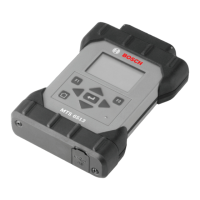
The MTS 6513 Vehicle Communication Interface (VCI) is a diagnostic tool designed for professional technicians to aid in diagnosing and repairing automotive electrical and electronic systems. It connects the vehicle to a host PC computer application for data transfer and Electronic Control Unit (ECU) reprogramming.

Function Description

The MTS 6513 VCI facilitates communication between the vehicle and a host PC, enabling diagnostic applications and ECU reprogramming. It supports communication via a USB cable or wirelessly (WLAN). The device features an LCD display for standalone operation without a PC. The VCI Manager PC application software is used to configure and update the MTS 6513. The device also supports J2534 pass-thru programming, allowing it to work with OEM PC applications for flashing and diagnosing ECUs.

Important Technical Specifications

Processor System:

  • Microprocessor Type: PXA270 Processor
  • Clock Speed: 312 MHz
  • RAM: 64 MB SDRAM
  • ROM: 32 MB Flash EEPROM
  • Mass Storage: Micro-SD Card Slot (externally accessible), Optional 4 GB (Gigabyte) Micro-SD Card

Host Interface:

  • Wired: High-Speed (480 Mbps) USB Client Interface (via OTG Port)
  • Wireless: Optional Wireless via Host USB Interface

User Interface:

  • LED: One green LED for power indication
  • LCD: 160x100 with greyscale and LED backlight
  • Audio: Beeper (software frequency controlled)
  • Keypad: 8-Key keypad
  • Switch: Recovery switch
  • Trigger Switch: Remote Interface possible via OTG USB Interface

Power:

  • Vehicle: From vehicle battery via DLC
  • External: USB power (4.75 to 5.5V) (500 mA max)
  • Backup: 15 seconds typical (Ultra-capacitor)
  • Power Sources: 12-24 Volt vehicle power, USB power

Mechanical Characteristics:

  • Size: 140x96x30 mm
  • Weight: 240 grams
  • Input Voltage: 6V - 16V
  • Operating temperature: 0°C to 50°C

Certifications:

  • VCI: FCC, CE, CSA, RoHS

PC System Requirements:

  • Operating System: WIN XP/WIN Vista/WIN 7/WIN 8/WIN 8.1 (32 bit and 64 bit PCs)/WIN 10
  • Available hard disk space: 100 MB or greater
  • RAM: 512 MB or greater
  • CPU: 1 GHZ or higher
  • Communication Ports: 1 USB
  • Video Resolution: 1024 x 768 or higher

Usage Features

Connectivity: The MTS 6513 offers flexible connectivity options. It can be connected to a PC via a USB cable for direct communication or configured for wireless communication (WLAN) to connect to a workshop network or directly to a PC using a USB wireless adapter. The device includes a 15-pin to 16-pin Data Link Connector (DLC) cable for connecting to the vehicle.

User Interface and Controls: The device features an LCD display and an 8-key keypad for navigation and control. The keypad includes F1/F2 keys, Enter, and arrow keys for menu navigation and SuperCap function adjustment. An LED indicates power status.

VCI Manager Software: The VCI Manager software, installed on a PC, is essential for configuring, updating firmware, and running diagnostic applications. It allows users to set up network connections, including wireless access and security settings. The software displays the VCI's connection status (USB, Ethernet, Wireless) and provides detailed information about the VCI and its firmware version.

Wireless Communication Modes: The MTS 6513 supports two wireless communication methods:

  1. Access Point Wireless Communication: The VCI connects to the PC through an access point in the workshop. Configuration involves specifying the network name (SSID), security settings (WPA-Personal, Open, Shared), data encryption (TKIP or WEP), and the wireless security password.
  2. Point-to-Point Wireless Communication: The VCI connects directly to the PC using a USB wireless adapter. This mode is suitable for direct communication without a network infrastructure.

Powering the VCI: The VCI can be powered by the vehicle's 12-volt battery via the DLC cable or by a USB cable connected to a PC. USB power is typically used when configuring the VCI.

Safety Instructions:

  • Battery Clamps - Polarity: Avoid clamping battery clamps together when connected to the vehicle's cigarette lighter or power supply simultaneously, as reverse polarity can damage the VCI or vehicle. Ensure all cables and adapters are firmly connected.
  • High Voltage: Exercise caution when working with high voltage vehicle systems, airbags, and other deployable devices.
  • Exhaust Gas: Ensure adequate ventilation when running the engine in an enclosed space to avoid carbon monoxide poisoning.
  • Parking Brake: Always apply the parking brake and block the drive wheels before performing any checks or repairs.

Maintenance Features

Software Updates: The VCI Manager software is used to update the MTS 6513's firmware. It is recommended to check the Bosch Diagnostics OES website for the latest firmware versions. Updates are performed via a USB connection.

Cleaning and Storage: The MTS 6513 housing should be cleaned with a soft cloth and a neutral cleaning agent. Avoid abrasive cleaners or rough cleaning cloths. Do not immerse the VCI or its parts in water. While water-resistant, the device is not watertight, so dry it thoroughly before storage. Avoid aggressive solvents like petroleum-based cleaners, acetone, benzene, or trichloroethylene.

Recovery Procedure: In case of a power outage or communication error during a software update, the VCI software may become corrupted. The device might display error messages or fail to connect. To recover:

  1. Remove power from the VCI.
  2. Remove the end cap, press and hold the Recovery Button, then apply power via the USB cable. The LCD will display "Fail Safe."
  3. Launch the VCI Manager software on the PC.
  4. The VCI Manager will detect the VCI and label it "Recover."
  5. Select the VCI, click "Recover," and the VCI Manager will switch to the VCI Update tab.
  6. Select the latest recovery image and click "Start Update." Do not unplug the VCI or remove power during the update.
  7. After the automatic reboot, the VCI will be ready for use. This process clears all network settings and removes any loaded applications.

Bosch MTS 6513 VCI Specifications

General IconGeneral
BrandBosch
ModelMTS 6513 VCI
CategoryTest Equipment
LanguageEnglish

Related product manuals