EasyManua.ls Logo

Bosch OBD1300 - User Manual

Bosch OBD1300
52 pages
Print Icon
To Next Page IconTo Next Page
Loading...
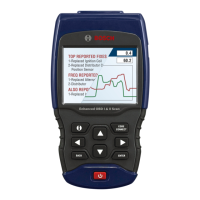
OBD1300 Enhanced OBD I & OBD II Scan Tool
Analyseur-contrôleur OBD1300 amélioré OBD I et OBD II
OBD1300 Herramienta mejorada de escaneo OBD I y OBD II
The Quick Start Guide was developed
to help you get started using the
Scan Tool. If there are any problems
following these steps or extra
information is required refer to the
User’s Guide located at
www.boschdiagnostics.com/user-
manuals.
All Safety Information is contained in
the User’s Guide. Read User’s Guide
completely before operating Scan Tool.
Le guide de démarrage rapide a été
conçu pour faciliter l’utilisation de
votre analyseur-contrôleur. Si des
problèmes survenaient au cours de
ces étapes ou que des renseignements
supplémentaires étaient requis,
veuillez vous référer au guide de
l’utilisateur se trouvant sur
www.boschdiagnostics.com/user-
manuals.
Le guide de l’utilisateur contient
tous les renseignements de sécurité.
Veuillez lire le guide de l’utilisateur
avant de vous servir de l’analyseur-
contrôleur.
La guía de inicio rápido se desarrolló
para ayudarlo a comenzar a utilizar
la herramienta de escaneo. Si tiene
alguna duda con respecto a estos
pasos o si necesita más información
consulte la guía del usuario que se
encuentra en
www.boschdiagnostics.com/user-
manuals.
Toda la información de seguridad está
incluida en la guía del usuario. Lea
la guía del usuario con detenimiento
antes de comenzar a operar la
herramienta de escaneo.
en Quick Start Guide
fr Guide de démarrage rapide
es Guía de inicio rápido

Question and Answer IconNeed help?

Do you have a question about the Bosch OBD1300 and is the answer not in the manual?

Summary

General Scan Tool Information

User Interface

Details the scan tool's design for easy use, including menus and list operations.

Display Icons

Explains the meaning of various icons displayed on the scan tool screen.

Download Scanning Suite

Using Your Scan Tool

Installing Internal Batteries

Guide on how to install or replace the 4 AAA alkaline batteries in the scan tool.

Locating Data Link Connector

Information on finding the Data Link Connector (DLC) on vehicles for OBD I and OBD II.

Connect the Tool

Steps for connecting the scan tool to the vehicle's Data Link Connector and powering it on.

CodeConnect Feature

Code Criteria

Tool Menus

Limited Warranty

Summary

General Scan Tool Information

User Interface

Details the scan tool's design for easy use, including menus and list operations.

Display Icons

Explains the meaning of various icons displayed on the scan tool screen.

Download Scanning Suite

Using Your Scan Tool

Installing Internal Batteries

Guide on how to install or replace the 4 AAA alkaline batteries in the scan tool.

Locating Data Link Connector

Information on finding the Data Link Connector (DLC) on vehicles for OBD I and OBD II.

Connect the Tool

Steps for connecting the scan tool to the vehicle's Data Link Connector and powering it on.

CodeConnect Feature

Code Criteria

Tool Menus

Limited Warranty

Bosch OBD1300 Specifications

General IconGeneral
BrandBosch
ModelOBD1300
CategoryScanner
LanguageEnglish

Related product manuals