
 Need help?
Do you have a question about the Bosch PLN-6TMW and is the answer not in the manual?
Describes the Plena product range and its applications.
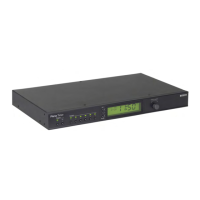
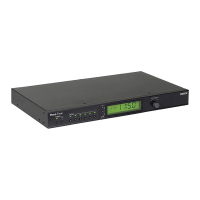
Overview of the Plena Weekly Timer's capabilities and programming methods.
Describes the physical interface of the Timer, including front and rear panels.
Details on how to install the unit, including rack-mounting.
Explains how to connect external devices like power and other Plena units.
Instructions for powering up the device, including voltage selector checks.
Instructions for powering down the device.
How to configure daylight saving time using DIP switches or software.
How to switch between the two available weekly schedules.
Manual activation of the six programmable output contacts.
How to pause all scheduled events using the Pause button.
Manually adjusting background music volume.
How to lock the front panel controls to prevent accidental changes.
Overview of programming the Timer using front panel controls or PC software.
Step-by-step guide to setting up individual events, including time, chimes, and triggers.
How to review, modify, or delete existing programmed events.
Overview of the software's capabilities and functions.
Step-by-step guide for installing the configuration software from CD-ROM.
Instructions for launching the configuration software and entering the password.
Configuring global system parameters and time synchronization.
How to create and edit event schedules using the software.
How to transfer schedules from the Timer to the PC.
Procedure for changing the software access password.
Details on supply voltage and power consumption.
Frequency response, distortion, signal-to-noise, and dynamic range.
Mounting, dimensions, weight, and color.
Lists front and rear panel controls and indicators.
Details on mains and backup power connections.
Lists the components provided with the product.


 To Next Page
 General