
 Need help?
Do you have a question about the Bosch Rexroth PST 6 0 Series and is the answer not in the manual?
Defines the scope and target audience of the documentation.
Lists supplementary documents required for comprehensive information.
Explains the use of icons, terms, and abbreviations.
Highlights the importance of safety instructions for preventing injuries and damage.
Describes the product's intended applications and compliance with directives/standards.
Lists uses considered inappropriate and inadmissible for the product.
Specifies the required qualifications for personnel handling the product.
Provides general safety guidelines for product handling and operation.
Provides safety instructions specific to product handling and technology.
Explains safety-related icons found on the product itself.
Provides safety precautions for transporting the product.
Details safety warnings related to installation and assembly.
Covers safety instructions for electrical connection.
Provides safety warnings for operating the product.
Warns about unauthorized modifications and retrofits.
Details safety precautions for maintenance and repair activities.
Refers to declaration of conformity and CE marking details.
Outlines the responsibilities of the system operator.
Provides notices regarding transport and storage to prevent damage.
Lists notices related to installation and assembly to prevent damage.
Provides notices on electrical connection to prevent damage.
Lists notices related to operation to prevent damage.
Provides notices on maintenance and repair to prevent damage.
Details the main features and capabilities of the PST 6xx0 series.
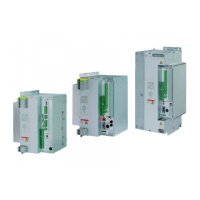
Describes the assembled timer and power unit housing.
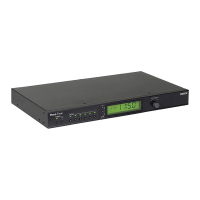
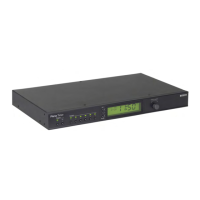
Explains how to operate and program the timer via PC.
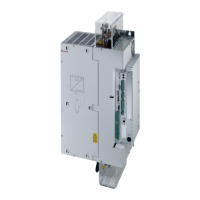
Explains how AC welding works with the thyristor power unit.
Details the physical structure of the power unit and timer modules.
Illustrates and labels the front panel components of the PST 6xx0.
Details various I/O modules available for the PST 6xx0.
Describes the features and functions of the Ethernet module.
Details the features and functions of the ProfiNet module.
Provides technical data for E/A DISK R2ED/R4ED I/O modules.
Provides technical data for the E/A DISK I/O module.
Details technical data for E/A DISK 2R/4R I/O modules.
Describes the E/A IBS OPC INTERBUS-S I/O module.
Details the E/A IBS FERN INTERBUS-S I/O module.
Provides technical data for the E/A IBS X_FERN_8EA I/O module.
Describes the DEV-NET DeviceNet I/O module.
Details the ComnetM-DP PROFIBUS-DP I/O module.
Covers load and rating information for power units.
Explains factors influencing semiconductor life and load diagrams.
Guides on checking for thyristor power supply unit overload.
Presents load diagrams for power units.
Explains how to interpret the product type designation.
Details the information found on the product's type plate.
Provides information and instructions for assembling the product.
Presents dimensioned drawings and connection locations.
Covers general instructions for electrical connection.
Details measures for suppressing electrical noise.
Provides prescriptions for the line connection.
Explains the transformer primary circuit connection.
Describes how to connect a programming terminal.
Details the 24 VDC logic supply input.
Explains the internal 24 VDC voltage generator output.
Describes the I/O module supply options.
Explains the 24 VDC voltage distribution via X4.
Details how to connect an external fan.
Explains power supply to external units.
Describes the analog output for electrode force.
Explains electrode force feedback mechanisms.
Details the input for secondary current measurement.
Explains transformer temperature monitoring.
Describes the main switch trip function.
Provides instructions for connecting the water supply.
Details the steps for switching on the thyristor power supply unit.
Outlines the recommended maintenance activities.
Provides information on specific maintenance tasks.
Provides instructions for replacing the unit's battery.
Explains the process and tools for firmware updates.
Details firmware update using the WinBlow software.
Explains firmware update via FWUpdate software.
Provides information on ordering spare parts.
Details the process for returning products for disposal and recycling.
Discusses environmental protection and battery disposal.
Lists optional accessories available for the product.
Covers options for expanding the product's capabilities.
Describes the accessory kit for rear panel installation.
Provides a troubleshooting example for temperature monitoring faults.
Contact details for service and helpdesk in Germany.
Instructions for contacting local service offices worldwide.
Information to have ready for efficient service support.
Confirms product compliance with directives and standards.


 To Next Page
 General