30
deen
j button and settings
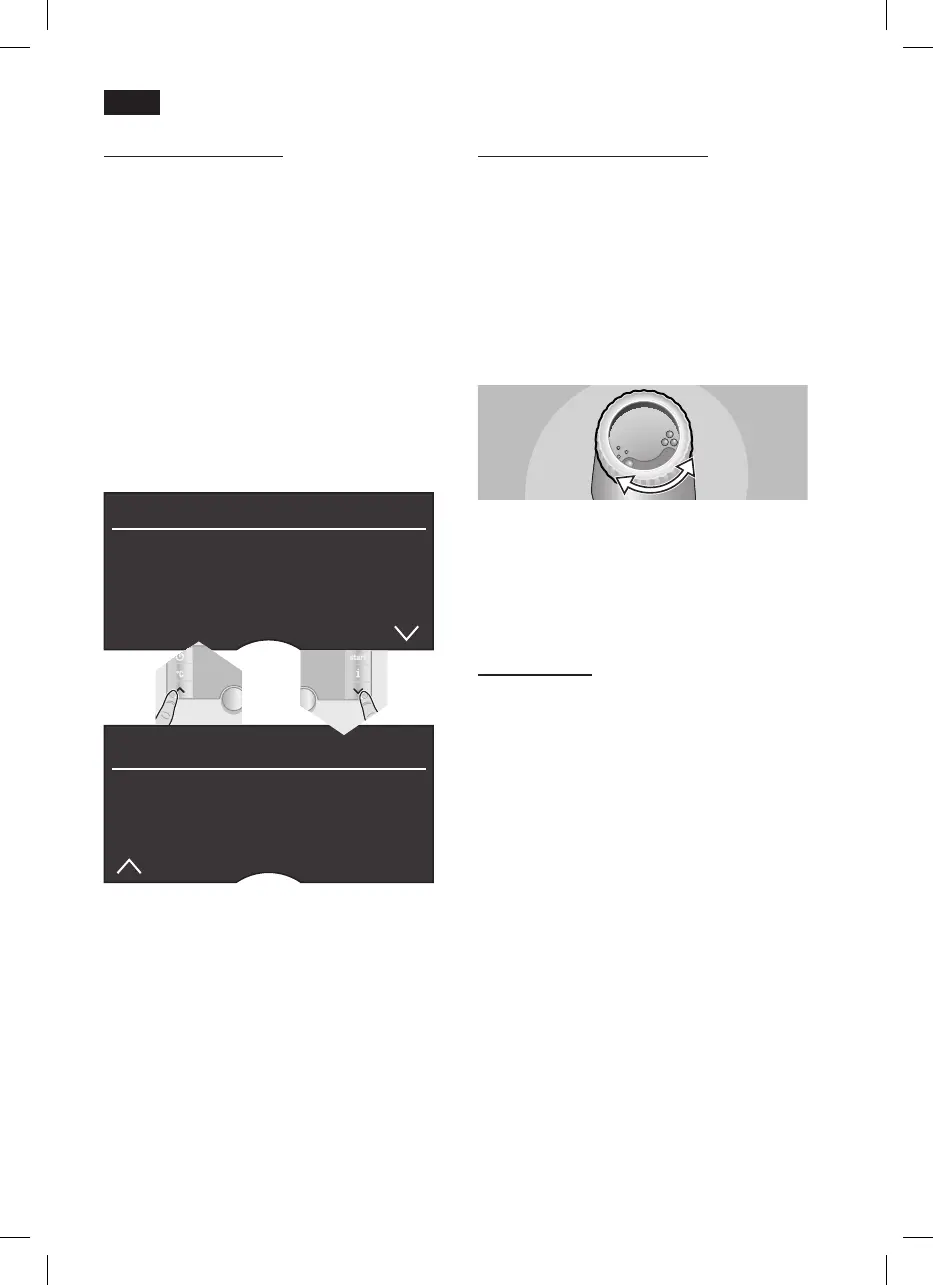
Use the j button 7 to display information
(pressbriey)andadjust settings (hold
down for at least 3 seconds).
Displaying information
The following information can be displayed
in the Info menu:
how many drinks have been dispensed
since the espresso machine was switched
on
when should the next service be
completed.
●Pressthej button 7brieyandnavigate
with the < and > buttons 4.
inFo
DescaLe aFter xxx cups
cLean aFter xxx cups
no FiLter
change FiLter in xxx cups *
inFo
no. oF coFFees xx
no. oF MiLk Mixes xx
aMount hot Water xL
*appearsonlyifthelterisactivated.
Press the j button 7againbrieytoreturn
to drink selection. If no button is pressed for
about 10 seconds the appliance
automatically switches back to drink
selection mode.
Adjusting settings
(see “Menu settings”).
–
–
Adjusting the grinding unit
The rotary selector 17 adjusts the grind
settingsfromcoarsetone.
Warning
Adjust the grinding unit only while it is
running! Otherwise the appliance may be
damaged.
●Whilethegrindingunitisrunning,adjust
the rotary selector 17fromne•••to
coarse●●●asrequired.
Note: The new setting will not become
apparent until after the second cup of
coffee.
Tip: For dark roast coffee beans, choose a
nergrind,forlighterbeansacoarsergrind.
Cup warming
! Warning: The cup warmer 19
becomes very hot.
The fully automatic espresso machine has a
cup warmer 19 that can be switched on or
off manually with button 20. When the cup
warmer 19 is on, button 20 lights up.
Tip: For optimal cup warming, place the
base of the cups on the cup warmer 19.





 To Next Page