English | 21
Bosch Power Tools 1 609 929 X41 | (28.10.10)
Detecting Wooden Objects
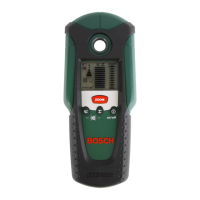
When scanning for wooden objects, press the wood-detection
button 5. The wood detection indicator symbol b and the
“Zoom” function indicator d are indicated in the display and
the arrow below the “Zoom” function indicator d flashes. The
“AutoCal” calibration indicator g and the illuminated ring 1 go
out.
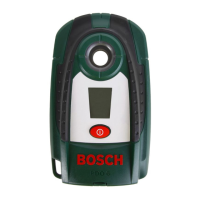
Position the measuring tool onto the surface being scanned.
Then press the “ZOOM” button 4 and keep it pressed. Now the
illuminated ring 1 lights up green, the “AutoCal” calibration in-
dicator g is displayed again, the “Zoom” function indicator d as
well as the arrow below it go out.
With the “ZOOM” button 4 pressed, move the
measuring tool uniformly above the structure
without lifting it off or changing the applied
pressure. During the scan, the felt pads 8
must always have contact with the structure.
When a wooden object is detected, an amplitude is displayed in
the measuring indicator f. Move the measuring tool over the sur-
face repeatedly to localise the wooden object more precisely.
After moving over the same area several times, the wooden
object can be indicated quite accurately: The illuminated ring 1
lights up red and a steady tone sounds as long as the measuring
tool is over the wooden object. The measuring indicator f has
the greatest amplitude over the centre of the wooden object.
The “Zoom” measuring indicator e is inactive when scanning for
wooden objects.
Caution: When having placed the measuring tool onto the sur-
face to be scanned under which a wooden object is coinciden-
tally located, and having moved it over the surface, the measur-
ing indicator f, the arrow below the “Zoom” function indicator d
and the illuminated ring 1 flash red. In this case, start the scan
again by repositioning the measuring tool somewhat offset onto
the structure and pressing the “ZOOM” button 4 again.
When scanning for wooden objects, metal objects are some-
times also indicated as objects found at depths between
20–50 mm. To distinguish between wooden and metal ob-
jects, switch to the detecting-metal function (see “Detecting
Metal Objects”). When an object is indicated at the same loca-
tion in this function, then it is clearly a metal object and not a
wooden object. To continue searching for wooden objects,
switch back to the detecting-wood function.
OBJ_BUCH-139-002.book Page 21 Thursday, October 28, 2010 9:38 AM




 To Next Page