2nd Edition/Revision 0 (4/28/04)
R020031E
WFMC/WFXD Service Tips
WFMC/WFXD Service Tips
–
–
Test
Test
Pgm
Pgm
(7): Tests 11
(7): Tests 11
-
-
13
65
/
13
Test P12: UPDATE / P:12 (Update programming) --
This test cannot be used presently. If selected, it can only be
exited by turning the washer off using the selector knob.
NOTE: On WFMC32/WFXD52, displays alternates from “P:13” to
“63”, “88” or “177”, depending on water level (below or at heating
level).
HINT: Test runs until max. water level reached or is stopped by pressing
Menu button. To save time with Test P13, press Menu to stop test when
all valves have been checked. Run Test P15 to drain washer if needed.
HINT: If Start/Pause light doesn’t come on for some tests, door is
open. Turn off washer, then close door.
HINT: On WFMC32/WFXD52, each valve is checked automatically. On
WFMC64/WFXD84, push Start/Pause button to check each valve:
• At start of test, valve 1 (cold) is tested.
•Push Start/Pause button again to check valve 2 (cold).
•Push Start/Pause button again to check valves 1 + 2 (dual cold).
•Push Start/Pause button again to check valve 3 (hot).
• Pushing Start/Pause button again checks valve 1 again.
•Push Menu button to exit test.
HINT: Water level symbols change as follows (e.g. test P13):
• WFMC64/WFXD84 -- from N
0
(below heating level) to N
H
(heating level) to N
D
(door locked level).
• WFMC32/WFXD52 -- from 63 (below heating level) to 88
(heating level) to 177 (door locked level).
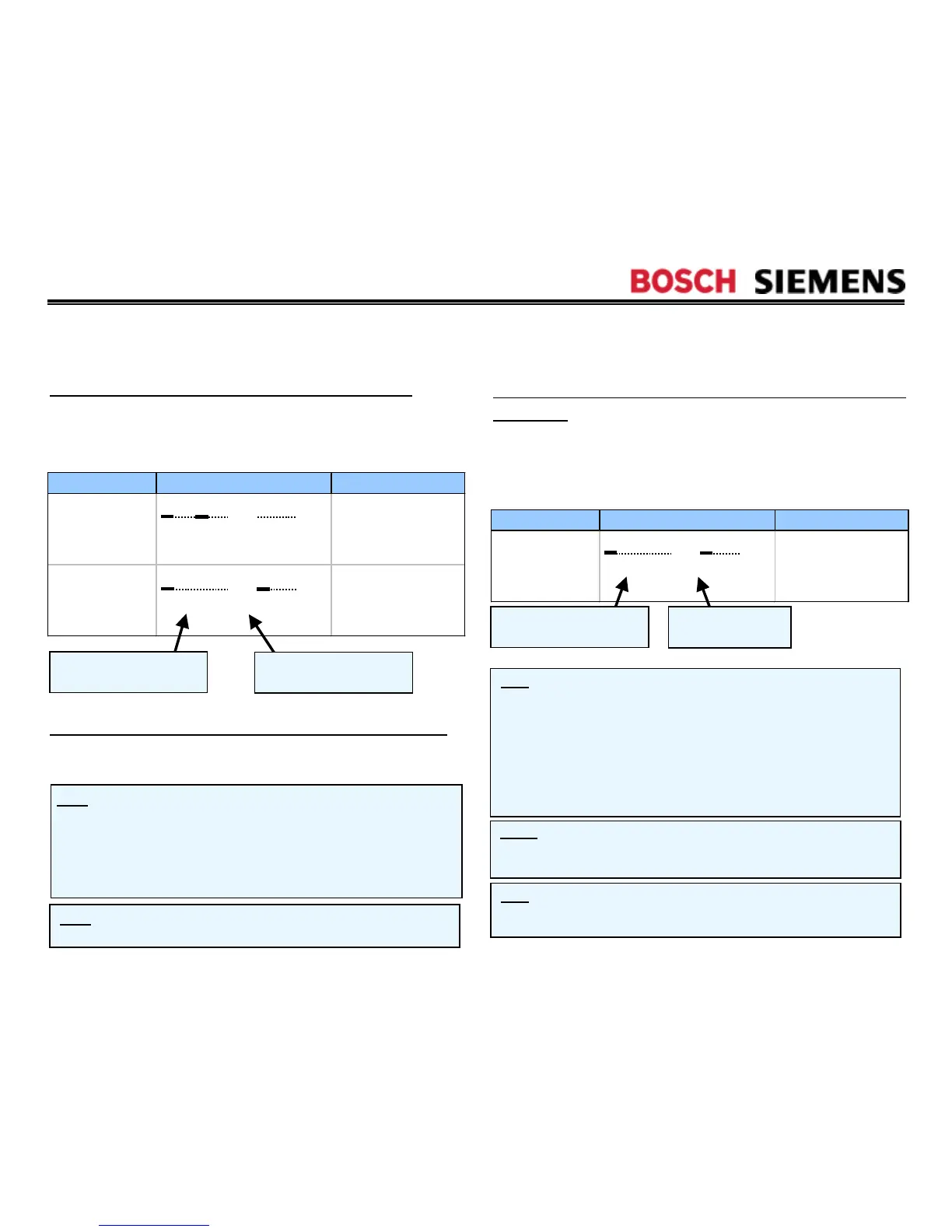
Operation WFMC64/WFXD84 Display Notes
Changes as
water level
changes
Run test P1 to check
fault code -- if Er:13,
check water inlet
valve.
Changes as
water level
changes
Run test P1 to check
fault code -- if Er:12,
check flow meter for
errors.
Test
P11:FLOW
(Flow meter test program) --
The
test turns on the flow meter (WFMC64/WFXD84 only) and
generates fault codes. The test has ended when
U05
has
displayed (< 1 minute) and can be stopped by pushing the
Menu
button.
D M P H 1 2 3 N
0
V
U00 F….
D M P H 1 2 3 N
0
V
U05 F….
Flow rate measured by
flow meter in liters/minute
Water volume measured
by flow meter
Operation WFMC64/WFXD84 Display Notes
Test runs valves
in sequence: 1,
2, 1 + 2 & 3.
Analog pressure
sensor reading
increases after valves
shut off.
It stops when n20 level is reached (max. 10 minutes). Stop it by
pushing the
Spin Selection
button (WFMC32/WFXD52) or
Menu
button (WFMC64/WFXD84).
Test
P13:VALVE1
/
P:13
(Water inlet valves test
program) --
The test turns on all 3 water inlet valves and
generates fault codes.
D M P H 1 2 3 N
D
V
U22 n253
Flow rate measured by
flow meter in liters/minute
Value of analog
pressure switch




 To Next Page