EasyManua.ls Logo

Bose A20 Aviation - User Manual

Bose A20 Aviation
44 pages
Print Icon
To Next Page IconTo Next Page
Loading...
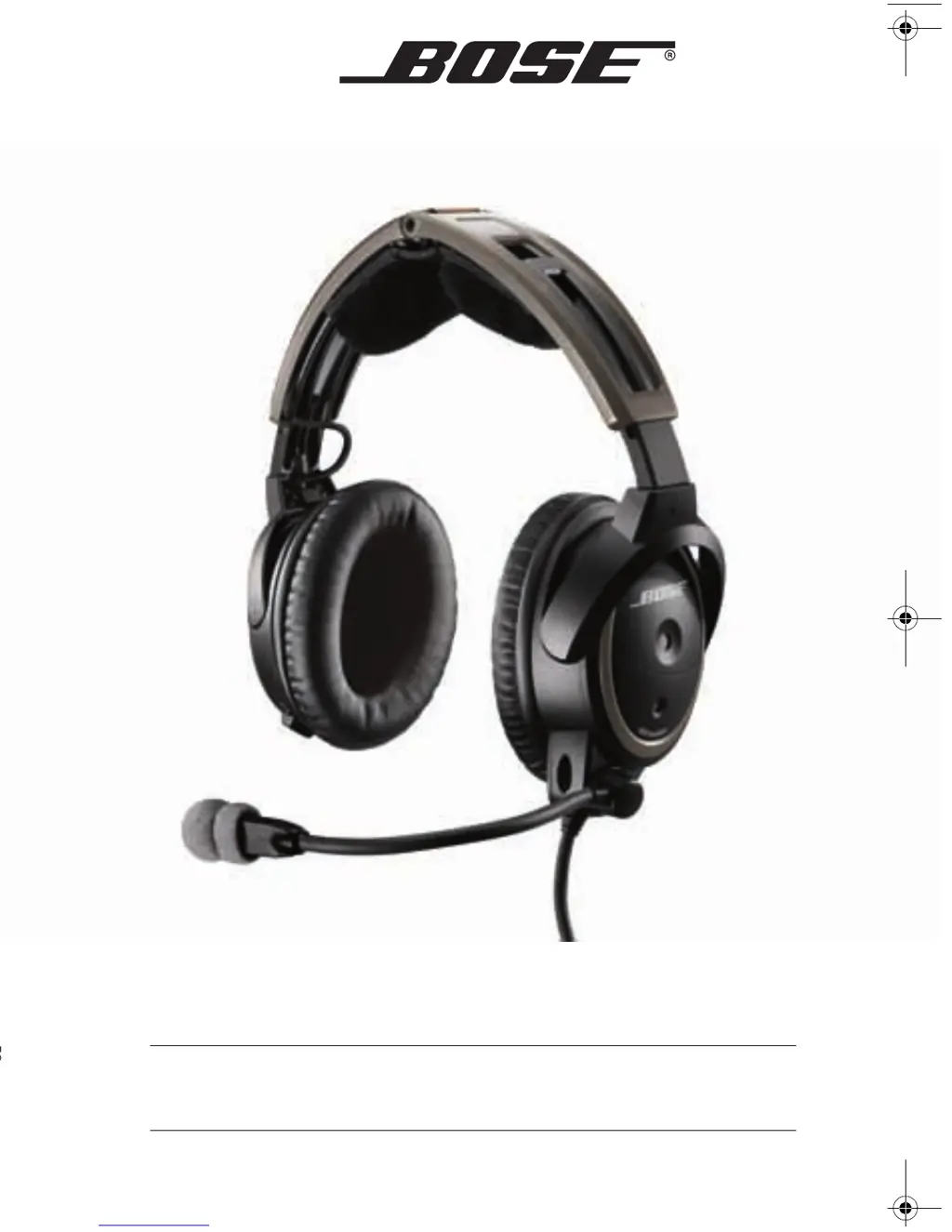
A20
AVIATION HEADSET
Owner’s Guide
©2010 Bose Corporation, The Mountain,
Framingham, MA 01701-9168 USA
AM325453 Rev.05
Covers.fm Page 1 Thursday, October 28, 2010 12:06 PM

Table of Contents

Other manuals for Bose A20 Aviation

Questions and Answers

  • P
    Patrick Hawkins DDSAug 17, 2025
    Why is Acoustic Noise Cancelling not working on my Bose Headsets?
    • A
      Ashley AtkinsAug 17, 2025
      If you have communication but no Acoustic Noise Cancelling noise reduction in either ear, ensure the headset is turned on. Press the power button and check the power indicator. If using aircraft power, check the aircraft fuse or circuit breaker. If using battery power, ensure the batteries are fresh and correctly installed.
  • J
    Joanne SnyderAug 22, 2025
    What to do if I have low volume of incoming communications on my Bose Headsets?
    • S
      singletontylerAug 22, 2025
      First, check if the volume controls are set too low. Also, make sure that the stereo/mono switch is correctly set for your intercom system. Check that all headsets sharing the intercom have the stereo/mono switch in the correct position. As a test, unplug all other headsets to see if the volume can be adjusted to an acceptable level.
  • A
    Ashley MosleyAug 25, 2025
    What to do if my Bose Headsets have no active Acoustic Noise Cancelling and no communication?
    • M
      mathew23Aug 25, 2025
      Make sure the headphone plugs are securely inserted into the panel connectors. Try using the headset in a different seat location. Also, remove the microphone assembly from the headset and check for damage to the connector or pins.
  • E
    Erin GeorgeAug 27, 2025
    Why do my Bose A20 Aviation Headsets have reduced Acoustic Noise Cancelling noise reduction?
    • M
      Michael WoodAug 27, 2025
      Check the TriPort headset openings on the outside of each earcup to ensure that they are not blocked. Also, make sure there are no air gaps around the ear cushion seals. If ear cushions appear worn, consider replacing them.
  • L
    Lisa ClarkAug 30, 2025
    What to do if my Bose A20 Aviation Headsets have Acoustic Noise Cancelling but no incoming audio?
    • B
      Brittany SawyerAug 30, 2025
      Check to see if the volume controls are set too low. Also, check the volume setting of the intercom/radio. Ensure that the headphone plugs are securely inserted into the panel connectors.
  • Y
    Yvonne SanchezSep 2, 2025
    Why do my Bose Headsets have intermittent communication?
    • R
      ryankleinSep 2, 2025
      Check that the connection to the aircraft panel is not loose. You can also try the headset in a different seat location to rule out connection issues.
  • P
    Preston StarkSep 5, 2025
    How to fix squealing sound on Bose A20 Aviation?
    • N
      Nicole MartinezSep 5, 2025
      First, ensure the headset orientation is correct. Inspect the seal between the ear cushion skirt and the earcup. Adjust the earcup fit to create a better seal on your head.
  • T
    Thomas GouldSep 8, 2025
    Why is there reduced volume in one ear only on my Bose Headsets?
    • H
      Hunter WarrenSep 8, 2025
      Check to see if the volume control is set too low. Also, check the stereo/mono configuration switch to ensure it is properly set.
  • R
    Robert RoweSep 10, 2025
    Why do my Bose Headsets have no stereo separation?
    • B
      Brandon PerezSep 10, 2025
      If your aircraft has a mono audio system, verify that the stereo/mono configuration switch is set to mono. Depending on how your audio jacks are wired, there may be only one channel of audio supplied to the headphone jack. If the stereo/mono switch is set to stereo and you only hear communications on one side, setting the switch to mono plays audio on both sides.
  • J
    Jonathan MorrisonSep 10, 2025
    Why do my Bose A20 Aviation make a crackling sound?
    • S
      smithbrianSep 12, 2025
      Ensure the headset orientation is correct and adjust the earcup fit. If your headset is battery-powered, check to see if the battery is low. If your headset is aircraft powered, make sure the voltage powering the headset is no less than 10 VDC. Also, inspect the seal between the ear cushion skirt and the earcup.

Summary

SAFETY INFORMATION

Important Safety Instructions

Crucial guidelines for safe operation and usage of the headset.

ADVISORIES

Hearing safety

Advice on protecting hearing from high sound pressure levels.

PREPARING THE HEADSET FOR USE

Connecting the headset to the aircraft

Procedures for connecting the headset to aircraft power and audio systems.

USING THE HEADSET

Wearing and adjusting the headset

Guidelines for achieving a proper fit for comfort and noise reduction.

Control Module Operation

Operation of the control module, including volume and power indicators.

Bluetooth Phone Usage

Pairing, managing volume, and making calls with a Bluetooth-enabled phone.

HEADSET CARE AND MAINTENANCE

TROUBLESHOOTING

In case of difficulty

A guide to diagnosing and resolving common headset issues.

Noise Reduction & Communication Problems

Troubleshooting steps for noise cancellation, communication, and audio issues.

INSTALLATION

Mounting the aircraft panel connector

Instructions for installing the optional 6-pin aircraft panel connector.

Bose A20 Aviation Specifications

General IconGeneral
TypeAviation Headset
BluetoothYes
MicrophoneElectret
Battery LifeUp to 45 hours
Power2 AA batteries or aircraft power
CompatibilityGeneral Aviation
Audio Input3.5 mm auxiliary input
Warranty5-year limited warranty
Noise ReductionActive Noise Cancellation
Weight340 grams
ConnectivityWired

Related product manuals