EasyManua.ls Logo

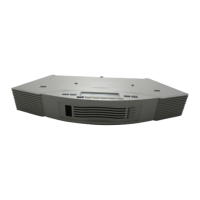
Bose Acoustic Wave II CD Changer - User Manual

Bose Acoustic Wave II CD Changer
52 pages
Print Icon
To Next Page IconTo Next Page
Loading...
Acoustic Wave
®
II CD Changer
!"#$%&'()*+,$
)*-.(,$(*'.%+/
0/1+2$(,&*1+3+1'.1+/#

Table of Contents

Questions and Answers

  • K
    Kathleen CaldwellJul 26, 2025
    What to do if my Bose Acoustic Wave II CD Changer CD Player skips?
    • P
      philipnguyenJul 26, 2025
      If your Bose CD player is skipping, first ensure that the system is placed in a stable location where it is unlikely to be bumped. If it is, move it to a more secure spot. Also, inspect the CD for any smudges or dirt. If present, carefully wipe the CD clean, using a straight motion from the center outwards, not in a circular pattern.
  • P
    princeluisAug 1, 2025
    How to fix a Bose Acoustic Wave II CD Changer that won't eject a disc?
    • D
      Danielle CostaAug 1, 2025
      If your Bose CD changer is not ejecting a disc, disconnect the system's power cord from the AC outlet, wait a few seconds, and then plug it back in.
  • D
    Diana GreenAug 7, 2025
    What to do if my Bose Acoustic Wave II CD Changer CD Player does not play?
    • C
      cmillerAug 7, 2025
      If your Bose CD player isn't playing, first confirm that you've selected the CD changer as the source. If selected, ensure the AUX indicator is displayed on the Acoustic Wave® music system II. If it's not, press the AUX button on the music system console. Also, make sure there is a CD loaded in the selected CD changer slot.
  • K
    Kristin FryeAug 19, 2025
    What to do if a CD is playing, but none of the CD changer LEDs is lit on my Bose CD Player?
    • J
      Jonathan RubioAug 19, 2025
      If a CD is playing on your Bose system, but none of the CD changer LEDs are lit, check whether the CD player in the Acoustic Wave® music system II is on and playing, instead of the CD changer.
  • D
    Donald HartNov 11, 2025
    Why is there no sound from my Bose Acoustic Wave II CD Changer, or why is the sound muffled?
    • G
      Gary SimsNov 11, 2025
      If you're experiencing no sound or muffled sound from your Bose Acoustic Wave® II CD changer, ensure the “AUX” source indicator is visible on the Acoustic Wave® music system II display. If using AUX 1 or AUX 2, verify that the connected audio device is both plugged in and powered on, and that the stereo cable is securely connected between the devices. Also, check that both the Acoustic Wave® II CD changer and the Acoustic Wave® music system II are plugged into functioning power outlets and turned on. Inspect the connection between the Acoustic Wave® music system II and the changer, ensuring the RCA connectors are firmly inserted (red to red, white to white) into the AUX IN jacks on the Acoustic Wave® music system II. Finally, ensure nothing obstructs the IR signals from the CD changer reac...

Summary

Safety Information

General Safety Warnings

Covers warnings about rain, moisture, electrical shock, disassembly, and liquid spills.

Class B emissions

Class B digital apparatus meets Canadian Interference-Causing Equipment Regulations.

Class 1 laser product

CD player classified as CLASS 1 LASER PRODUCT according to EN 60825-1 and IEC 60825-1 standards.

Important Safety Instructions

Detailed safety guidelines for product operation, installation, and maintenance.

Information about products that generate electrical noise

Details on FCC compliance and potential radio frequency interference for Class B devices.

Setting Up Your Acoustic Wave II CD Changer

Making the connections

Step-by-step guide for connecting the CD changer to the Acoustic Wave® music system II.

Operating Your System

Using the remote control

Explanation of the remote control functions for operating the CD changer and music system.

Bose Acoustic Wave II CD Changer Specifications

General IconGeneral
TypeCD Changer
BrandBose
ModelAcoustic Wave II CD Changer
Remote ControlYes
CompatibilityBose Acoustic Wave Music System II
Audio OutputStereo
Power120V AC, 60Hz

Related product manuals