EasyManua.ls Logo

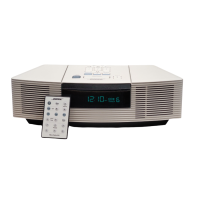
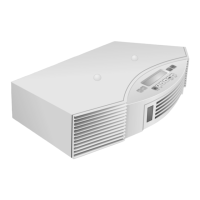
Bose Wave music system multi-CD changer - User Manual

Bose Wave music system multi-CD changer
20 pages
Print Icon
To Next Page IconTo Next Page
Loading...
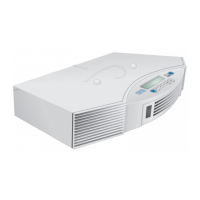
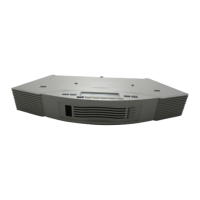
Acoustic Wave
®
Multi-Disc Changer
Owner’s Guide
AWMDC_OG.book Page 1 Monday, May 5, 2003 11:03 AM

Questions and Answers

  • B
    Brandon TurnerJul 30, 2025
    Why is there no sound from the AUX device connected to my Bose Wave Media Converter?
    • J
      Jennifer JacksonJul 30, 2025
      If you're not hearing any sound from the AUX device connected to your Bose Wave Media Converter, first, ensure the RCA plugs on the stereo cable are fully inserted. Next, press the AUX button on the remote and select the correct AUX input (AUX 1 or AUX 2) used by your device. Finally, confirm that the AUX device itself is turned on.
  • P
    pamelawilkersonAug 3, 2025
    How to fix CD skipping on Bose Wave Media Converter?
    • P
      Paul DavisAug 3, 2025
      If your CD skips while playing on the Bose Wave Media Converter, make sure the system isn't being bumped or disturbed in its current location. If it is, move it to a more stable spot. Also, inspect the CD for smudges or dirt. If cleaning is needed, gently wipe the CD straight out from the center, not in a circular motion.
  • J
    John GarrisonAug 9, 2025
    Why won't my CD play on my Bose Wave Media Converter?
    • S
      Sarah BarrettAug 9, 2025
      If a CD isn't playing on your Bose Wave Media Converter, first, check that there's a CD in the selected CD slot. Also, ensure that 'CD' is selected on the Wave music system's display.
  • C
    Cody DeanAug 14, 2025
    What to do if Bose Wave Media Converter changer does not operate?
    • S
      Sally ThomasAug 14, 2025
      If your Bose Wave music system is on but the changer isn't operating, start by checking the power connections between the Wave music system and the changer. Ensure you've run the system update disc. If you have, try removing the power cord from the AC outlet, waiting 10 seconds, and plugging it back in. If you haven't run the update disc, disconnect the Multi-CD changer from your Wave music system and update it.
  • R
    Rebekah RoachAug 18, 2025
    What to do if Bose Wave Media Converter ejects the update CD?
    • M
      Monica StewartAug 19, 2025
      If your Bose Wave music system ejects the update CD without performing the update, disconnect the Multi-CD changer and insert the update disc directly into the disc slot of the Wave music system.
  • J
    Jason OdonnellAug 23, 2025
    What to do if Multi-CD Changer LEDs are not lit on Bose Wave while playing CD?
    • V
      Victoria KempAug 25, 2025
      If a CD is playing but none of the Multi-CD Changer LEDs are lit on your Bose Wave Media Converter, check to see if the CD slot in the Wave music system is selected, instead of a slot in the Multi-CD Changer.

Summary

Safety Information

Electrical Shock Precautions

Instructions to reduce risk of electric shock, including not opening the unit and referring to qualified personnel.

Laser Product Safety

Information regarding Class 1 Laser Product classification and safety precautions.

Setting Up Your Multi-Disc Changer

Connecting the Changer

Steps for connecting the multi-disc changer to the Acoustic Wave music system.

Using Your Acoustic Wave Multi-Disc Changer

Loading and Unloading Discs

Detailed steps for inserting and removing CDs from the multi-disc changer, including LED indicators.

Using External Components

Connecting Other Sound Sources

Instructions for connecting external audio or video components to the changer.

Maintaining Your System

Troubleshooting Common Issues

Solutions for common problems like no operation, no sound, CD skips, or CDs not playing.

Bose Wave music system multi-CD changer Specifications

General IconGeneral
BrandBose
ModelWave music system multi-CD changer
CategoryCD Player
LanguageEnglish

Related product manuals