CONTROLLING SOURCES
Watching TV
To watch TV using your cable/satellite set-top box:
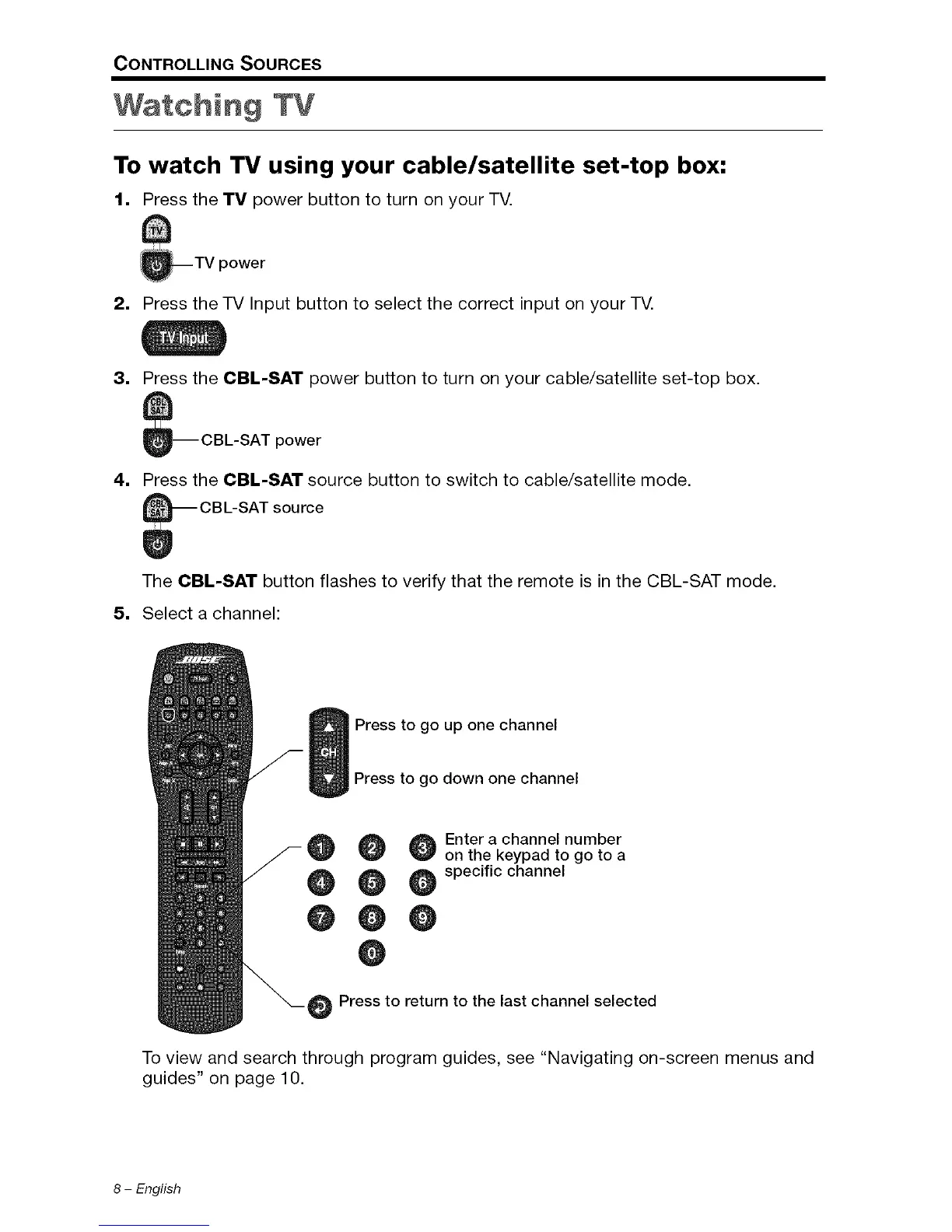
1, Press the TV power button to turn on your TV.
_TV power
2, Press the TV Input button to select the correct input on your TV.
3,
Press the CBL-SAT power button to turn on your cable/satellite set-top box.
_-- CBL-SAT power
4, Press the CBL-SAT source button to switch to cable/satellite mode.
The CBL-SAT button flashes to verify that the remote is in the CBL-SAT mode.
5, Select a channel:
Press to go up one channel
Press to go down one channel
@ Enter a channel number
on the keypad to go to a
@ @ specific channel
@0
e
Press to return to the last channel selected
To view and search through program guides, see "Navigating on-screen menus and
guides" on page 10.
8 - English








 To Next Page