EasyManua.ls Logo

Bose Cinemate 10 - User Manual

Bose Cinemate 10
48 pages
Print Icon
To Next Page IconTo Next Page
Loading...
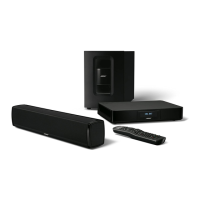
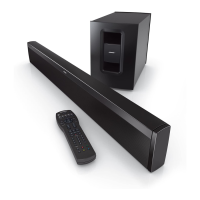
CineMate® 15/10
home theater system
Owner's
Guide
I
Gufa
del
usuario
I
Notice
d'utilisation
I
Guia
dos
proprietaries

Table of Contents

Questions and Answers

  • K
    Kathleen VelasquezAug 12, 2025
    Why is sound coming from my TV when using the Bose Cinemate 10 Home Theater System?
    • R
      Richard WheelerAug 12, 2025
      When using your Bose Home Theater System, sound may still come from your TV if the TV speakers are on. To resolve this, power off your TV speakers or decrease your TV volume to its lowest setting.
  • A
    Anne BowersAug 16, 2025
    What to do if cable/satellite box and TV are out of sync with the remote of Bose Cinemate 10 Home Theater System CineMate® 15?
    • S
      Sarah CervantesAug 16, 2025
      If your cable/satellite box and TV are out of sync with the remote, ensure you have successfully customized the power button. If the issue persists, resync your cable/satellite box and TV.
  • M
    Michelle GreenAug 23, 2025
    What to do if the Bose Cinemate 10 remote control is inconsistent?
    • F
      Felicia BrownAug 23, 2025
      If your Bose Home Theater System remote control is not working correctly, check the battery to ensure it is correctly installed and replace it if necessary (see page 30). Verify that the indicator light on the soundbar flashes when you press the remote's volume buttons. If you have the CineMate® 15 system remote, point it directly at the device you're trying to control and check if the remote button for the selected source flashes when you press the volume button. As a last resort, unplug the module's power cord from the AC outlet for one minute.
  • P
    Pamela HodgesAug 27, 2025
    Why is sound coming from my TV and not my Bose Cinemate 10 Home Theater System?
    • W
      William MartinAug 27, 2025
      If sound is coming from your TV instead of your Bose Home Theater System, power off your TV speakers (see page 14) or decrease your TV volume to its lowest setting.
  • D
    Daniel PhillipsAug 30, 2025
    What to do if cable/satellite box and TV are out of sync with the Bose CineMate® 15 remote?
    • T
      Taylor PetersenAug 30, 2025
      If your cable/satellite box and TV are out of sync with the remote on your Bose CineMate® 15 system, ensure that you have successfully customized the power button (see page 23) and resync your cable/satellite box and TV (see page 23).
  • T
    Tracy FarmerSep 3, 2025
    How to fix distorted sound on Bose Cinemate 10?
    • J
      johnnydavisSep 3, 2025
      If the sound from your Bose Home Theater System is distorted, check that all cable connections are secure on the soundbar, TV, and any other connected devices. If the soundbar is connected to a TV output labeled VARIABLE (VAR), try decreasing your TV volume. You can also try unplugging the module’s power cord from the AC (mains) outlet for one minute.
  • L
    lisa59Sep 7, 2025
    How to troubleshoot no power on a Bose Cinemate 10 Home Theater System?
    • K
      Kathleen ArnoldSep 7, 2025
      If your Bose Home Theater System has no power, try the following: * Unplug the module’s power cord from the AC (mains) outlet for one minute. * Secure the module’s power cord. * Reconnect the module’s power cord firmly into an AC (mains) outlet. The indicator should flash 10 times. * Ensure you use the remote control to power on the system.
  • P
    pjohnsNov 18, 2025
    Why is there no sound coming from my Bose Cinemate 10 Home Theater System?
    • O
      Olivia CardenasNov 18, 2025
      If your Bose Home Theater System has no sound, first ensure that the system is not muted and the volume is turned up. Check that the Acoustimass module is properly connected to a working AC power outlet. Verify that the audio cable is connected to the correct audio output on your TV, and that all cable connections are securely in place on the soundbar, TV, and any other connected devices. If you're using an optical cable, consult page 13 for specific instructions. Ensure the correct TV input is selected (refer to page 24). Confirm that your TV's audio output is enabled by checking your TV's user manual. If the soundbar is connected to a TV output labeled VARIABLE (VAR), power off your TV speakers, set the TV volume to 75 percent of its maximum, and ensure the TV is not muted. Consider usin...

Summary

Important Safety Information

General Safety and Product Warnings

Alerts about electrical hazards, product use hazards, battery safety, and physical warnings.

Usage and Compliance Notes

Notes on mains plug, indoor usage, and CE compliance.

Numbered Safety Instructions (1-7)

Core instructions for safe operation, cleaning, and placement.

Continued Safety Instructions (8-20)

Further safety instructions covering heat, power cords, attachments, and lightning storms.

Product Noise and Interference Compliance

Details FCC and Canadian ICES compliance for electrical noise.

Product Record Keeping

Section for recording product serial numbers and purchase date.

Introduction

About your CineMate 15;10 home theater speaker system

Overview of the CineMate 15/10 system and its configurations.

System Features

Highlights key features like soundbar design, Acoustimass module, and technology.

Setting up the System

Step 1: Unpacking the system

Instructions for unpacking and identifying system components.

System Placement and Foot Attachment

Guidelines for optimal placement and attaching rubber feet to the Acoustimass module.

Connecting Soundbar to Module

Details on connecting the soundbar cable to the Acoustimass module.

Choosing and Connecting Audio Cable

Guide to selecting and connecting the audio cable to TV and soundbar.

Connecting to Power and TV Speakers

Steps for connecting power and disabling TV speakers.

Checking Sound and Adjusting Bass

How to verify sound output and adjust bass levels.

Using Alternate Connections

Connecting to a Cable;Satellite Box

Guide for connecting the system via a cable/satellite box audio output.

Connecting to a TV Headphones Output

Instructions for connecting via a TV's headphone jack.

Connecting the System to Two Devices

How to connect multiple audio sources to the system.

Using the system

Powering on the system

Basic steps to power on the system.

Using the Auto-sleep feature

Information and control of the auto-sleep feature.

Getting system information

How to interpret system status via the indicator light.

Remote control buttons

Overview and function of the remote control buttons.

Programming the universal remote

Instructions for programming the remote to control other devices.

Troubleshooting Remote Power

Steps to take if the TV or other sources do not power off.

Customizing the power button

How to set the remote to power multiple devices simultaneously.

Resyncing cable;satellite box and TV

Steps to resync devices if they lose sync after customization.

Switching between sources

How to select different audio/video sources.

Controlling the volume

How to adjust volume and mute audio using the remote.

Function buttons

Explanation of the remote's color-coded function buttons.

Care and Maintenance

Using the CineMate 10 system remote control

Basic operation of the CineMate 10 remote.

Optional CineMate 15 system universal remote control

Information about the optional universal remote.

Using a non-Bose remote control

How to program third-party remotes.

Troubleshooting

Solutions for common problems like no power, no sound, or distorted sound.

Troubleshooting Sound from TV

Solutions for sound playing from the TV instead of the system.

Troubleshooting Device Sync

Steps for resyncing devices with the remote.

Replacing the remote batteries

Instructions for replacing batteries in both CineMate 15 and 10 remotes.

Cleaning

Instructions for cleaning the system components.

Customer service

Information on contacting Bose for support.

Limited warranty

Information about the product's limited warranty.

Technical information

Specifications for the soundbar and Acoustimass module.

Important Safety Instructions

Component Safety Instructions

Instructions for safe use, cleaning, placement, and protection of components.

Servicing and Electrical Safety

Guidelines for servicing, avoiding overload, and preventing object entry.

Electrical Noise Information

Details on FCC/ICES compliance and interference mitigation.

Power Sources and Power Line Safety

Instructions for using proper power sources and avoiding power lines.

Antenna and Cable Grounding

Guidance on grounding outdoor antennas and CATV systems.

Our Commitment to You

Product Design Philosophy

Bose's commitment to high-accuracy musical performance and quality.

Research and Technology

Bose's investment in research for sound reproduction technologies.

Warranty Information and Registration

Product Registration

Instructions and links for registering your Bose product online.

Limited Warranty Coverage

Details on what the warranty covers, for how long, and what is excluded.

Obtaining Warranty Service

Procedures for returning the product for warranty repair or replacement.

Other Legal Rights

Explains specific legal rights provided by the limited warranty.

Universal Remote Device Codes

TV Device Codes

Codes for programming the remote to control TVs.

Cable;Satellite Device Codes

Codes for programming the remote to control cable/satellite boxes.

DVD Device Codes

Codes for programming the remote to control DVD players.

Game System Device Codes

Codes for programming the remote to control game systems.

Auxiliary Device Codes

Codes for programming the remote to control auxiliary devices.

Bose Cinemate 10 Specifications

General IconGeneral
Speaker TypeSoundbar
SubwooferAcoustimass module
ConnectivityWired
Remote ControlYes
Wireless ConnectivityNo
TypeHome Theater System
InputsOptical, Analog (3.5mm)
Weight (Acoustimass module)22.5 lbs

Related product manuals