EasyManua.ls Logo

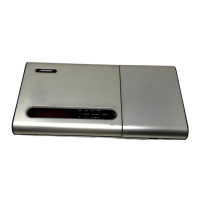
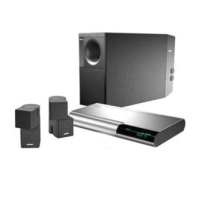
Bose Lifestyle 40 - User Manual

Bose Lifestyle 40
48 pages
Print Icon
To Next Page IconTo Next Page
Loading...
The Bose
®
Lifestyle
®
40 Music System
Owner’s Guide
December 20, 2001
AM189858_03_V.pdf

Questions and Answers

  • R
    Robert RomeroAug 15, 2025
    What to do if my Bose Lifestyle 40 Media Converter has no sound?
    • R
      robert69Aug 15, 2025
      If your Bose Media Converter isn't producing sound, try these steps: First, increase the volume. Then, check if 'MUTE' is flashing on the display and, if so, press the MUTE button. Ensure the audio input cable is firmly connected to both the multi-room interface ROOM A jack and the Acoustimass module AUDIO INPUT jack. Also, verify the speaker connections and the connections for any external components, selecting the correct source for the input. Finally, confirm that CDs are correctly placed label-side up and that the FM and AM antennas are connected.
  • T
    tara52Aug 18, 2025
    What to do if my Bose Lifestyle 40 CD does not play?
    • E
      Edwin DavisAug 18, 2025
      If your Bose Media Converter CD isn't playing, first check if the PLAY button symbol is flashing. Ensure the magazine is properly inserted and contains a disc, label-side up. If a number is flashing, the disc is label-side down or unreadable; if 'noCd' appears, no discs are loaded. Try ejecting and reloading the CD. Check the CD for dirt or dust and clean if needed. The disc may be defective, so try another one. Make sure the disc is not a DVD. If the display shows 'Plug in cd', check the CD changer connection. If the message 'Err' appears, there is a mechanical error.
  • M
    Mary SmallAug 21, 2025
    How to fix distorted sound on my Bose Lifestyle 40?
    • W
      watsonrobinAug 21, 2025
      If the sound from your Bose Media Converter is distorted, check that the speaker cables are undamaged and securely connected. Additionally, reduce the output level from any external components connected to the CD changer.
  • C
    Craig PalmerAug 25, 2025
    How to resolve distorted FM sound on a Bose Media Converter?
    • N
      Nathan BruceAug 25, 2025
      To fix distorted FM sound on your Bose Media Converter, try adjusting the antenna position to reduce interference.
  • A
    Austin HarrisAug 28, 2025
    What to do if display button on Bose Media Converter does not activate function?
    • T
      Tammy PattersonAug 28, 2025
      If a display button on your Bose Media Converter doesn't activate its function when pressed in the center, calibrate the display screen. To do this, press and hold the source display area until 'CAL' appears. Then, press the SOURCE button as close to its center as possible, followed by the KEYPAD button. Finally, press the small round button at the bottom right of the screen to exit the calibration function.
  • F
    Frank StevensSep 1, 2025
    How to fix a Bose Lifestyle 40 music center with a NO RESPONSE message?
    • J
      James WhiteSep 1, 2025
      If your Bose Media Converter's music center control is inconsistent or shows a 'NO RESPONSE' message, try these solutions: Check the batteries and their polarity (+ and –). Operate the music center closer to the multi-room interface, and move it away from potential interference. Ensure the audio input cable is firmly seated and uncoiled. Also, make sure the multi-room interface is connected and plugged in. If 'NO RESPONSE' persists, re-establish the link by holding the music center close to the interface, pressing and holding MUTE for about 5 seconds until you hear a second beep, followed by two beeps after 10 seconds to confirm the link.
  • D
    David PatelSep 4, 2025
    Why my Bose Lifestyle 40 Media Converter system does not function at all?
    • D
      Danielle ScottSep 4, 2025
      If your Bose Media Converter system isn't functioning, ensure the power connector is securely inserted into the multi-room interface, the power cord is securely in the Acoustimass® module, and both the power pack and cord are fully plugged into operating AC wall outlets. Also, be sure to select a source like CD or AM/FM. If it still doesn't work, unplug the multi-room interface power pack for a few seconds, then reconnect it to reset the unit after a power surge or interruption.
  • A
    anthonyhansenSep 7, 2025
    Why is my Bose Lifestyle 40 Media Converter radio not working?
    • A
      Angela LeonardSep 7, 2025
      If the radio on your Bose Media Converter isn't working, ensure the antennas are connected properly. Position the AM antenna at least 20 inches away from the multi-room interface, and adjust its position for better reception using the SIGNAL LEVELS MENU. The AM antenna must be upright. Also, move the antennas away from TVs or other electronic equipment.
  • P
    Paul PerezSep 12, 2025
    Why is there no tape, CD, VCR, or TV sound on my Bose Media Converter?
    • B
      Brian TaylorSep 12, 2025
      If you're not getting any sound from tape, CD, VCR, or TV on your Bose Media Converter, check the connections to ensure they are secure. Also, make sure the component is turned on.

Bose Lifestyle 40 Specifications

General IconGeneral
BrandBose
ModelLifestyle 40
CategoryMedia Converter
LanguageEnglish

Related product manuals