EasyManua.ls Logo

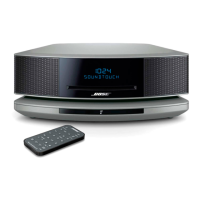
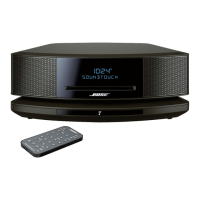
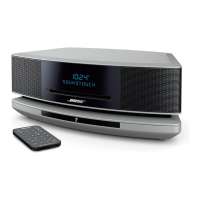
Bose Wave Soundtouch - User Manual

Bose Wave Soundtouch
32 pages
Print Icon
To Next Page IconTo Next Page
Loading...
Wave
®
SoundTouch™
music system
Owner's Guide
®

Table of Contents

Other manuals for Bose Wave Soundtouch

Questions and Answers

  • S
    Stephanie FordAug 15, 2025
    How to fix a Bose Media Converter that does not function?
    • S
      Stacey WashingtonAug 15, 2025
      If your Bose Media Converter system isn't working, try these steps: First, ensure the power cord is fully plugged into a working AC outlet. If that doesn't work, unplug the power cord for 10 seconds and then plug it back in to reset the system. Also, make sure you tap the touch pad on top of the system to turn it on.
  • P
    phillip74Aug 18, 2025
    What to do if I cannot complete network setup on my Bose Media Converter?
    • N
      nathanielwrightAug 18, 2025
      If you're having trouble completing the network setup for your Bose Media Converter, here's what to do: * Ensure the SoundTouch™ pedestal is plugged into the Bose link connector and powered on. * Stop any other audio or video streaming on your network. * Make sure your system is within range of the router. * Enable Wi-Fi® on your setup device (mobile or computer). * Connect both your device and the SoundTouch™ system to the same Wi-Fi network. * Enter the correct network name and password. If the network name is hidden, manually connect to it. * Close other open applications. If using a computer, check firewall settings for the SoundTouch™ app and Music Server. * Test your Internet connection by loading SoundTouch.com.
  • A
    Austin ReedAug 21, 2025
    Why is there no sound coming from my Bose Media Converter?
    • M
      Meghan ThomasAug 21, 2025
      If your Bose Media Converter isn't producing any sound, try the following: * Increase the volume. * Check if Mute is enabled and disable it. * If playing a CD, eject and reload it. * If using SoundTouch™, ensure the pedestal is connected to your Wi-Fi network. * For external sources via AUX, make sure the source is on and the volume is up. * Disconnect any headphones, as they mute the speakers.
  • A
    adam84Aug 26, 2025
    Why is the remote control for my Bose Media Converter not working?
    • J
      John RyanAug 26, 2025
      If the remote control for your Bose Media Converter is inconsistent or not working, try these steps: Operate the remote closer to the system. Ensure the battery is correctly installed with the positive (+) side up. Replace the battery. Check for interference from lighting or obstructions on the lens. Try moving the system to a different location.
  • D
    Dale FryAug 28, 2025
    What to do if my Bose Media Converter CD does not play?
    • A
      anthonychristopherAug 28, 2025
      If a CD does not play in your Bose Media Converter, make sure you've selected the CD source or pressed the CD button. Load the CD with the label side up. Check the disc for cleanliness and try cleaning it if necessary. Ensure you're using an audio CD, not a DVD. Finally, try using a different disc.
  • S
    Stephanie BennettAug 31, 2025
    Why is the FM reception weak on my Bose Wave Soundtouch Media Converter?
    • A
      Amanda GrossAug 31, 2025
      If you are experiencing weak FM reception on your Bose Media Converter, extend the power cord as much as possible, as it acts as the FM antenna.
  • J
    Jodi LangSep 4, 2025
    How to troubleshoot AirPlay on Bose Media Converter?
    • D
      Daniel WalkerSep 4, 2025
      If you are experiencing issues with AirPlay on your Bose Media Converter, ensure that both the system and the AirPlay device are connected to the same network. Also, select the system in the device's AirPlay menu, ensure the AirPlay device is playing and its volume is turned up. Try moving the AirPlay device closer to the wireless router, away from potential interference.
  • J
    John DawsonSep 7, 2025
    How to improve AM reception on my Bose Wave Soundtouch?
    • M
      Michelle LozanoSep 7, 2025
      If you're experiencing weak AM reception with your Bose Media Converter, try turning the system slightly to change the direction of the internal AM antenna. Also, move the system away from TVs, refrigerators, halogen lamps, dimmer switches, or other electronic equipment.
  • J
    Javier LopezSep 12, 2025
    What to do if my Bose Wave Soundtouch Media Converter has poor sound quality?
    • P
      peteresparzaSep 12, 2025
      If you notice poor sound quality from your Bose Media Converter, and you're listening to an AM or FM source, try turning the Talk Radio mode on or off. If you're using an external AUX source, ensure you're using a stereo cable and that it's fully inserted.

Summary

Safety Information

Class 1 Laser Product

Classification of the CD player as a Class 1 LASER PRODUCT according to EN/IEC 60825.

Important Safety Instructions

Antenna Grounding

Product Data Logger

Record Keeping

Introduction

Thank You

Expresses gratitude for purchasing the Wave® SoundTouch™™ music system.

Demonstration CD

Guidance on using the included demonstration CD with the system.

Benefits of Research

Details Bose's research in acoustic waveguide speaker technology for superior sound.

Special Features

Highlights listening to SoundTouch™ sources like Internet radio and music services.

Carton Contents

Selecting a Location

Important Setup Options

Network Requirements

Setting Up Your Wave SoundTouch Music System

System Setup

Steps for physically connecting the Wave® music system and SoundTouch™™ pedestal.

Setting the Clock

Instructions for setting the current time on the system using the remote control.

Setting Up Your Wave SoundTouch Music System

Connecting to Home Wi-Fi Network

Guide to connecting the system to a home Wi-Fi network via the SoundTouch™ app.

Installing the SoundTouch App

Instructions for downloading and installing the SoundTouch™ application on a computer.

Operating Your Wave SoundTouch Music System

Remote Control Overview

Description of the remote control buttons and their functions for system operation.

Touch Pad Control

Explanation of the touch-sensitive control on the system for basic functions.

Operating Your Wave SoundTouch Music System

Reading the Display

Explanation of the system display indicators and information shown.

Turning System On;Off

Instructions for powering the system on and off, including standby mode.

Controlling Volume

How to adjust the audio volume level of the system.

Setting the Sleep Timer

Instructions for setting the system to automatically shut off after a specified time.

Listening to SoundTouch

Using the SoundTouch App

Overview of the SoundTouch™ app for controlling and managing the system.

Getting Help

Information on accessing help tips and online help for the system.

Downloading Mobile App

Instructions for downloading the SoundTouch™ app for smartphones and tablets.

Controlling from Another Computer

How to control the system from any computer on the same network.

About Presets

Explanation of how to personalize and use six presets for quick access to content.

About Recents

Information about the list of the 50 most recently played SoundTouch™ items.

Listening to SoundTouch

Selecting SoundTouch

How to select the SoundTouch™ source using the remote control.

Playing a SoundTouch Selection

How to play a selected SoundTouch™ item or recall presets.

Personalizing SoundTouch Presets

Methods for assigning content to SoundTouch™ presets using the app or remote.

Listening to AirPlay Audio

Guide to streaming audio from an AirPlay device to the system.

Listening to Radio

Selecting Radio Band

How to select FM or AM radio bands on the system.

Listening to FM;AM Radio

Details on RDS information and viewing station frequency for FM/AM radio.

Tuning FM;AM Station

Instructions for tuning to radio stations using Seek/Track or Tune/MP3 buttons.

Storing Radio Presets

How to store up to six FM and six AM radio stations as presets.

Talk Radio Mode

Explanation of the TALK RADIO mode for adjusting audio for talk broadcasts.

Playing CDs

Playing Audio CDs

Instructions for inserting and playing standard audio CDs.

CD Play Modes

Explanation of different playback modes for CDs (Normal, Shuffle, Repeat).

Playing MP3 CDs

Guide to playing MP3 music files recorded on CD-R/CD-RW discs.

Playing CDs

Navigating Music Files

How to navigate through folders and tracks on MP3 CDs.

Music File Play Modes

Details on playback modes specific to music file CDs (e.g., Shuffle Folder).

Setting and Using the Alarms

Alarm Buttons and Indicators

Description of the remote control buttons and display indicators for alarms.

Using the Alarm Buttons

How to use the alarm buttons on the remote for setting and operating alarms.

Alarm Status Indicators

Explanation of the symbols indicating alarm status on the system display.

Setting the Alarms

Step-by-step guide to setting up Alarm 1 and Alarm 2 with wake-up sources and volume.

Setting and Using the Alarms

Turning Alarms On;Off

How to activate or deactivate individual alarms.

Snoozing an Alarm

Instructions for snoozing a sounding alarm using the touch pad or Sleep button.

Stopping a Sounding Alarm

How to stop an alarm and reset it for the next day.

Connecting Other Equipment

System Connections

Overview of the rear panel connectors for external equipment.

Connecting Other Equipment

Using the AUX IN Connector

Guide to connecting external audio devices like TVs or DVD players via the AUX IN port.

Using Headphones

Instructions for connecting headphones for private listening and volume adjustment.

Connecting Other Equipment

Using an External Antenna

Instructions for connecting an external FM antenna for improved reception.

Personalizing Your Wave SoundTouch Music System

The Setup Menu

Introduction to the system settings menu for customization.

Personalizing Your Wave SoundTouch Music System

Adjusting Snooze Time

How to change the duration of the alarm snooze function.

Turning RDS On;Off

How to enable or disable Radio Data System (RDS) information display.

Selecting Continuous Play Source

How to program another source to play automatically after a CD ends.

Changing Time Format

How to switch the clock display between 12-hour (AM/PM) and 24-hour format.

Adjusting Display Brightness

How to adjust the display brightness levels for different ambient light conditions.

Personalizing Your Wave SoundTouch Music System

Setting Room Code

How to set the room code for Lifestyle® system integration.

Turning Touch Pad On;Off

How to enable or disable the touch pad control feature.

Changing System Standby Timer

How to adjust the auto-off timer for system standby.

Performing System Reset

Instructions for restoring the system to its original factory settings.

Maintaining Your Wave SoundTouch Music System

Troubleshooting

Guide to resolving common problems with the system's function and operation.

Maintaining Your Wave SoundTouch Music System

Replacing Remote Control Battery

Instructions for safely replacing the battery in the remote control.

Alternate Setup Method

An alternative method for setting up the system, especially for AirPlay.

Disable;Enable Wi-Fi Capability

How to turn the Wi-Fi capability on or off on the SoundTouch™ pedestal.

Power Saving Mode

Explanation of the low-power standby mode and how to use it.

Maintaining Your Wave SoundTouch Music System

Cleaning

Guidelines for cleaning the Wave® SoundTouch™™ music system safely.

Customer Service

Information on how to contact Bose customer service for support or accessories.

Limited Warranty

Details about the limited warranty coverage for the music system.

Technical Information

Specifications including power rating, dimensions, weight, and compatibility.

Bose Wave Soundtouch Specifications

General IconGeneral
TypeMusic System
Remote ControlYes
CD PlayerYes
Audio OutputStereo
Supported Audio FormatsMP3, WMA, AAC
ConnectivityWi-Fi, Bluetooth
Streaming ServicesAmazon Music, Spotify, Pandora, Deezer, iHeartRadio, SiriusXM
Multi-room CapabilityYes
InputsAuxiliary input
RadioAM/FM
ModelWave SoundTouch
Power SourceAC Power

Videos

How to Factory HARD RESET Bose Wave Soundtouch WiFi Pedestal

How to change BRIGHTNESS on Bose Wave Soundtouch 4 display for Night and Day

How to SET THE ALARM - BOSE Wave SoundTouch 4 Music Player

Related product manuals