EasyManua.ls Logo

Bose Lifestyle V20 - User Manual

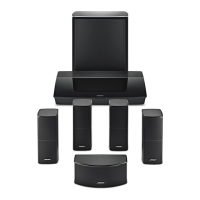
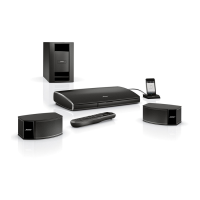
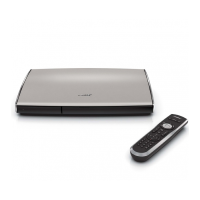
Bose Lifestyle V20
2 pages
Print Icon
To Next Page IconTo Next Page
Loading...
3
1
2
4
Lifestyle
®
V-Class system
Setup Guide
Lifestyle V20 Lifestyle V10
Lifestyle V30
©2008 Bose Corporation, The Mountain,
Framingham, MA 01701-9168 USA
AM316798 Rev.00
5

Questions and Answers

  • M
    Mary MartinNov 21, 2025
    What to do if my Bose Receiver has no sound?
    • J
      Jessica JacobsNov 21, 2025
      If your Bose Receiver has no sound or intermittent sound, ensure the audio source is playing and the selected program includes surround sound audio. Check that both the SL2 transmitter and receiver power packs are properly plugged into functioning AC power outlets. Verify that cables are correctly connected to the SL2 transmitter, the Acoustimass module, the SL2 receiver, and the surround speakers, ensuring connectors are securely inserted. Also, confirm the SL2 transmitter and receiver are between 6.5 feet (2 meters) and 30 feet (9.2 meters) apart. You can also reset the devices by using a fine-pointed tool to press the Reset opening on both the transmitter and receiver within 30 seconds of each other. Finally, ensure that the transmission path between the receiver and transmitter is free...
  • H
    heather44Aug 25, 2025
    Why does my Bose Lifestyle® remote behave erratically?
    • C
      carrjessicaAug 26, 2025
      If your Lifestyle® remote is behaving erratically, check the batteries and their polarity (+ and –). If you are using a plasma display TV, make sure the media center power source is as far away from the TV as possible. Also, try moving the remote (or the media center) a few feet to avoid an area of “dead spots,” and ensure the remote control and media center house codes match.
  • L
    Laura WilliamsAug 27, 2025
    How to fix distorted sound on Bose Home Theater System?
    • J
      Jason WatsonAug 27, 2025
      If the sound from your Bose Home Theater System is distorted, make sure the speaker cables are not damaged and the connections are secure. You can also try reducing the output level from any external components connected to the media center.
  • A
    Andrew MurrayAug 27, 2025
    What to do if there is no sound from my Bose center speaker?
    • O
      ortiztravisAug 27, 2025
      If there is no sound from your center speaker, make sure the center speaker cable is connected at both ends. Also, ensure that you have selected 3- or 5-speaker mode.
  • W
    wellstylerAug 29, 2025
    Why is there no sound from TV, DVD, VCR, CBL·SAT, or AUX on my Bose system?
    • C
      Christina VasquezAug 29, 2025
      If there is no sound from TV, DVD, VCR, CBL·SAT, or AUX, check the connections and make sure that the component is turned on.
  • M
    michaelstoneSep 23, 2025
    What to do if TV screen goes dark after changing video settings on Bose?
    • K
      kennedyjenniferSep 23, 2025
      If the TV screen goes dark or the image flips repeatedly after making a change to a Video feature in System settings, in the System menu, make sure the Video format is set to NTSC (U.S. standard) or PAL (European standard). Also, in the Settings menu, make sure the SD Progressive Scan setting is off, unless you have used a component video connection and progressive scan is a feature of the TV.
  • Z
    zacharyharmonSep 17, 2025
    How to decrease sound from center speaker on Bose system?
    • R
      Robert ThompsonSep 17, 2025
      If there is too much sound from the center speaker, decrease the Center Channel setting.
  • C
    Christina WyattSep 18, 2025
    Why is FM sound noisy in surround mode on Bose system?
    • D
      David GraySep 18, 2025
      If the FM sound is noisy in surround mode, select the 2-speaker mode in the Settings menu to minimize noise.
  • K
    Kathryn SpencerSep 8, 2025
    What to do if my Bose system turns on by itself?
    • P
      Patty McculloughSep 8, 2025
      If your Bose system turns on by itself or behaves erratically, change the house code setting to prevent signals from conflicting with another nearby Lifestyle® system.
  • R
    Richard JohnsonSep 5, 2025
    Why is my Bose Receiver interfering with my wireless phone?
    • H
      heidihancockSep 5, 2025
      If your Bose Receiver is causing interference with a wireless (5.8GHz) phone, try increasing the distance between each SL2 unit and the phone. If your phone has a channel button, press it to select a different channel for phone transmissions.

Bose Lifestyle V20 Specifications

General IconGeneral
RMS rated power- W
Audio output channels5.1 channels
Radio Data System (RDS)Yes
Dimensions (WxDxH)44 x 191 x 68 mm
Surround speaker dimensions (WxHxD)79 x 157 x 102 mm
Digital audio coaxial in1
Product colorWhite
Weight and Dimensions IconWeight and Dimensions
Subwoofer dimensions (WxDxH)549 x 330 x 203 mm
Center speaker dimensions (WxDxH)159 x 105 x 79 mm

Related product manuals