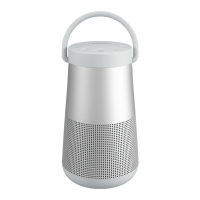
The Bose SoundLink Revolve+ II is a portable Bluetooth speaker designed to deliver high-quality audio and versatile connectivity. Its primary function is to stream music wirelessly from mobile devices such as smartphones, tablets, and computers, or to play audio via wired connections. The speaker is also equipped with a speakerphone function, allowing users to make and receive calls directly through the device.
Usage Features:
The speaker offers several features for ease of use and enhanced audio experience:
- Bluetooth Connectivity: The SoundLink Revolve+ II utilizes Bluetooth wireless technology for seamless audio streaming. It can store up to eight paired mobile devices in its pairing list and actively connect to two devices simultaneously, though audio can only be played from one device at a time.
- NFC Pairing: For devices that support Near Field Communication (NFC), pairing is simplified by tapping the mobile device to the top center of the speaker, specifically the Bose logo. This allows for quick and effortless connection.
- Bose Connect App: The Bose Connect app enhances the user experience by providing a centralized control hub for the speaker. Through the app, users can manage Bluetooth connections, select voice prompt languages, adjust speaker settings, and access new features and software updates.
- Voice Prompts: The speaker provides helpful voice prompts that guide users through the Bluetooth pairing and connecting processes, as well as language selection. These prompts can be enabled or disabled as per user preference.
- Multi-function Button: A dedicated multi-function button on the speaker's button pad allows for control over music playback (play/pause, skip forward/backward), volume adjustment, and speakerphone calls.
- Speakerphone Functionality: The integrated microphone extends the functionality of a smartphone's microphone, enabling users to make/take calls, access voice control (e.g., Siri or Google Assistant) for tasks like playing music, checking weather, or getting game scores. The speaker also offers voice alerts for incoming callers, which can be disabled.
- Wired Connections: For devices without Bluetooth or for a wired audio experience, the speaker supports connections via a 3.5 mm stereo cable (AUX connector) and a micro-B USB cable.
- Battery Status and Protection: The speaker features a battery light that indicates the charge level. When powered on, the battery level is displayed for two seconds, and a voice prompt announces the charge level. To preserve battery power, the speaker enters a battery protection mode if unplugged and unused for more than three days with less than 10 percent charge. It reactivates upon connection to AC power.
- Auto-Off Feature: To conserve battery, the speaker automatically powers off after 20 minutes of inactivity when using AUX or Bluetooth connections on battery power or AC (mains) power. This feature can be disabled and re-enabled.
- Multi-Speaker Pairing (SimpleSync Technology): The SoundLink Revolve+ II can be paired with other Bose SoundLink Bluetooth speakers for a synchronized audio experience in "Party mode" (both speakers play in unison) or "Stereo mode" (left and right speakers play separately). This can be configured via the Bose Connect app or manually using the speaker control buttons. Additionally, it can be paired with a Bose Home Speaker or Soundbar using Bose SimpleSync technology to play the same song in two different rooms simultaneously.
- Speaker Status Lights: The top of the speaker features a series of lights (Battery, Bluetooth, Input) that glow according to the system's current state, providing visual feedback on connectivity, charging, and input mode.
- Factory Reset: The speaker can be reset to its original factory settings, clearing all paired mobile devices and language settings.
Maintenance Features:
Maintaining the SoundLink Revolve+ II is straightforward:
- Cleaning: The surface of the speaker and its handle should be cleaned with a soft, damp cloth (water only). It is crucial to avoid using sprays near the speaker, as well as solvents, chemicals, or cleaning solutions containing alcohol, ammonia, or abrasives. Liquids should not be allowed to spill into any openings.
- Storage: When not in use, the speaker should be stored in a cool place. It is advised not to store the speaker for extended periods when fully charged or when the battery light blinks red, to prevent potential battery degradation.
- Replacement Parts and Accessories: Should any parts or accessories need replacement, they can be ordered through Bose customer service. Information on this can be found on the worldwide Bose support website.
- Warranty and Registration: The speaker is covered by a limited warranty, with details available on the global Bose warranty website. Users are encouraged to register their product online, though failure to do so will not affect their warranty rights.

 Need help?
 General
 Weight and Dimensions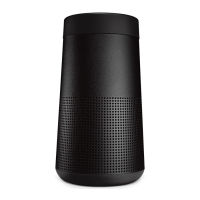
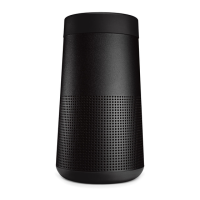
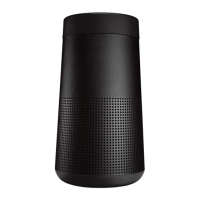
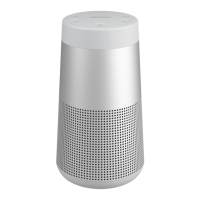

 To Next Page