EasyManua.ls Logo

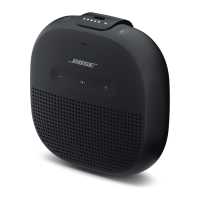
Bose SoundLink Color - User Manual

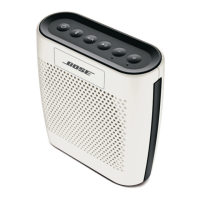
Bose SoundLink Color
19 pages
Print Icon
To Next Page IconTo Next Page
Loading...
SoundLink
®
Color
Bluetooth
®
speaker
Owner's Guide
PRELIMINARY

Other manuals for Bose SoundLink Color

Questions and Answers

  • M
    mhodgesAug 7, 2025
    Why won't my Bose SoundLink Color connect to my device?
    • A
      Amber KnightAug 7, 2025
      If your Bose speaker isn't connecting to your mobile device, it might be linked to another device. Press the speaker button to hear which device is connected. Press it again within 3 seconds to connect to the next paired device. Also, ensure that Bose Color SoundLink is selected in your mobile device's Bluetooth list. You can also try clearing the speaker's memory by pressing and holding the button for about 10 seconds, until the voice prompt says, “Bluetooth device list cleared.” Removing the speaker from your mobile device's Bluetooth list and re-pairing it can also help.
  • M
    Michael ChangAug 14, 2025
    How to fix Bose SoundLink Color that won't turn on?
    • D
      Dennis PerezAug 14, 2025
      If your Bose speaker isn't turning on, ensure both ends of the power supply cable are firmly connected and that the power supply is connected to a live AC (mains) outlet. Also, ensure that the battery is charged.
  • K
    kristin41Aug 22, 2025
    What to do if there is no sound from Bose SoundLink Color Speakers via Bluetooth?
    • R
      Robert SandersAug 22, 2025
      If you're experiencing no sound or poor sound quality from a Bluetooth device connected to your Bose speaker, make sure you have a music app open and a track playing on your mobile device. Also, ensure the volume is turned up on both the speaker and your mobile device. Try moving the mobile device closer to the speaker, away from any interference. You might also want to try a different music app or track.
  • W
    William BurtonAug 29, 2025
    How to troubleshoot no audio from AUX on Bose SoundLink Color?
    • L
      Lisa TaylorAug 29, 2025
      If there's no audio from the AUX source on your Bose speaker, first ensure your connected device is on and playing. Press the AUX button and check that the AUX source indicator is on. Make sure the 3.5 mm plug is fully inserted into both the speaker and the source device. Also, verify that the speaker is not muted and the volume is up. Try increasing the volume level on the AUX device or using a different AUX cable.

Summary

Important Safety Instructions

General Safety Precautions

Covers warnings, cautions, and notes for safe operation and handling of the speaker.

Regulatory Compliance Information

Details FCC and Canadian compliance standards for the device.

Introduction to Bose SoundLink Color

Welcome and Key Features

Thanks the user and outlines the main features of the Bluetooth speaker.

Unpacking and Initial Setup

Instructions for unpacking the speaker, AC adapter, and power cord.

Operating the Bose SoundLink Color

Connecting to AC Power

Step-by-step guide to connect the speaker to AC power for charging.

Voice Prompt Settings

How to select, turn off, or change the language for voice prompts.

Bluetooth Device Pairing

Instructions for pairing the first and subsequent mobile devices via Bluetooth.

Managing Connections and Memory

Playing music, reconnecting devices, and clearing speaker memory.

Speaker Controls and Status Indicators

Explanation of speaker buttons and LED indicators for status and functions.

Using the AUX Input

Guide on connecting audio sources using the 3.5mm AUX connector.

Battery Usage and Placement Tips

Information on battery life, charging, protection mode, and speaker placement.

Care and Maintenance

Battery Replacement and Cleaning

Guidance on replacing the speaker's battery and cleaning the exterior.

Customer Support and Warranty

How to contact Bose customer service and details about the limited warranty.

Technical Information

Specifications, operating time, Bluetooth range, dimensions, and weight.

Bose SoundLink Color Specifications

General IconGeneral
Speaker type1-way
Number of speakers1
Audio output channels1.0 channels
Impedance- Ω
Frequency range- Hz
RMS rated power- W
Wi-FiNo
AUX inYes
Bluetooth range10 m
USB 2.0 ports quantityUSB 2.0 ports have a data transmission speed of 480 Mbps, and are backwards compatible with USB 1.1 ports. You can connect all kinds of peripheral devices to them.
Connectivity technologyWired & Wireless
Product typeMono portable speaker
Product colorBlack
Product designRectangle
Volume controlDigital
Recommended usageUniversal
Power source typeBattery
Battery life (max)8 h
AC adapter frequency50/60 Hz
AC adapter input voltage100 - 240 V
Cables includedUSB
Operating temperature (cooling) (T-T)0 - 45 °C
Weight and Dimensions IconWeight and Dimensions
Depth134 mm
Width128 mm
Height53 mm
Weight570 g

Related product manuals