EasyManua.ls Logo

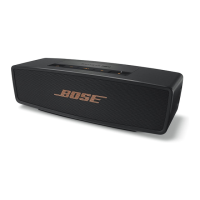
Bose SoundLink Mini Bluetooth speaker II - User Manual

Bose SoundLink Mini Bluetooth speaker II
24 pages
Print Icon
To Next Page IconTo Next Page
Loading...
Bose
®
SoundLink
®
Mini Bluetooth
®
speaker II

Other manuals for Bose SoundLink Mini Bluetooth speaker II

Questions and Answers

  • K
    Kyle HoltJul 27, 2025
    What to do if there is no audio from the AUX device on Bose Speakers?
    • K
      Kevin GardnerJul 27, 2025
      If you're not getting any audio from your AUX device connected to your Bose Speakers, here's what you can try: * Make sure the AUX device is powered on and playing music. * Ensure the 3.5 mm cable is securely connected to both the speaker's AUX connector and the AUX device. * Increase the volume on both the speaker and the AUX device. * Try using a different AUX cable. * Connect a different AUX device to rule out device-specific issues.
  • L
    lblairAug 4, 2025
    Why is the sound quality poor from AUX device on Bose Speakers?
    • J
      John BarnesAug 4, 2025
      If you experience poor sound quality from an AUX device connected to your Bose Speakers, consider these steps: * Ensure the 3.5 mm cable is securely connected to the speaker’s AUX connector and the AUX device. * Increase the volume on the speaker and the AUX device. * Try using a different AUX cable to rule out a faulty cable. * Connect a different AUX device to see if the issue is with the original device.
  • T
    tjuarezAug 11, 2025
    What to do if there is no audio from the AUX device on my Bose SoundLink Mini Bluetooth speaker II Speakers?
    • C
      Cynthia JacksonAug 11, 2025
      If you're not getting any sound from your AUX device, there are a few things you can try: First, make sure that the AUX device is powered on and playing music. Then, check that the 3.5 mm cable is securely connected to both the speaker’s AUX connector and the AUX device. You might also want to increase the volume on both the speaker and the AUX device. If that doesn't work, try using a different AUX cable or connecting a different AUX device to rule out a problem with the cable or device itself.
  • B
    Brian GonzalezAug 19, 2025
    What to do if audio plays from the wrong mobile device on my Bose SoundLink Mini Bluetooth speaker II Speakers?
    • M
      Mark Ortiz DVMAug 19, 2025
      If audio is playing from the wrong mobile device, try these steps: Press the button to hear the connected mobile devices and ensure you are using the correct one. Alternatively, pause or quit the music source on the mobile device that is currently playing music. As a last resort, disconnect the second device.

Summary

Important Safety Instructions

General Safety Warnings

Crucial safety precautions to prevent fire, electric shock, and injury.

Product Handling Precautions

Warnings related to small parts, magnetic material, and device interaction.

Introduction

Placement Guidelines

Recommendations for optimal speaker placement to ensure sound quality and wireless performance.

Setting Up the System

Connecting to Power

Guide on how to connect the speaker to AC power for initial charging.

Bluetooth Connectivity

Pairing Your Mobile Device

Steps to pair a mobile device with the speaker via Bluetooth.

Managing Multiple Connections

Switching between two connected mobile devices and identifying them.

Using the System

Control Buttons Overview

Explanation of system control buttons for playback, volume, and speakerphone.

Speakerphone Controls

Instructions for managing phone calls, including making, receiving, and muting.

Connecting Auxiliary Devices

Battery Power Management

Care and Maintenance

Troubleshooting Common Issues

Provides solutions for common problems like no power, connectivity, or sound issues.

Bose SoundLink Mini Bluetooth speaker II Specifications

General IconGeneral
Weight1.5 lbs
Battery LifeUp to 10 hours
Inputs3.5 mm auxiliary input
BluetoothYes
Built-in SpeakerphoneYes
Charging Time4 hours
Voice PromptsYes
Water ResistanceNo
Wireless Range30 ft (9 m)
Dimensions2.0 H x 7.1 W x 2.3 D inches

Related product manuals