EasyManua.ls Logo

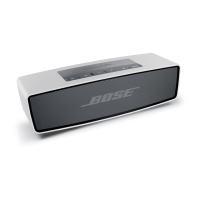
Bose SOUNDLINK - User Manual

Bose SOUNDLINK
55 pages
Print Icon
To Next Page IconTo Next Page
Loading...
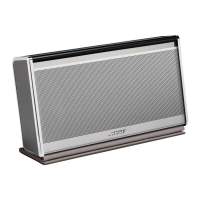
SOUNDLINK
®
WIRELESS MOBILE SPEAKER
Owner’s Guide |
©2011 Bose Corporation, The Mountain,
Framingham, MA 01701-9168 USA
AM348807 Rev.02

Other manuals for Bose SOUNDLINK

Questions and Answers

  • F
    Felicia GillespieSep 19, 2025
    What to do if Bose Speakers have poor sound quality from an AUX device?
    • R
      Rachel AllenSep 22, 2025
      If you're experiencing poor sound quality from an AUX device connected to your Bose speaker, consider these solutions: * Ensure the 3.5 mm cable is securely connected to both the speaker's AUX connector and the AUX device. * Increase the volume on both the speaker and the AUX device to ensure optimal audio levels. * Try using a different AUX cable to eliminate the possibility of a damaged or low-quality cable. * Connect a different AUX device to determine if the issue lies with the original device or the speaker.
  • M
    Mary PattersonAug 25, 2025
    What to do if my Bose Headphone has no sound?
    • A
      Amanda OrtegaAug 25, 2025
      If your Bose Headphone has no sound, ensure the headphone power is on and the battery is charged. Also, check that the volume is turned up both on the headphones and on your mobile device or music app. Slide up and release to hear the name of the currently connected device. You might also try using a different music app or pairing another mobile device. If two mobile devices are actively connected, make sure the other device has been paused first and that both devices are within range of the headphones (30 ft. or 10 m).
  • A
    Alexander ThomasAug 25, 2025
    How to fix Bose Headphone that do not turn on?
    • D
      Darius SantiagoAug 26, 2025
      If your Bose Headphone does not turn on: - Make sure it is in the on position. - Charge the battery.
  • S
    Sarah BarnettAug 27, 2025
    What to do if my Bose Speakers SoundLink indicates a connection, but is not playing music?
    • M
      Michael LongAug 27, 2025
      If your Bose SoundLink speaker indicates a connection but isn't playing music, try turning off or disabling Bluetooth on all other paired devices nearby, including any Bose preferred devices, and then reconnect the device you want to use. Alternatively, try turning the SoundLink speaker off and then back on.
  • M
    Melissa Martin DDSSep 23, 2025
    Why is the sound quality of my Bose Headphone poor?
    • F
      Fred SmithSep 23, 2025
      If you're experiencing poor sound quality with your Bose Headphones, try moving your mobile device closer to the headphones and away from any potential sources of interference. You can also try pairing with another mobile device to see if the issue persists.
  • F
    fjacksonSep 23, 2025
    Why is the sound quality from a device connected by audio cable to my Bose Headphone poor?
    • A
      Anna ClaySep 23, 2025
      If the sound quality is poor when using an audio cable with your Bose Headphone, ensure that the 3.5 mm plug is fully inserted into both the headphone connector and the audio source. You might also want to try connecting a different device to see if the issue persists.
  • B
    Brooke SmithSep 12, 2025
    What to do if my Bose headphones have no sound?
    • V
      vbaileySep 12, 2025
      If your Bose headphones have no sound, ensure the headphone power is on and the battery is charged. Also, verify that the volume is turned up on both the headphones and your mobile device or music application. Slide up and release to hear the name of the currently connected device. Try a different music app. If two mobile devices are actively connected, make sure the other device has been paused first and both devices are within range of the headphones (30 ft. or 9 m).
  • C
    Charles YoungSep 12, 2025
    Why is there no audio from my device connected by audio cable to Bose headphones?
    • G
      Gregory LeeSep 12, 2025
      If you're not getting any audio from a device connected by an audio cable to your Bose headphones, first ensure that the connected device is powered on and playing audio. Check that the 3.5 mm plug is fully inserted into both the headphones connector and the audio source. Also, ensure that the headphones are in the 'off' position. Finally, make sure the volume is turned up on the headphones and on your mobile device (or music app). Try connecting another device to rule out issues with the original device.
  • A
    Albert DeanSep 3, 2025
    Why my Bose Headphone does not connect with my mobile device?
    • M
      Michaela ThompsonSep 3, 2025
      If your Bose headphones are not connecting to your mobile device, try these steps: First, turn off Bluetooth on your mobile device and then turn it back on before attempting to pair again. If that doesn't work, remove 'Bose OE SoundLink' from the Bluetooth list on your device and try pairing again. Ensure that your mobile device is close to the headphones, away from obstructions. Also, try pairing with another mobile device to see if the issue persists. As a last resort, clear the headphone memory by sliding all the way up to the symbol and holding for 10 seconds. Then delete Bose OE SoundLink from the Bluetooth list on your mobile device and try pairing again.
  • M
    Mary VaughnSep 1, 2025
    How to resolve poor sound quality from a device connected by audio cable to my Bose headphones?
    • S
      smooreSep 1, 2025
      To resolve poor sound quality when using an audio cable with your Bose headphones, ensure the 3.5 mm plug is fully inserted into both the headphone connector and the audio source. If the issue persists, try connecting a different device to see if the problem lies with the original device or cable.

Summary

Safety Information

Important Safety Instructions

Provides crucial guidelines for safe product usage and maintenance.

Electrical Noise and Interference

Details compliance with FCC/Industry Canada RF radiation limits and potential interference.

US Regulatory Compliance

Outlines FCC compliance for Class B digital devices in residential settings.

Canadian Regulatory Compliance

Details Industry Canada compliance and RF exposure limits.

Introduction

Product Overview

Welcomes the user and highlights key wireless features and benefits.

Unpacking the SoundLink Speaker

Guides the user on checking carton contents and saving packing materials.

Opening and Using the Cover

Explains how to open the cover, which also functions as a stand.

Speaker Placement Guidelines

Offers guidelines for optimal speaker placement to enhance sound quality indoors.

Operation

Connecting to AC Power

Provides step-by-step instructions for connecting the speaker to AC power.

System Status Indicators

Explains the meaning of the status indicators for source and Bluetooth connectivity.

Control Button Functions

Describes the function of the power and source selection buttons on the speaker.

Pairing Bluetooth Devices

Details the process of pairing Bluetooth devices with the speaker.

Clearing Paired Device Memory

Explains how to remove all paired Bluetooth devices from the speaker's memory.

Connecting External Audio Sources

Guides on connecting external audio devices via the AUX input.

Operating on Battery Power

Discusses battery life, checking status, protection mode, and charging.

Maintenance and Care

Replacing the Battery

Provides conditions and guidance for replacing the rechargeable battery.

Troubleshooting Common Issues

Offers solutions for common problems encountered with the speaker.

Cleaning the Speaker

Instructions on how to clean the exterior surfaces of the speaker.

Customer Support and Warranty

Provides contact information and explains warranty coverage.

Technical Specifications

Lists specifications such as power ratings, dimensions, weight, and temperature range.

Bose SOUNDLINK Specifications

General IconGeneral
Mobile device typePortable speaker
CompatibilitySoundLink Bluetooth Mobile Speaker II
Product colorBlue
Quantity1

Related product manuals