34 EN
OPERATION
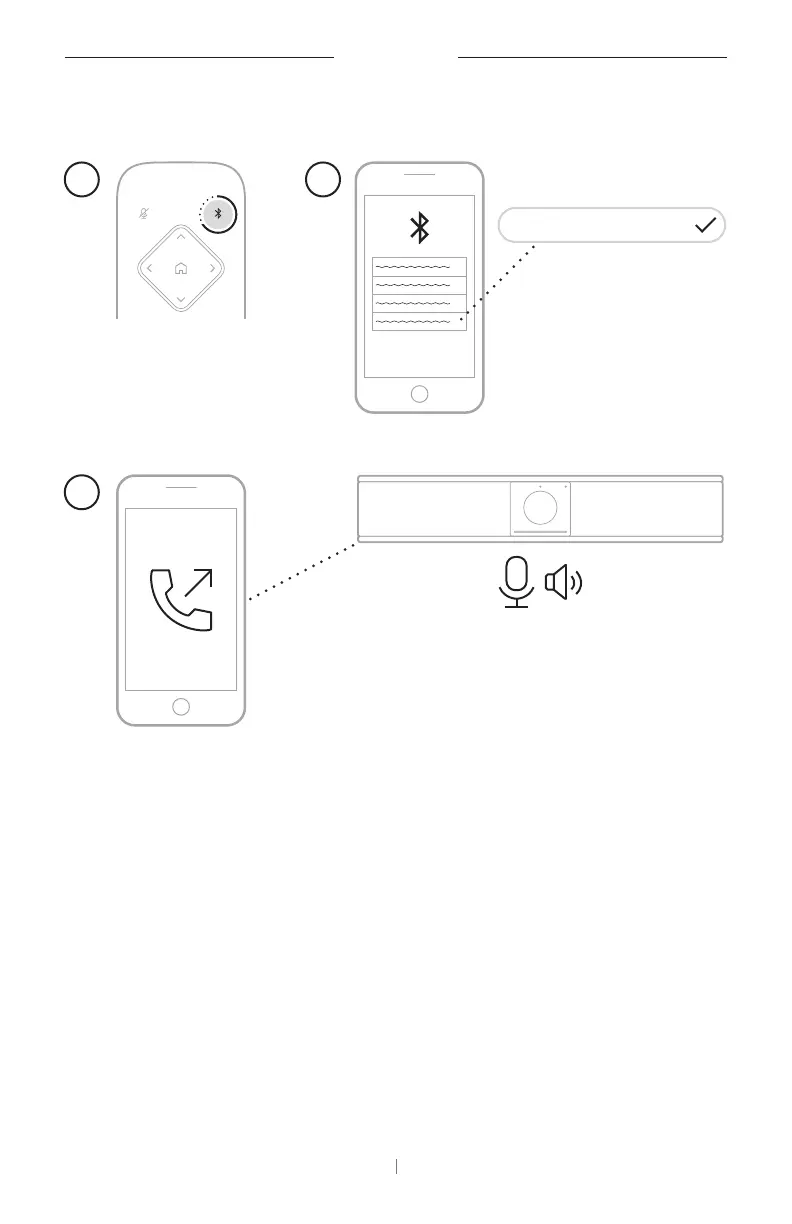
Make a Call
21
3
Bose Videobar VB-S
To make a call using the VB-S as a speakerphone:
1. Press and hold the
Bluetooth
button on the remote control for
3seconds to put the VB-S into pairing mode.
2. On your mobile device, scan for available
Bluetooth
devices and select
the VB-S.
3. Make a call from your mobile device. (On some mobile devices, you
may need to select the VB-S once more when you use it for a call for
the first time.)
The audio will be automatically routed from your mobile device to the
VB-S speaker and microphones.



 To Next Page