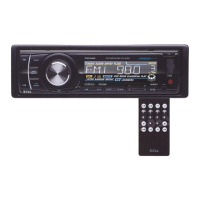
iPod
Playback
Controls
1 2
Before removing
the
iPod
from
the
dock,
be
sure to
pause
playback OR use
the
MODE
switch
to
change
to
another
mode.
BO~S
7I5SDB.
MP3-COMPATIBLE
DIGITAL
MEDIA
RECEIVER
To
play tracks from
an
iPod, first be sure you have the proper dock adaptor inserted
in
the docking
drawer
(see
instructions elsewhere
in
this
manuaQ.
Then
insert the iPod.
The
display will show "IPOO
RMT,"
indicating that the iPod unit has been recognized. Press PLAY/PAUSE to begin playback.
Most
of
the iPod's menu functions can be displayed and controlled by the 755081. However, you
can always control the iPod playback from the iPod itself if that is more convenient for you.
Please note that the 755081 is compatible with almost
all
of the available iPod units. Check the
page of this manual entitled "iPod compatibility" to make sure your iPod
is
one
of
these.
If it
is
not, you can still use the AUX input to connect the headphone output to the 755081, but you
will not be able to control the iPod playback this way.
iPod
not
recognized? Is iPod Enabledin the System Settings?
An
iPod in the
dock
will only
be
recognized
if
the iPod function is enabled in the
System Settings.,
if
the
7SSDBI
does
not
recognize that an iPod is present, check
the
System Settings (see page 12) to make sure that the iPod function is enabled.
CD
PLAY/PAUSE
Press to begin playback. To pause, press
again. Press again to resume playback.
® RPT
(Repeat
Play
Mode)
Press
this button to repeat the playback
of the current track.
"..,-*-~~~
--J
755081 User's Manual - page 10
® RDM
(Shuffle
Mode)
.
Press this button for shuffle playback
of all the files
in
your iPod playlist.
o
1«
and
»1
(Skip
back/skip
forward,
Fast
rewindlfast
forward)
Press these buttons to skip back or ahead
one track. Press and hold for fast rewind or
fast forward.
Browsing
the
iPod
menu.
To
make
it easy
for
you
to
browse
your iPods's tracklists,
the
755081
control panel reproduces the
UP,
DOWN, LEFT and RIGHT controls on
your iPod. See
the
chart
at
left
for
the corresponding buttons.
To
browse
the
iPod
menu,
press ENTER (the 5 button).
Then use the UP
(4),
DOWN
(6)
LEFT
(k<)
and RIGHT
(I»)
buttons
as you
would
on
your
iPod.


 To Next Page
 Loading...