EasyManua.ls Logo

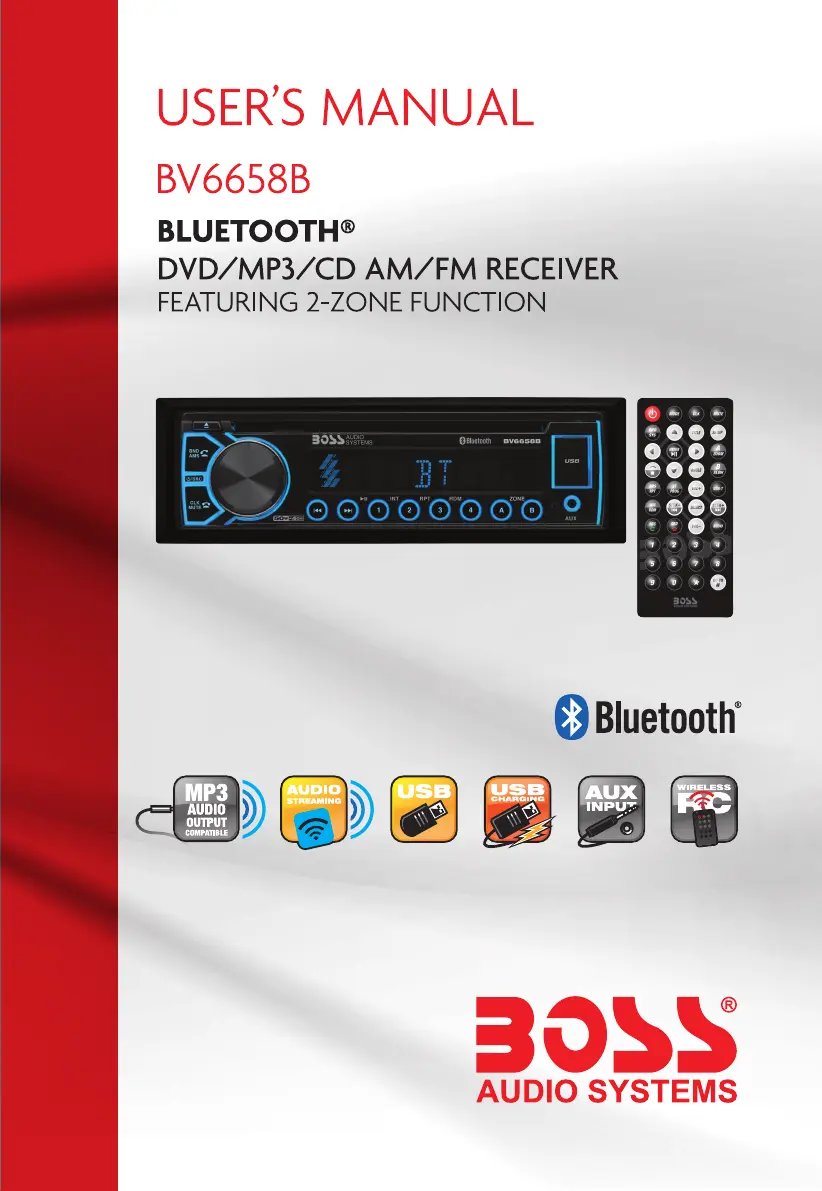
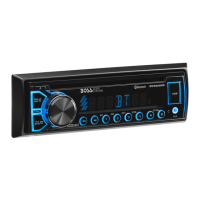
Boss Audio Systems BV6658B - User Manual

Boss Audio Systems BV6658B
20 pages
Print Icon
To Next Page IconTo Next Page
Loading...

Questions and Answers

  • D
    Donna WoodAug 13, 2025
    Why my Boss Audio Systems Car Stereo System has no power?
    • B
      beverly74Aug 13, 2025
      If your Boss Audio Systems Car Stereo System has no power, first ensure the car ignition is switched to “ACC”. If that doesn't work, check the fuse and replace it if it's blown.
  • J
    Joseph CollierAug 17, 2025
    What to do if there is no sound from Boss Audio Systems Car Stereo System?
    • L
      Leslie BurnettAug 17, 2025
      If there is no sound from your Boss Audio Systems Car Stereo System, check if the volume is turned down and adjust it to the desired level. Also, inspect the wiring connections and repair them if necessary.
  • A
    Anthony JeffersonAug 21, 2025
    Why does the sound skip on my Boss Audio Systems Car Stereo System?
    • K
      kimberly68Aug 21, 2025
      If your Boss Audio Systems Car Stereo System sound skips, it might be due to the installation angle being more than 30 degrees; adjust it to be less than 30 degrees. Alternatively, the disc may be dirty or scratched, so try cleaning it or using a new one.
  • D
    Denise RiosAug 25, 2025
    What to do if operation keys are not working on Boss Audio Systems Car Stereo System?
    • L
      lisa59Aug 26, 2025
      If the operation keys on your Boss Audio Systems Car Stereo System are not working, ensure the front panel is properly in place by reinstalling it. If the car interior is too hot, allow the vehicle to cool before using the player.
  • J
    Jessica JonesAug 28, 2025
    Why radio does not work on my Boss Audio Systems Car Stereo System?
    • C
      Carmen RyanAug 28, 2025
      If your Boss Audio Systems Car Stereo System radio does not work, make sure the antenna cable is properly connected by inserting it.
  • G
    gregorywilliamsSep 1, 2025
    What to do if my Boss Audio Systems Car Stereo System disc cannot be read?
    • T
      tiffanybondSep 1, 2025
      If your Boss Audio Systems Car Stereo System cannot read the disc, ensure that the disc is inserted with the label facing upward. If the disc is dirty or scratched, clean it or try a new one. If the temperature inside the car is too high, allow the vehicle to cool before using the player.
  • R
    robinsonderrickSep 5, 2025
    What to do if my Boss Audio Systems Car Stereo System disc cannot be loaded?
    • M
      Michael SmithSep 5, 2025
      If your Boss Audio Systems Car Stereo System cannot load a disc, it may be because another disc is already in the player. Eject the current disc and then insert the new one.
  • J
    jadeyoungSep 9, 2025
    Why automatic radio station selection does not work on Boss Audio Systems Car Stereo System?
    • I
      Isaac DoyleSep 9, 2025
      If the automatic radio station selection on your Boss Audio Systems Car Stereo System does not work, it could be due to weak signals. Try selecting a station manually.

Summary

Precautions

Safe Notes

Important safety guidelines for operating the device to avoid risks.

Accessories

List of included accessories with the unit for proper usage.

Handling Discs

Proper methods for handling discs to prevent damage and ensure playback.

Battery Warnings

Warnings related to lithium battery cell usage and safety precautions.

Installation Guide

Prepare Radio for Installation

Steps to prepare the radio unit before physical installation in the vehicle.

Mounting the Radio

Instructions for physically mounting the radio unit into the vehicle dashboard.

Wiring Connections

Guide to connecting the unit's wiring harness for power and speaker output.

Removing the Main Unit

Procedures for safely removing the main unit from its mounting sleeve.

Control Panel Overview

General Operation

Unit Power Management

How to power the unit on and off using the front panel or remote.

Volume Adjustment

Methods for increasing or decreasing the audio volume level.

Menu and Settings Navigation

Navigating and adjusting various audio and system settings via menus.

Source Selection

Switching between different audio input sources like Radio, USB, AUX, BT.

Zone Audio Control

Enabling or disabling audio output for front and rear speaker zones.

Clock Configuration

Procedure to set and display the current time on the unit.

Mute Functionality

How to temporarily silence the audio output.

System Reset Procedure

Restoring the unit to factory default settings to resolve issues.

Radio Operation

Frequency Band Settings

Switching between US and EU radio frequency bands.

Radio Band Selection

Changing between FM1, FM2, FM3, AM1, and AM2 radio bands.

Manual Radio Tuning

Manually seeking radio frequencies up or down one step.

Automatic Radio Tuning

Automatically scanning for the next available radio station.

Preset Station Management

Storing and recalling favorite radio stations using preset buttons.

Reception Mode Adjustments

Adjusting reception for strong (Local) or weak (DX) signals and Stereo/Mono audio.

DVD;CD;MP3;USB Management

Disc and USB Media Handling

Procedures for inserting and ejecting discs and USB devices.

Basic Playback Functions

Basic playback functions like play, pause, stop, next, previous, and scan.

DVD;CD;MP3;USB Features

Advanced Playback Features

Features like repeat, random, track search, GO TO, and program playback.

DVD;VCD Specific Features

Zoom, slow playback, multi-angle, multi-subtitle, multi-audio, title, and PBC playback.

DVD;CD;MP3;USB Display

OSD Display Information

Showing on-screen display information like track and time details.

Auxiliary Input Operation

Bluetooth Connectivity

Pairing and Connecting Bluetooth Devices

Steps to pair a Bluetooth device with the car audio system.

Bluetooth Call Management

Procedures for making, answering, and ending calls via Bluetooth.

Bluetooth Audio Streaming

Playing music from a paired Bluetooth device.

Remote Control Buttons

Remote Control Maintenance

Insulating Sheet and Battery Replacement

Procedures for removing the insulating sheet and replacing the remote control battery.

Remote Operation Guidelines

Guidelines for optimal remote control usage, aiming, and distance.

Setup Operations

System Setup Configuration

Configuring video, TV type, password, rating, and default settings.

Language Settings

Selecting preferred OSD, Audio, Subtitle, and Menu languages.

Audio Setup Options

Adjusting audio key settings and sound modes.

Video Setup Options

Adjusting video parameters like brightness, contrast, hue, saturation.

Speaker Setup Options

Configuring speaker output modes.

Technical Specifications

Troubleshooting Guide

Boss Audio Systems BV6658B Specifications

General IconGeneral
BrandBoss Audio Systems
ModelBV6658B
CategoryCar Stereo System
LanguageEnglish

Related product manuals