EasyManua.ls Logo

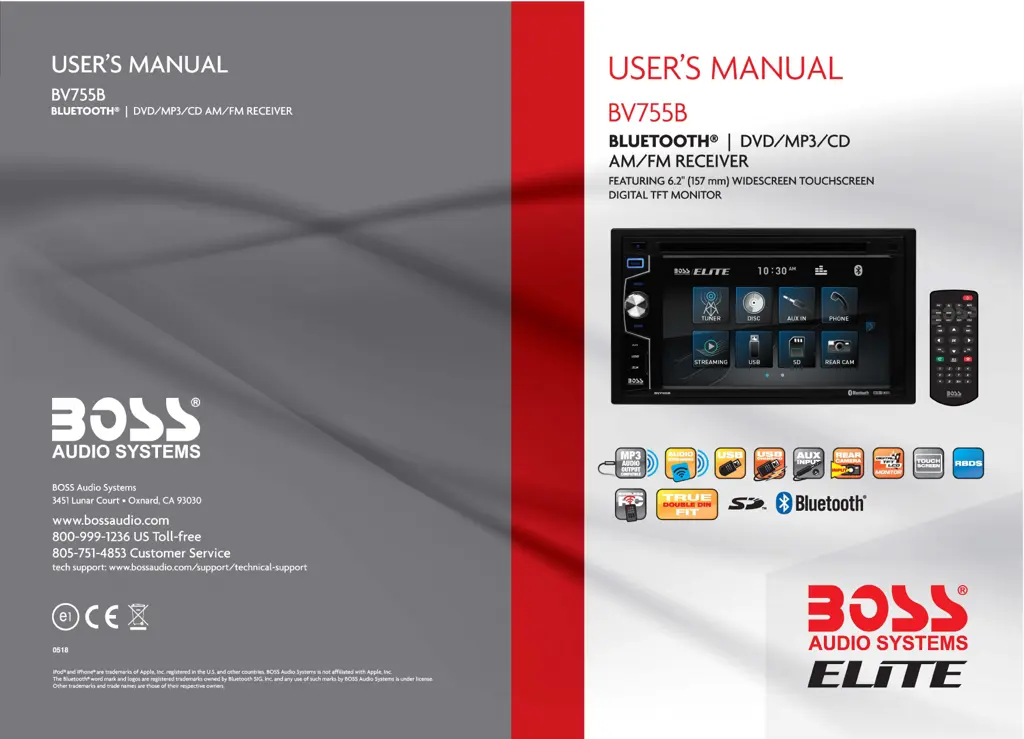
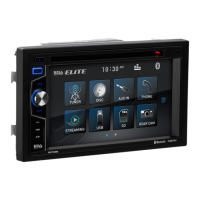
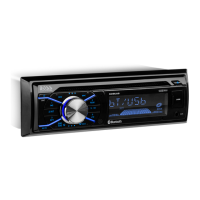
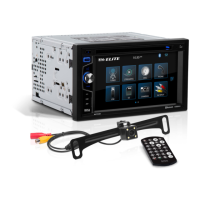
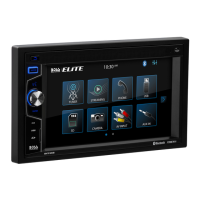
Boss Audio Systems BV755B - User Manual

Boss Audio Systems BV755B
36 pages
Print Icon
To Next Page IconTo Next Page
Loading...
USEB!S
M~UA
~
B~ZSSB
BLUETOOTH®
DVD/MP3/CD
AM/.FM
RECEIVER
www.bossaudio.com
800-999-1236
US
iroll-free
805-75h
4853
Customer; Ser:vice
tech supRort: www.bossaudio.com/supRort/technical
iPod
03
and iPhoneti are trademarks
of
Apple, Inc. registered
in
the
U.S.
and
other
countries.
BOSS
Audio Systems
is
not
affiliated with Apple, Inc.
The
Bluetooth<ll
word mark
and
logos
are
registered trademarks owned
by
Bluetooth
SIG,
Inc.
and
any
use
of
such
marks
by
BOSS
Audio
Systems
is
under license.
Other
trademarks and
trade
names
are
those
of
their
respective owners.
USER'S
MANUAL
BV755B
BLUETOOTH® I
DVD/MP3/CD
AM/FM
RECEIVER
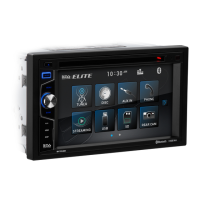
FEATURING 6.2"
(157
mm)
WIDESCREEN TOUCHSCREEN
DIGITAL TFT
MONITOR
go~
.~
ELITE
10:30•"
-
0
~
a
..
,~
TUNER DISC
AUXIN
PHONE
®
~
("'7
~ -
STREAMING
USB
SD
REAR CAM
.
0Rluetooth
=·"'"'
~
,:
,
~
~
~
~
[
DOUBLE
DIN
] s;.,™ O
Bluetooth®
10~S
AUDIO SYSTEMS
ELJ1E

Questions and Answers

  • C
    Christina DoyleAug 20, 2025
    Why does my Boss Audio Systems BV755B Car Stereo System have no audio output?
    • L
      Lauren PatrickAug 20, 2025
      If your Boss Audio Systems Car Stereo System has no audio output, there could be several reasons: * The volume might be set to 0; in this case, turn up the volume. * There might be an improper audio output connection; check the wiring and correct it. * There might be an improper MUTE connection; check the wiring and TEL MUTE connection. * The speaker might be damaged; change the speakers.
  • P
    Paul ScottAug 22, 2025
    What to do if my Boss Audio Systems BV755B Car Stereo System unit will not power on?
    • M
      Matthew ConleyAug 22, 2025
      If your Boss Audio Systems Car Stereo System unit will not power on, it could be due to a blown fuse. Check both the radio fuse and the car battery fuse and install a new fuse with the correct rating if needed. It may also be caused by an illegal operation, in which case you should press the RESET button.
  • G
    Gary LyonsAug 25, 2025
    Why is there poor sound quality or distortion in my Boss Audio Systems Car Stereo System?
    • D
      Derek EstradaAug 25, 2025
      Poor sound quality or distortion in your Boss Audio Systems Car Stereo System could be because the speaker power rating is not compatible with the unit; connect proper speakers. Alternatively, the speaker might be shorted; check the speaker contrast.
  • A
    Ashley BentleyAug 26, 2025
    What to do if my Boss Audio Systems Car Stereo System has a flashing image or interference on the screen?
    • D
      Deborah TurnerAug 27, 2025
      If your Boss Audio Systems Car Stereo System shows a flashing image or interference, it could be due to the DVD being incompatible with the current TV system settings; change the setup to accommodate the disc. It may also be caused by improper video signal connections; check the wiring and correct it.
  • E
    Erika HillAug 28, 2025
    What to do if my Boss Audio Systems BV755B Car Stereo System screen touch is insensitive?
    • J
      jmcguireAug 28, 2025
      If the touch screen on your Boss Audio Systems Car Stereo System is insensitive, the place of touch screen may be offset. Go to the setup menu and set the calibration.
  • F
    frankjenniferAug 30, 2025
    How to fix low audio output on my Boss Audio Systems BV755B?
    • M
      Maurice MasseyAug 30, 2025
      If you're experiencing low audio output on your Boss Audio Systems Car Stereo System, the volume may be set too low; increase the volume. Also, check if the volume balance is heavily biased; adjust the channel balance to the center position.
  • F
    Frederick SnyderSep 1, 2025
    What causes a 'No Disc/Bad Disc' error on my Boss Audio Systems BV755B and how to fix it?
    • M
      Ms. Michelle SilvaSep 1, 2025
      A 'No Disc/Bad Disc' error on your Boss Audio Systems Car Stereo System can occur if the disc is dirty; clean the disc. It can also happen if the disc is upside down; insert the disc in the right way.
  • M
    Morgan MunozSep 3, 2025
    Why am I getting 'Unknown Disc' error on my Boss Audio Systems BV755B Car Stereo System?
    • P
      Paige TaylorSep 3, 2025
      If you're getting an 'Unknown Disc' error on your Boss Audio Systems Car Stereo System, it is likely due to an unsupported disc type. Check the disc and change to a supported one.
  • J
    Jason ElliottSep 5, 2025
    Why is my Boss Audio Systems BV755B Car Stereo System displaying an 'Error' message?
    • S
      smithwilliamSep 5, 2025
      If your Boss Audio Systems Car Stereo System is displaying an 'Error' message, it indicates an illegal mechanism operation. Press EJECT for 5 seconds to reset the loading mechanism.
  • C
    Christopher GarrettSep 7, 2025
    Why is there no image on my Boss Audio Systems Car Stereo System screen?
    • D
      Deborah MclaughlinSep 7, 2025
      If there is no image on your Boss Audio Systems Car Stereo System screen, it could be due to an incorrect connection to the parking wire; check the wiring and correct it. Another reason could be that the parking brake is not engaged; stop the vehicle in a safe place and set the parking brake ON.

Summary

Specifications

General Features

Details about screen size, connectivity options, power, and general unit characteristics.

Compatible Media

Lists supported media formats for pictures, discs, audio files, and video files.

Safety Notice

Operating Safety

Warnings about safe driving, proper installation, environmental conditions, and unit handling.

Safety Statement

Specific statements regarding safe driving practices and the use of the backing monitor function.

Accessories

Included Accessories

Lists and visually identifies included accessories such as the remote control, cables, and mounting hardware.

Remote Control Operation

Unit Installation

Wires Connection Description

Panel Introduction

Main Menu Operation Instruction

Main Menu 1 Interfaces

Explanation of interfaces for Tuner, Disc, Phone, Bluetooth Music, and USB within the main menu.

Main Menu 2 Interfaces

Explanation of interfaces for SD card, Camera, AV input, and Settings within the main menu.

Access Setup Interface

Clock Setup

Configuration options for setting the time, date, and clock modes.

General Setup

Settings for display, audio region, language, and other general device preferences.

Audio Setup

Adjustments for audio levels, subwoofer, and radio settings.

Disc Setup

Settings related to DVD playback, including parental lock and disc level adjustments.

Other Setup Options

Settings for screen calibration, system reset, and software version information.

SWC-Steering Wheel Control Setting

Tuner Operation

Disc;CD;USB;SD Playback

Video Playback

Controls and options for playing video content from discs.

CD Audio Playback

Controls and options for playing audio content from CDs.

CD Source Menu and USB;SD

Accessing CD track lists and navigating USB/SD media playback.

Bluetooth Operation

Bluetooth Operation Menu

Main settings and functions for Bluetooth connectivity and operation.

Bluetooth Dialing and Call

Making and receiving phone calls using the Bluetooth connection.

Bluetooth Phone Book

Managing and accessing contacts for Bluetooth phone calls.

Bluetooth Call History and Music

Reviewing call history and streaming music via Bluetooth.

Bluetooth Pairing

Steps for connecting external devices via Bluetooth.

Photo

Camera;Aux;AV Menu

Camera Input

Functionality and connection details for the rear view camera.

Aux;AV Input

Connecting external audio and video sources via AUX and AV inputs.

Troubleshooting

Error Message Troubleshooting

Common error messages displayed by the unit and their corrective actions.

General Problems Troubleshooting

Solutions for general issues like power, touch screen sensitivity, audio output, and sound quality.

Monitor & Tuner Troubleshooting

Resolving issues related to the TFT display and radio reception problems.

Disc Playback Troubleshooting

Solutions for problems with disc insertion, playback noise, and VCD searching.

Product Registration & Support

Online Product Registration

Instructions for registering the product online via QR code or website.

Limited Warranty

Obtain Warranty Service

Steps required to obtain warranty service, including return authorization and proof of purchase.

Boss Audio Systems BV755B Specifications

General IconGeneral
BluetoothYes
USB PortYes
SD Card SlotYes
Aux InputYes
Power Output50W x 4
Wireless RemoteYes
DIN SizeDouble DIN
Radio TunerAM/FM
Audio Formats SupportedMP3, WMA
DVD PlayerYes
CD PlayerYes
Resolution800 x 480
Steering Wheel Control CompatibleYes
CompatibilityAndroid

Related product manuals