Operation Instruction
First Time to Use the System
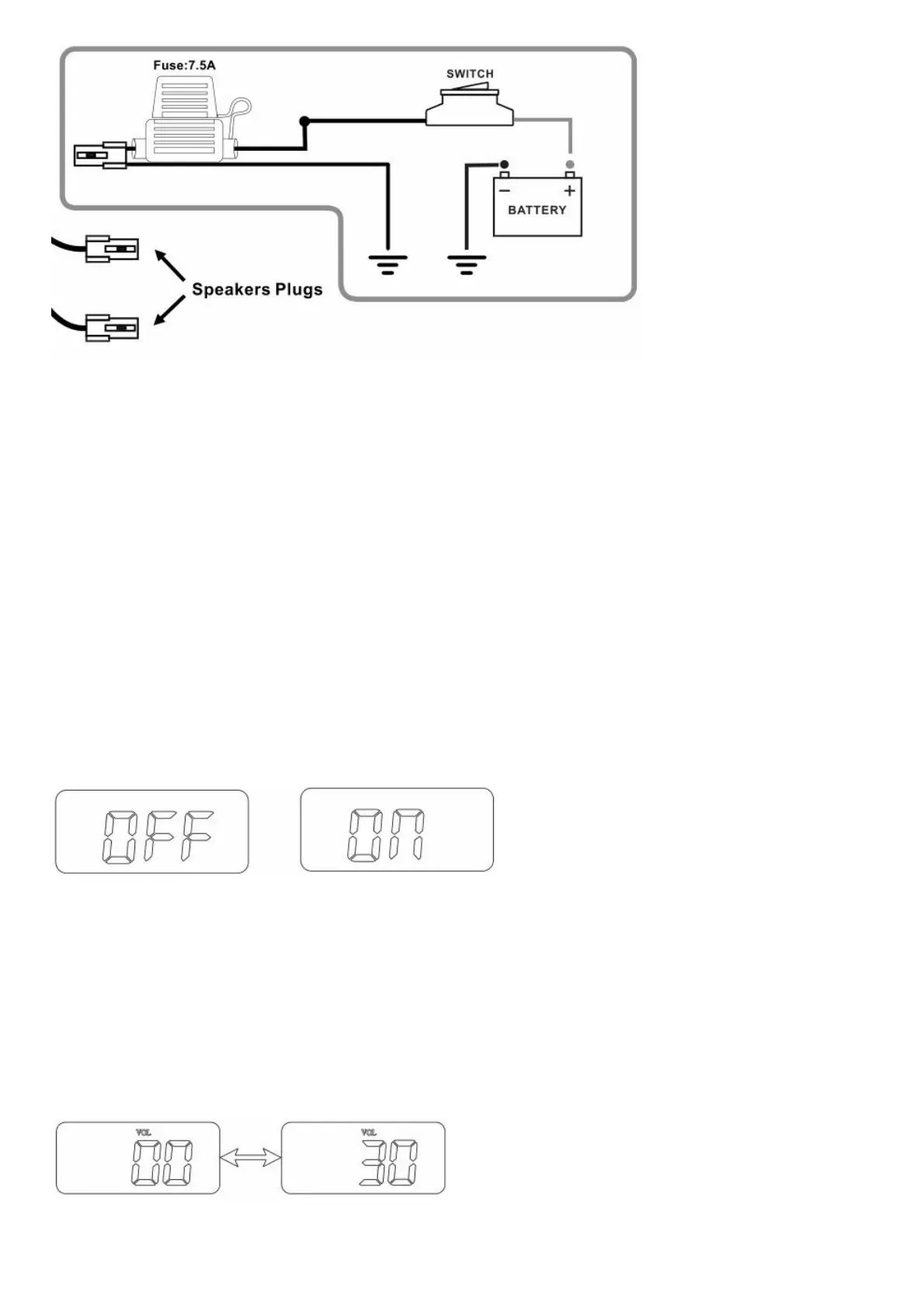
Plug the loudspeaker connectors and FM-ANT connector to amplifier connectors per the connection diagram on page
3.
Connect the power cable to12VDC power supply_*
* Note: The system will recall and enter to the last operating mode directly.
Turn on/Turn off the system
Pressing the button POWER on the front panel for more than 2 seconds, the system will be turned on and ready for
operation*.
Pressing the button POWER again for more than 2 seconds will turn off the system.
*Note: The system will memorize and recall the last state of operating mode (FM radio/BT/USB/SD/AUX)
Automatic shutdown for power saving
In USB/SD/AUX/BT modes, the system will shut down automatically for power saving if there is no signal input for
more than 10 minutes.
For example, the system will shut down automatically if there is no AUX signal, BT not connected or BT connected
but no audio signal transfer, or USB/SD pause for more than 10 minutes.
Select an Operation Muds
Pressing the button MODE on the front panel can change the mode from one to other (FM
radio/BT/USB/SD/AUX)and select one of the mode you like.
Note: USB and SD modes are active only when a device is connected to the USB port/SD slot.
Volume Control
Pressing the button+ or for more than 2 seconds in all mode, the system will be ready for the volume control with the
range of 0~30 displayed on the screen Adjust it to your desired setting without audio distortion.
Note: The worlds VOL will be displayed on LCD screen during volume adjustment.



 To Next Page