BV7300 User’s Manual - page 13
Picture Menu
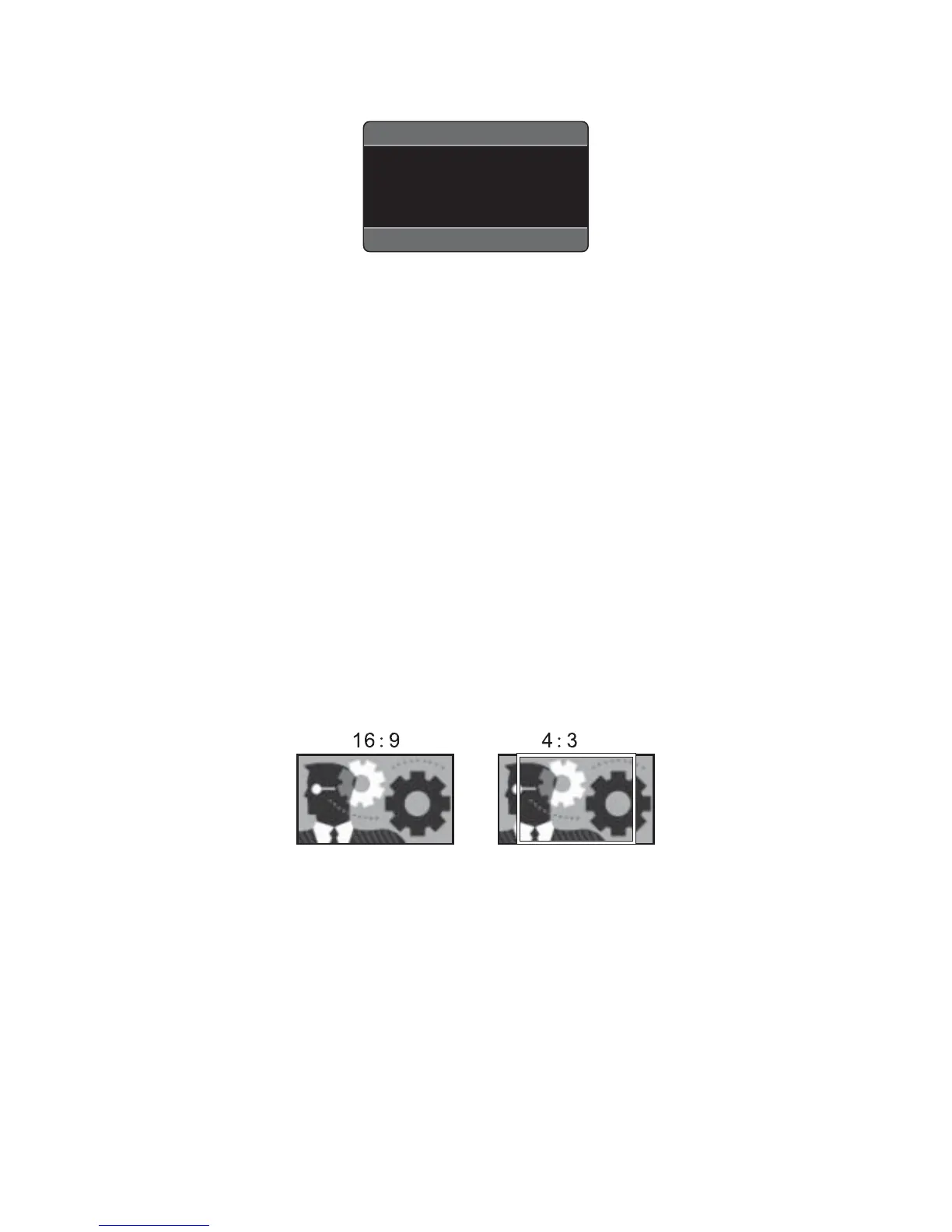
PICTURE MENU
BRIGHT 00 TINT 00
CONTRAST 00 DISP.M 4:3
COLOR 00 DEFAULT OFF
1. Use the arrow buttons to select a menu item you wish to adjust.
2. Press VOL+/- button to adjust the item selected.
Brightness: 0 to 63
Adjust this setting if the picture is too bright or too dark.
Contrast: 0 to 63
Use this setting to adjust the contrast of the picture.
Color: 0 to 63
Use this setting to adjust the color of the picture.
Tint: 0 to 63
Use this setting to adjust the tint to make colors appear most natural.
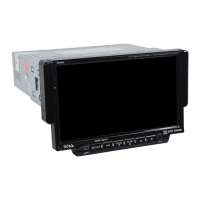
Disp.M: (Display monitor type)
Select a setting which is appropriate to the monitor you are using.
Monitor Type
16:9: Select this when the aspect ratio of your monitor is 16:9 (widescreen).
4:3: Select this when the aspect ratio of your monitor is 4:3. If you view a widescreen
picture, black bars will appear to fi ll the left and the right sides of the screen.
Default: ON/OFF;
Select this to restore to factory settings.


 To Next Page