BV7300 User’s Manual - page 14
Setup Menu
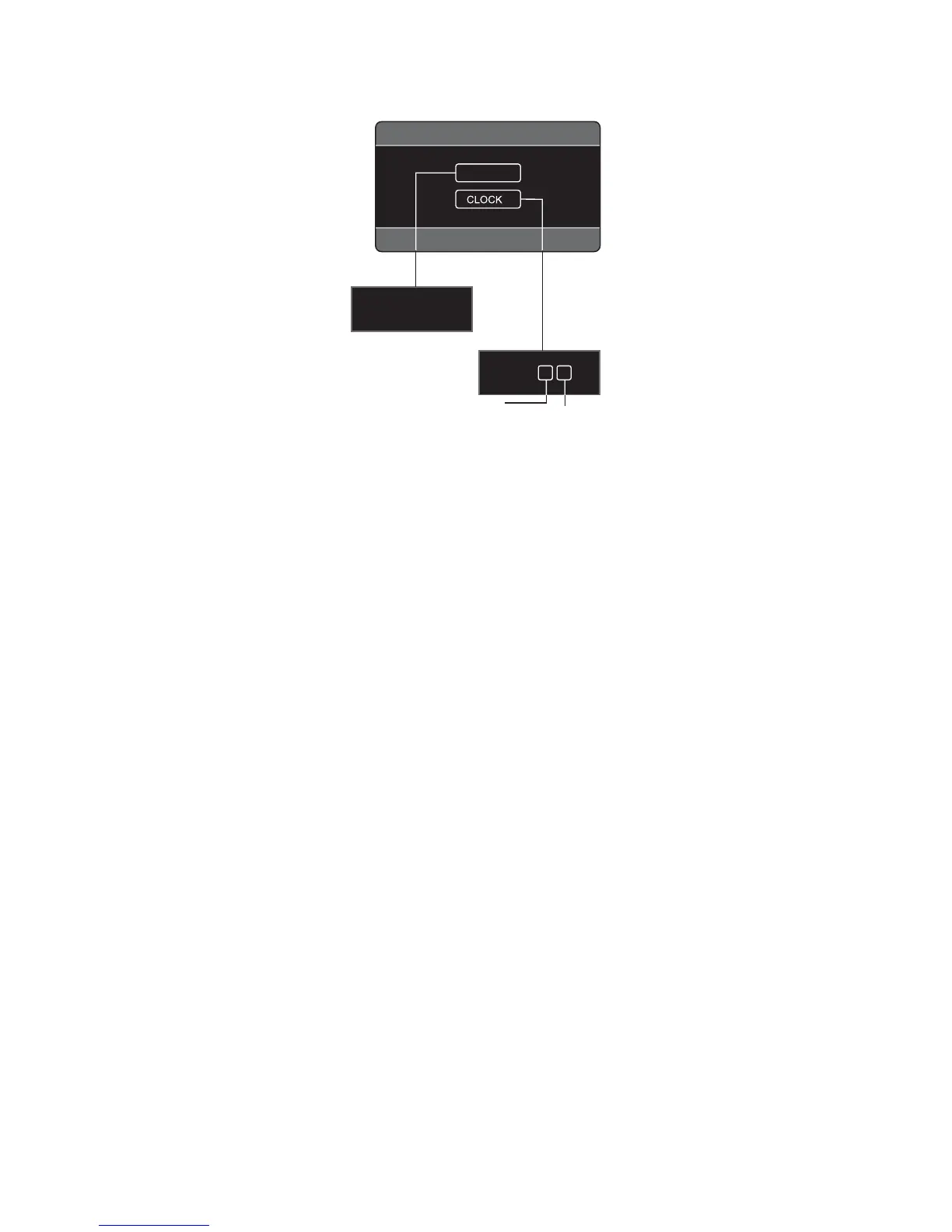
SYSTEM
TIME ON
TIME.M 12
AM 11 : 0 0
SETUP MENU
Hour
Minute
1. Use the arrow buttons to select a menu item you wish to adjust.
2. Press VOL+/- button to adjust the item selected.
3. Repeat steps 1 and 2 to adjust other items if necessary.
4. Press ZOOM or MODE to return to previous menu.
Time: ON/OFF
Turns the clock display on/off.
Time.M: 12 / 24
Use this setting to select 12 hour clock mode or 24 hour clock mode.
Clock setting:
Use this menu item to set or make changes to the time displayed on the clock.


 To Next Page