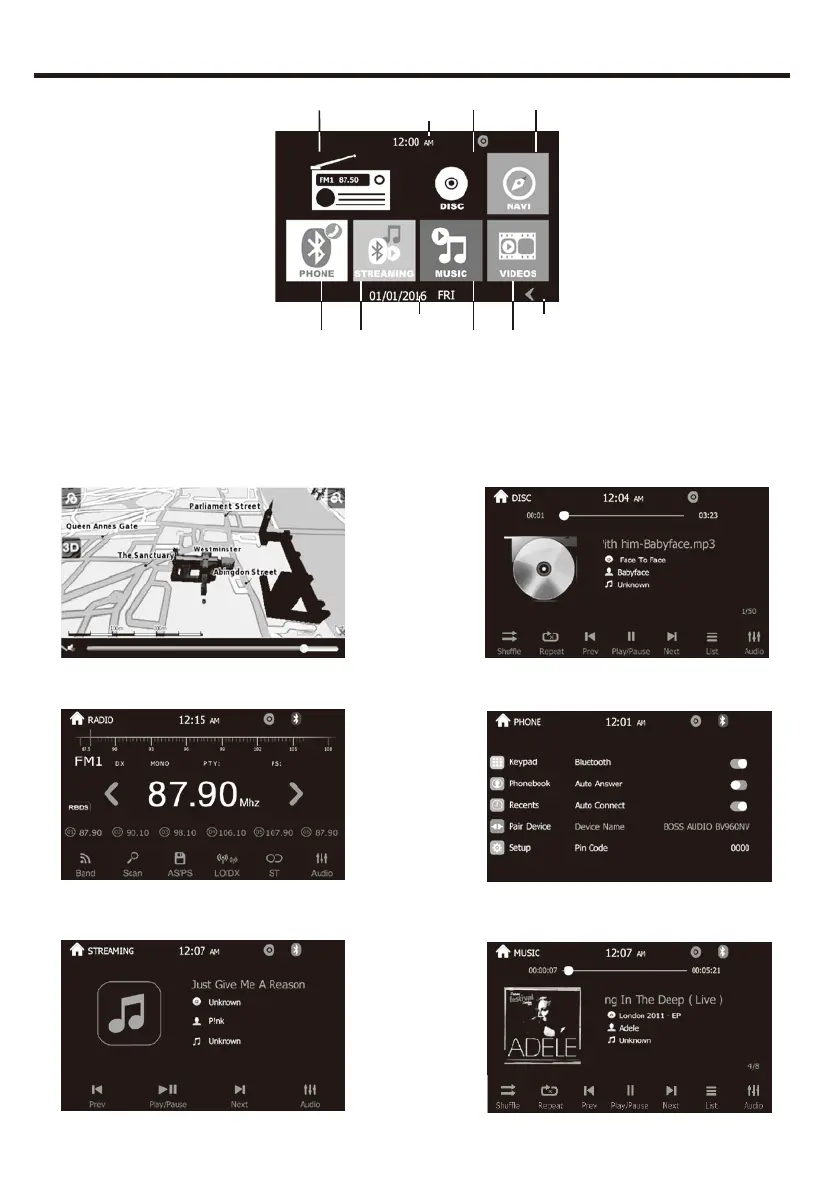
MAIN MENU OPERATION INSTRUCTION
1.Shows the present time of the unit.
2.Shows the present date and week .
3.Press to go into main menu 2.
4. NAVI: Navigation Interface 5. Disc Interface
6. Radio Interface 7. Phone setup Interface
8. BT Music Interface 9. Music Interface
6
1
45
9 10
2
3
7 8
MAIN MENU 1
9


 To Next Page