18
DISC PLAYBACK-AUDIO
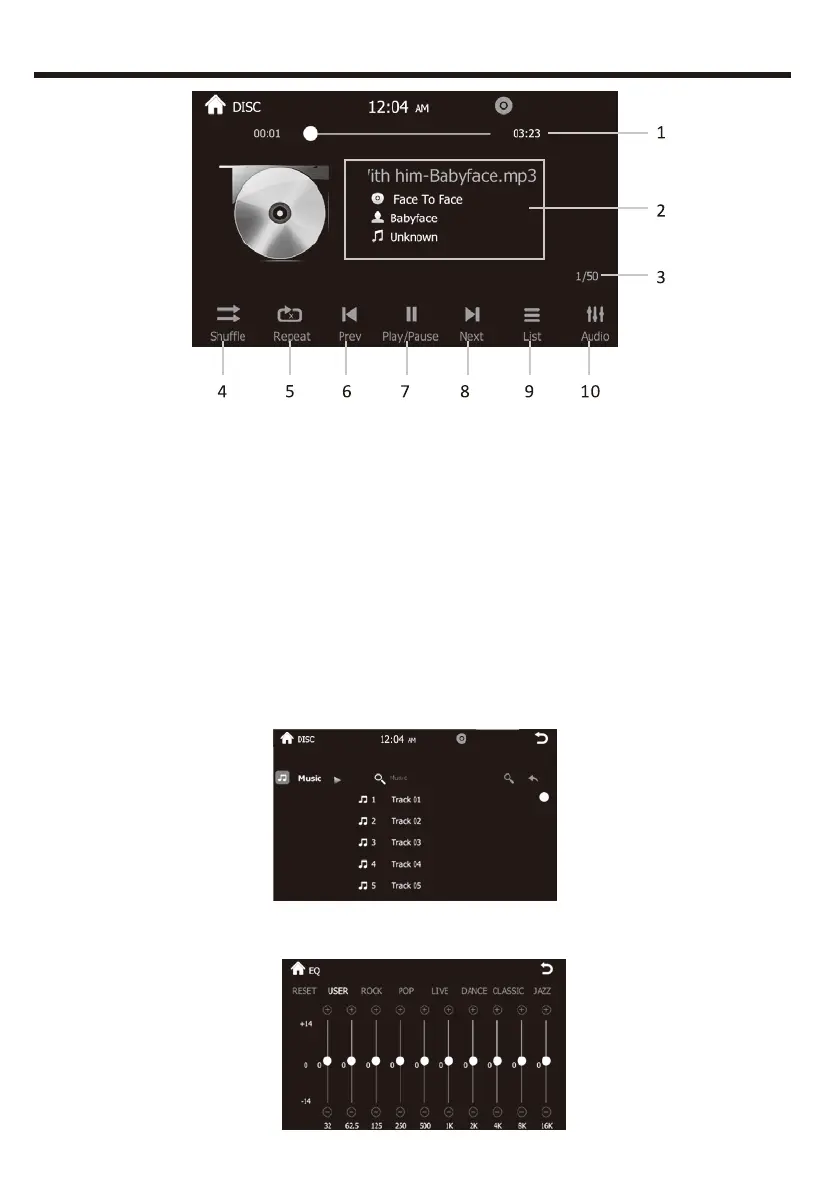
1.Total time of the playing song.
2.ID3 information of the music playing such as singer’s name, music
style, music name etc. if available.
3.Present playing one/total music numbers.
4.Random play.
5.Loop playback.(ALL/SINGLE loop play).
6.PREV: Press to choose previous music.
7.PLAY/PAUSE: Touch to begin playing. And press the icon again to
pause playing.
8.NEXT ONE: Press to choose next music.
9.Click to see the music play list menu. And user’s can choose which
one to play here.
10.Press to going into EQ setting interface:


 To Next Page