EasyManua.ls Logo

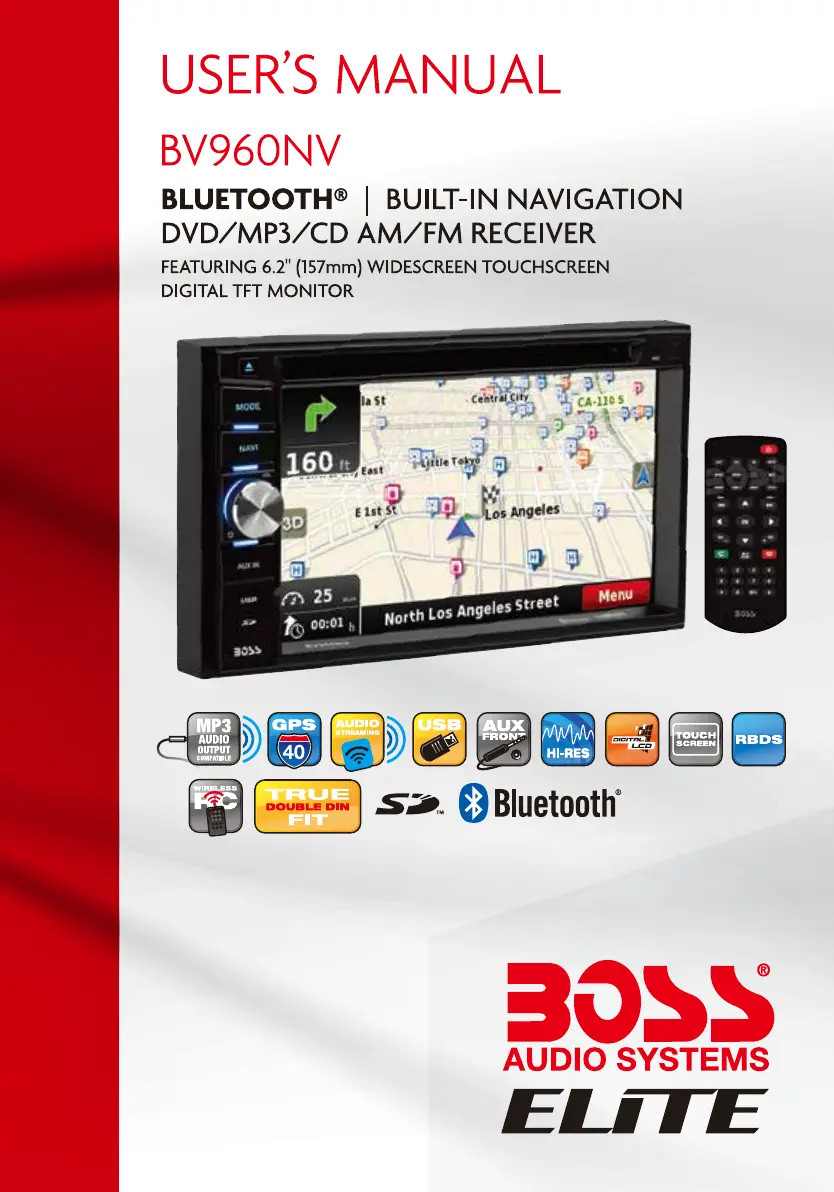
Boss BV960NV - User Manual

Boss BV960NV
32 pages
Print Icon
To Next Page IconTo Next Page
Loading...

Questions and Answers

  • R
    robertsonjoseAug 19, 2025
    What to do if there is no audio output from my Boss BV960NV Car Navigation system?
    • S
      Shannon BrownAug 20, 2025
      If there's no audio coming from your Boss Car Navigation system, first, ensure the wiring is correctly connected. Then, check if the volume is set to 0 and increase it if necessary. Also, verify the TEL MUTE connection and wiring. If the issue persists, the speaker might be damaged and require replacement.
  • R
    rodriguezreginaAug 22, 2025
    Why my Boss BV960NV Car Navigation system unit will not power on?
    • B
      Brandon PayneAug 22, 2025
      If your Boss Car Navigation system unit won't power on, the radio fuse or car battery fuse might be blown. Replace the blown fuse with a new one of the correct rating. If that doesn't work, try pressing the RESET button to address any illegal operation issues.
  • R
    Ryan BanksAug 25, 2025
    Why is the image flashing on my Boss BV960NV screen?
    • V
      victoriaandersonAug 25, 2025
      If the image on your Boss Car Navigation system screen is flashing or shows interference, the DVD might not be compatible with the current TV system settings. Try adjusting the setup to accommodate the disc. Also, make sure the video signal connections are properly wired.
  • J
    jessica71Aug 26, 2025
    Why is the sound quality poor on my Boss BV960NV?
    • N
      Norma JimenezAug 26, 2025
      If you're experiencing poor sound quality or distortion with your Boss Car Navigation system, it could be due to speakers that aren't compatible with the unit's power rating. Ensure you connect the appropriate speakers. Also, check the speaker contrast as the speaker could be shorted.
  • M
    Michael WilsonAug 28, 2025
    What to do if there is no image on my Boss BV960NV Car Navigation system?
    • M
      Miss Christine FerrellAug 28, 2025
      If you see no image on your Boss Car Navigation system screen, check the wiring of the parking wire to ensure it's correctly connected. Also, make sure the parking brake is engaged by stopping the vehicle in a safe place and setting the parking brake to ON.
  • N
    Nicole LambertAug 29, 2025
    How to calibrate the touch screen on my Boss BV960NV Car Navigation system?
    • B
      briansmithAug 30, 2025
      If the screen touch on your Boss Car Navigation system is insensitive, it may be because the touch screen isn't calibrated correctly. Go to the setup menu and calibrate the screen.
  • C
    Christine MillerSep 1, 2025
    What to do if my Boss BV960NV Car Navigation system says 'No Disc'?
    • L
      Lisa AndersonSep 1, 2025
      If your Boss Car Navigation system displays 'No Disc' or 'Bad Disc', the disc might be dirty. Clean the disc. Also, check to make sure the disc is inserted correctly, not upside down.
  • B
    brittany55Sep 2, 2025
    How to increase the audio output on my Boss BV960NV Car Navigation system?
    • S
      Steven FoxSep 2, 2025
      If the audio output from your Boss Car Navigation system is too low, the volume might be set too low. Increase the volume to your desired level.
  • L
    Laura ChenSep 5, 2025
    What to do if I get an error message on my Boss BV960NV?
    • D
      davidsonmichaelSep 5, 2025
      If you are getting an error on your Boss Car Navigation system, it may be due to an illegal mechanism operation. Reset the loading mechanism by pressing the EJECT button for 5 seconds.
  • O
    Olivia AllenSep 6, 2025
    How to correct the image ratio on my Boss BV960NV?
    • R
      Robin PerezSep 7, 2025
      If the image on your Boss Car Navigation system has an improper height/width ratio, it's likely due to an incorrect aspect ratio setup. Adjust the aspect ratio setting to the correct one.

Summary

Safety Notice

Remote Control Operation

Main Menu Operation

Main Menu Interface Overview

Shows the main menu structure, time, and date.

Radio, Disc, and Phone Menus

Navigates radio, disc playback, and phone setup interfaces.

Music, Video, Picture, and Aux Inputs

Accesses music, video, picture, and auxiliary input functions.

Access Setup Interface

General Setup Options

Configures time, date, clock mode, time zone, and wallpaper.

Disc and Audio Configuration

Adjusts disc playback features and audio output parameters.

EQ and Navigation Setup

Configures equalizer settings and navigation voice/path options.

Steering Wheel Control Setting

SWC Learning Process

Guides through learning steering wheel control commands.

Radio Operation

Bluetooth Music Streaming

Bluetooth Settings and Pairing

Manages Bluetooth on/off, auto connection, and device pairing.

Bluetooth Phone Operations

Bluetooth Call Management

Troubleshooting Guide

Error Messages and General Problems

Lists common error messages and general unit issues with solutions.

Monitor and Tuner Troubleshooting

Solves issues related to the TFT monitor and radio tuner performance.

Disc Playback Issues

Resolves common problems encountered during disc insertion and playback.

Boss BV960NV Specifications

General IconGeneral
BrandBoss
ModelBV960NV
CategoryCar Navigation system
LanguageEnglish