19
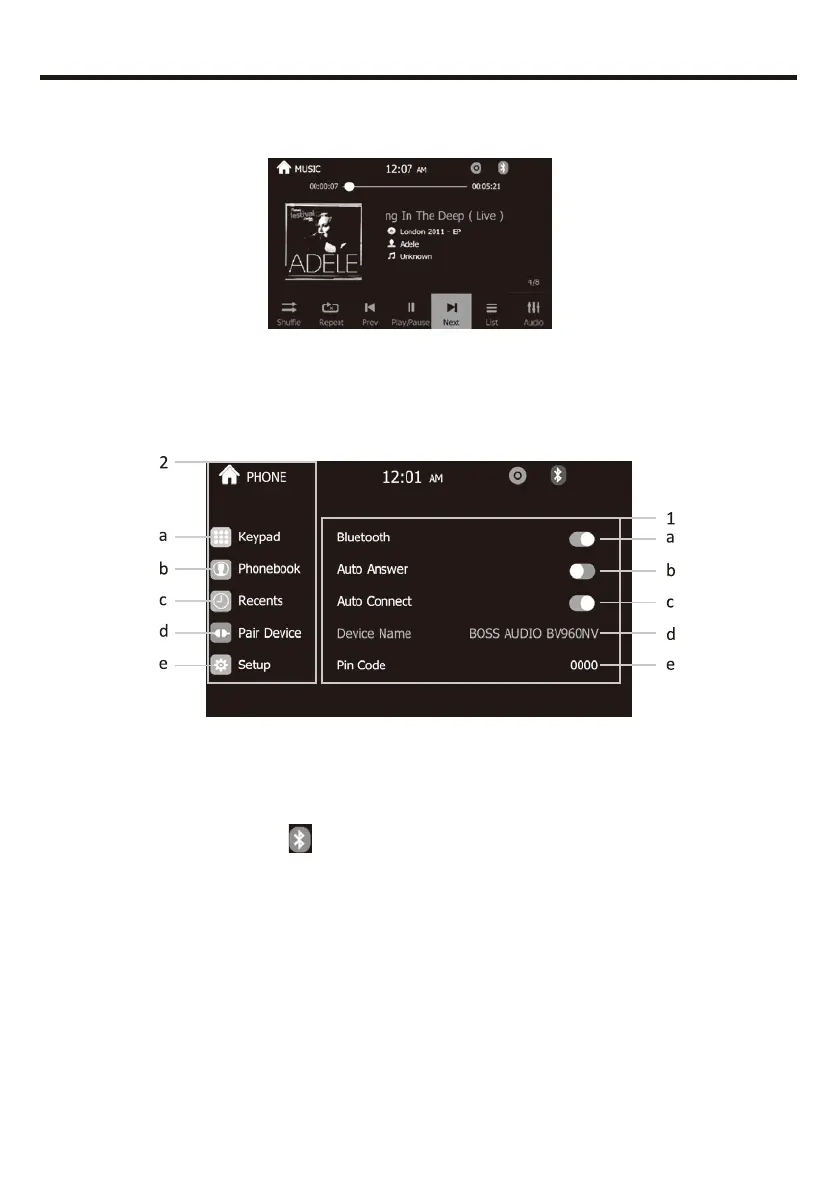
Press MUSIC in the main menu, it refers to the music file from SD
and USB.
BLUETOOTH OPERATION
Click phone icon and will enter into Bluetooth function interface:
MUSIC PLAYING MENU
BLUETOOTH OPERATION MENU
1.Bluetooth setting menu:
a.ON/OFF: Turn on and turn off of Bluetooth when not using.
Turn on:show gray BT . and the icon turn blue when paired phone.
b.Anser automatically: Can turn on or turn off the function of listen to
calls automatically.
c.Connect automatically: Can connect the devices automatically which
have already been connected before .
d.Default Bluetooth name for this unit: BOSS AUDIO BV960NV
e.PIN code: Default password”0000” , and can be change by yourself
click”0000”


 To Next Page