8
Saving to Memory
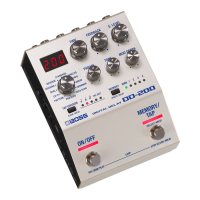
Here’s how to save delay settings that you edited.
1. Long-press the [MEMORY] button.
The display indicates “Wrt.”
2. Press the [MEMORY] button to select the save-
destination (MAN, 1–4).
If you decide to cancel, press the [TAP DIVISION]
button.
3. Long-press the [MEMORY] button to conrm
the save-destination.
The memory is saved.
* If you save to MAN, the settings of the panel are applied as the
values for MODE, FEEDBACK, E.LEVEL, PARAM, TONE, and MOD
DEPTH.
Switching Memories
Here’s how to recall a saved memory.
1. Press the [MEMORY] button to select a
memory.
Each time you press the button, you cycle through
the memories in the order of “MAN (manual) 0 1
0 2 0 3 0 4 0 MAN...”
What is “MAN” (manual)?
If you select “MAN,” the delay is heard using settings that
reect the actual positions of the knobs. The delay time
and TAP DIVISION use the settings that you wrote into
memory.
Saving and Switching Memories


 To Next Page