7
Playing Rhythms
Selecting a Rhythm Pattern
Multiple rhythm patterns are included for each
instrument.
1. Select the instrument whose
rhythm pattern you want to switch.
Make an instrument button light. If you
press a lit instrument button, that button
goes dark (the instrument is not heard).
In this case, press the instrument button
once again to make it light (so that the
instrument is heard).
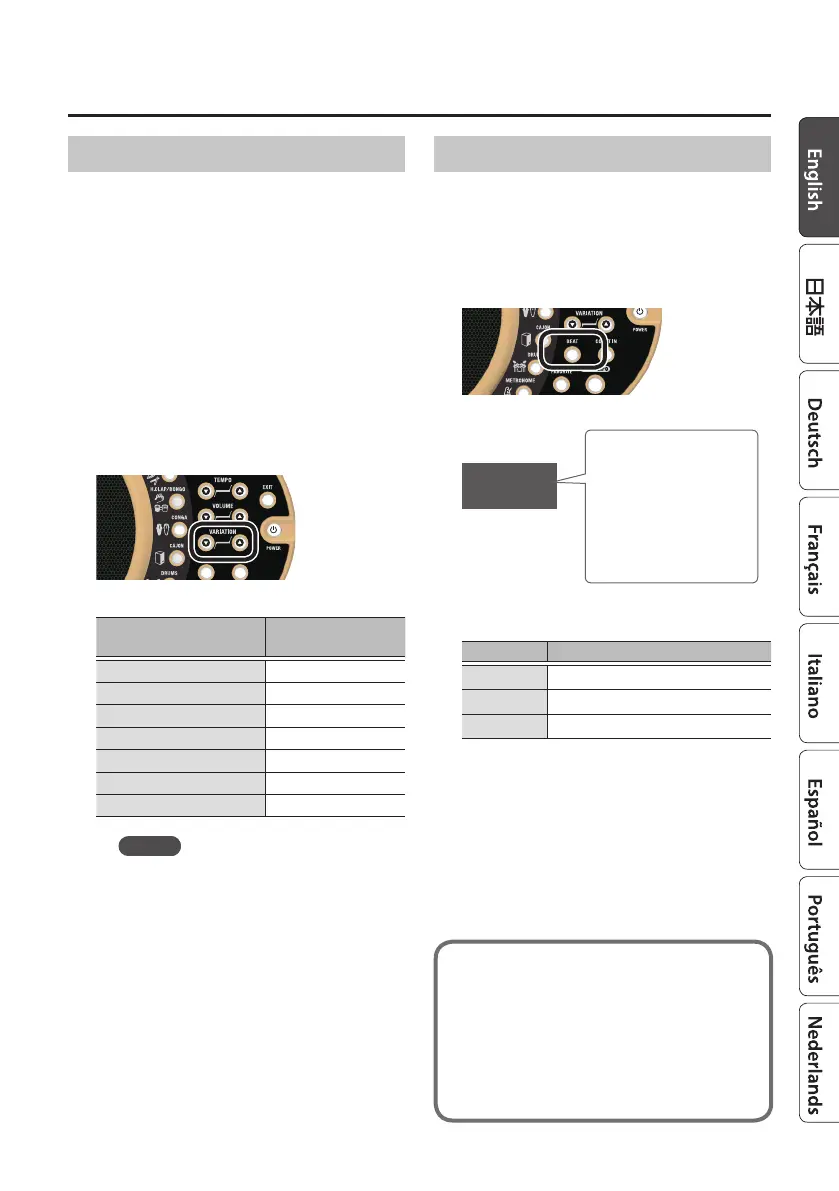
2. Press VARIATION [I] [H] buttons.
The rhythm pattern switches.
Instrument button
Example display
for variation #01
[SHAKER/MARACAS]
X.01
[TAMBOURINE/CLAVES]
t.01
[H.CLAP/BONGO]
b.01
[CONGA]
G.01
[CAJON]
c.01
[DRUMS]
d.01
[METRONOME]
e.01
MEMO
5 You can also switch rhythm patterns
by holding down an instrument
button and using the VARIATION [I]
[H] buttons.
5 For instrument buttons that contain
multiple instruments, you can hold
down the [EXIT] button and use the
VARIATION [I] [H] buttons to select
the rst number of each instrument.
Changing the Time Signature
You can switch the time signature of the
rhythm pattern between 3/4, 4/4, and 6/8
time.
1. Press the [BEAT] button.
The current time signature is shown.
4/4
BEAT (time signature)
indication
Indicates the time
signature of the
rhythm pattern.
(Example: 4/4 time)
The time signature changes each time you
press the [BEAT] button.
Indication Explanation
3/4
3/4 time
4/4
4/4 time
6/8
6/8 time
Now you understand the basic
operation of the DR-01s.
More advanced uses are described on
the following pages.
&to the next page











 To Next Page