2
Panel Descriptions
Top Panel
1
2
3
4 5
6 7
8 9
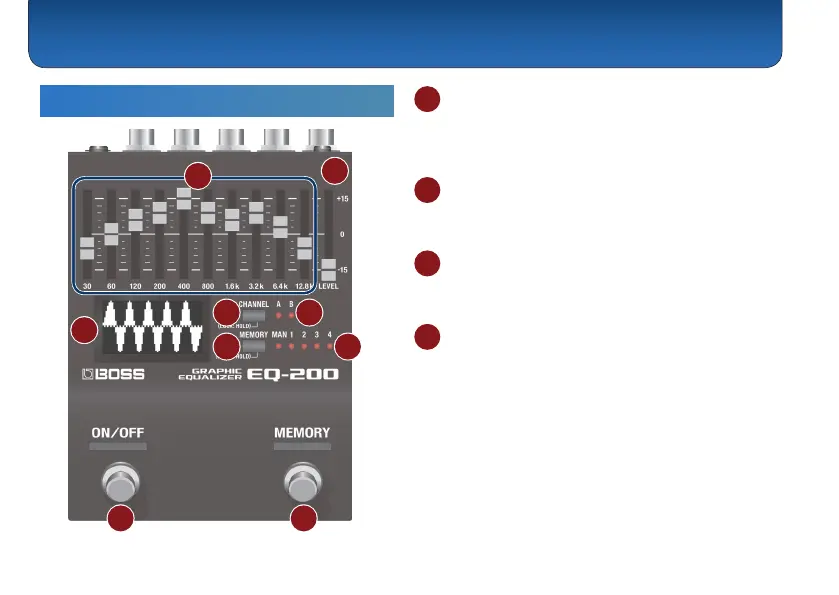
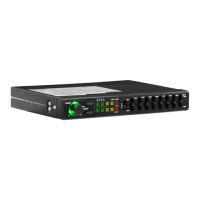
1 Graphic equalizer
A ten-band graphic equalizer that provides ±15 dB of
adjustment in the range of 30 Hz–12.8 kHz (the center
frequency varies according to type).
2 [LEVEL] slider
Compensates for the volume dierence when switching
between normal and eect sound.
3 Display
Provides a visual indication of the equalizer’s state, or
shows parameters.
4 [CHANNEL] button
Switches between channels A and B.
Preventing accidental operation (panel lock)
By long-pressing the [CHANNEL] button you can toggle
between enabling operation of the equalizer and
buttons (unlocked) or disabling operation (locked).
If you operate the unit while it is locked, the display
indicates “LOCKED.”



 To Next Page