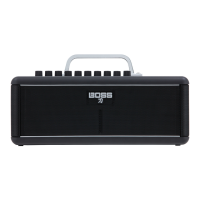
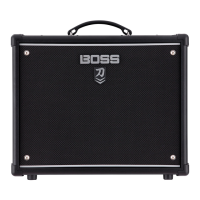
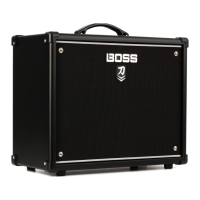
The BOSS KATANA-AIR EX is a versatile guitar amplifier designed for both electric and acoustic guitars, as well as bass guitars. It offers a range of built-in effects and amplifier types, providing a comprehensive sound shaping experience. The amplifier is equipped with wireless connectivity, allowing for cable-free playing and control via mobile devices.
Function Description
The KATANA-AIR EX serves as a guitar amplifier with a variety of sound-shaping capabilities. It features multiple amplifier types, including "BROWN" for a lead sound with a BOSS WAZA brown sound edge, "LEAD" for a wide range from crunch to high-gain, "CRUNCH" for a fat and responsive sound, "CLEAN" for a clean and natural tone, and "ACOUSTIC/BASS" specifically designed for acoustic and bass guitars.
The amplifier includes a comprehensive equalizer section with dedicated knobs for [BASS], [MIDDLE], and [TREBLE] to adjust low, mid, and high-frequency ranges respectively. The [GAIN] knob controls the amount of distortion, while the [VOLUME] knob adjusts the overall volume.
A key feature of the KATANA-AIR EX is its built-in effects section. It offers three types of effects that can be used simultaneously: distortion/modulation ([BST/MOD]), delay/FX ([DELAY/FX]), and reverb ([REVERB]). Each of these effects has a dedicated button and knob for control. The [TAP] button allows users to set the delay time by pressing it two or more times. The [MASTER] knob adjusts the overall output volume of the amplifier.
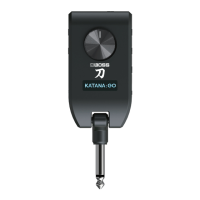
Wireless functionality is central to the KATANA-AIR EX. It comes with a transmitter that plugs into the guitar, enabling wireless audio transmission to the amplifier. The [Guitar Wireless] indicator on the top panel shows the connection status. The amplifier also supports Bluetooth® audio, allowing users to connect mobile devices to stream music or control the amplifier via a dedicated app.
For output, the KATANA-AIR EX includes a [PHONES] jack for private practice, which mutes the internal speaker when a plug is inserted. It also has [LINE OUT (R, L/MONO)] jacks for connecting to an audio interface, recorder, or mixer. An [AUX IN] jack allows connection of mobile devices or electronic musical instruments for playing along. A [TRANSMITTER IN] jack is provided for charging the included transmitter. The amplifier can be powered by the included AC adaptor or by batteries (alkaline or Ni-MH).
Usage Features
Power On/Off and Standby Mode: To turn on the unit, users should first turn down the [MASTER] and [VOLUME] knobs, minimize the volume of connected devices, turn on connected devices to the INPUT and AUX IN jacks, then turn on the KATANA-AIR EX, turn on devices connected to the LINE OUT, and finally insert the transmitter into the [TRANSMITTER IN] jack. The unit automatically enters standby mode after a period of inactivity and can automatically power on ("wake up on") when the transmitter detects guitar vibration.
Tone Settings: The [CH A] and [CH B] buttons store three sets of settings for all top panel knobs and buttons (excluding [MASTER]). Each press cycles through green, red, and orange settings. Holding a button for one second overwrites the stored settings with the current sound. The [PANEL] button makes the unit sound using the current settings of the panel knobs.
Effects Control: The [BST/MOD], [DELAY/FX], and [REVERB] buttons allow users to select and cycle through different effect types (indicated by color changes). The corresponding knobs adjust the depth of the selected effect. The factory-set effects include various distortion types (Blues Drive, Overdrive, Distortion), modulation effects (Chorus, Flanger, Phaser), delay effects (Digital Delay, Analog Delay, Tape Echo), FX effects (Tremolo, T.Wah, Octave), and reverb types (Plate Reverb, Spring Reverb, Hall Reverb).
Wireless Guitar Connection: The included transmitter automatically powers on when inserted into the guitar. The [Guitar Wireless] indicator confirms connection. For optimal stability, it's recommended to charge the transmitter in the [TRANSMITTER IN] jack before plugging it into the guitar.
Bluetooth Audio Connection: To connect a mobile device for audio streaming, users long-press the [Bluetooth] button on the amplifier until the indicator blinks, then enable Bluetooth on their mobile device and select "KATANA-AIR Audio" from the device list. The volume of Bluetooth audio can be adjusted via the mobile device and the amplifier's [MASTER] knob.
App Control (BOSS TONE STUDIO): The KATANA-AIR EX can be controlled and edited using the BOSS TONE STUDIO app on a smartphone or tablet. This allows for detailed effect editing, sound library management, and backup/restore of settings. To connect to the app, users turn on the amplifier, place the mobile device nearby, enable Bluetooth on the mobile device, and then initiate pairing from within the BOSS TONE STUDIO app (selecting "KATANA-AIR MIDI" is not recommended from the mobile device's Bluetooth settings).
Restoring Factory Settings: To revert all settings to their factory defaults, users power on the unit while holding down the [PANEL] button. The EFFECTS buttons will blink consecutively, and once they stop, the reset is complete. For iOS devices, after a factory reset, users must also disconnect "KATANA-AIR MIDI" from their device's Bluetooth settings.
Maintenance Features
Battery Operation: The KATANA-AIR EX can operate on alkaline or Ni-MH AA batteries. To install batteries, users loosen two screws, remove the battery cover, and insert eight AA batteries correctly. The battery case can be removed for easier battery replacement. The unit can also use a Roland BTY-NIMH/A battery pack (sold separately).
Transmitter Charging: The transmitter is equipped with a lithium-ion battery and automatically charges when inserted into the [TRANSMITTER IN] jack of the KATANA-AIR EX. It can also be charged via its [DC IN 5 V] port (USB Micro-B) using a commercially available USB cable.
Battery Care: To prevent degradation of the internal lithium-ion battery in the transmitter, it should be charged once every three months, even if not used. The ambient temperature range for charging is 5-35°C, with 10-30°C recommended for optimal performance. A charging error (indicated by rapid blinking red of the BATTERY indicator) may occur if the temperature is outside the appropriate range. Charging automatically stops after five hours to protect the battery.
Troubleshooting: The manual provides a comprehensive troubleshooting section for common issues, including no sound, sound from a different guitar, immediate red BATTERY indicator after recharging, blinking red BATTERY indicator, and Bluetooth connectivity problems. Solutions range from checking connections and distances to recharging the transmitter and re-establishing Bluetooth pairing. For persistent issues, users are directed to the BOSS support website.
Safety and Important Notes: The manual emphasizes safe handling of batteries, proper use of the supplied AC adaptor and power cord, and precautions regarding liquid leaks from the internal lithium-ion battery. It also includes warnings about not removing the speaker grille and speaker, and notes on radio frequency emissions and intellectual property rights.


 To Next Page
 General
 Weight and Dimensions