2
Panel Descriptions
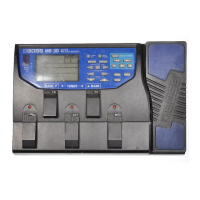
Top Panel
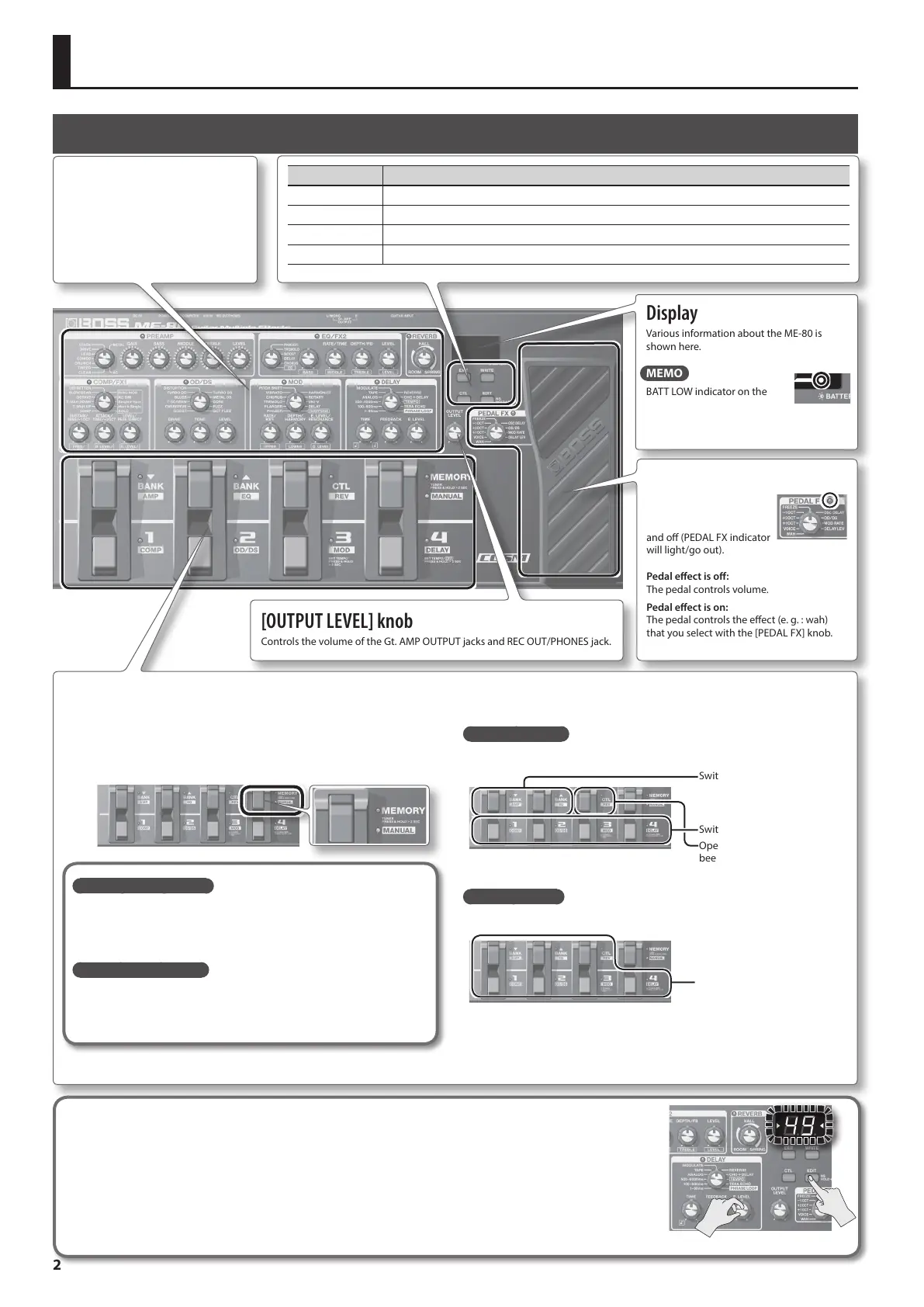
Eect setting knobs
Used to make eect settings for the
ME-80 (p. 5 to p. 11).
Display
Various information about the ME-80 is
shown here.
MEMO
BATT LOW indicator on the
display will blink if the batteries
are low. Replace them with new ones.
[OUTPUT LEVEL] knob
Controls the volume of the Gt. AMP OUTPUT jacks and REC OUT/PHONES jack.
Buttons Explanation
[EXIT] button Pressed to go back to previous pages or cancel actions.
[WRITE] button Pressed to save/copy your patch settings (p. 12).
[CTL] button Pressed to set the functions of the [CTL] pedal in Memory Mode (p. 16).
[EDIT] button Pressed to enter Memory Edit Mode (p. 13).
Expression pedal
By strongly pressing the
toe end of the pedal, you
can turn the pedal eect on
and o (PEDAL FX indicator
will light/go out).
Pedal eect is o:
The pedal controls volume.
Pedal eect is on:
The pedal controls the eect (e. g. : wah)
that you select with the [PEDAL FX] knob.
Pedal switches
In Memory Mode, the pedal switches select banks and patches. In Manual mode, the pedal switches turn each eect on/o individually.
[MEMORY/MANUAL] pedal
Switches between Memory Mode and Manual Mode (p. 12).
To turn on the tuner, hold down the pedal for at least two seconds (p. 4).
What is Memory Mode?
You can load 72 patches that are the combinations and sound settings of
eects. Out of 72 patches, you can save up to 36 (4 patches x 9 banks) of
them to user bank (9 preset banks, 9 user banks). You can use the pedal to
switch between bank and patch immediately.
What is Manual Mode?
You can turn the eects on and o by using the pedals. You can turn the
eects on and o just like turning eects pedals mounted on an eects
board on and o individually.
In Memory Mode
Use the pedals shown below to switch between bank and patch.
Switch banks.
Switch patches.
Operate functions that have
been specied on p. 16.
In Manual Mode
Use the pedals shown below to turn an eect on and o individually.
Turn eects (COMP, OD/DS,
MOD, DELAY, AMP, EQ, REV) on
and o.
Checking knob positions
In Memory Mode (p. 12), the positions of knobs on the panel may not match the actual values of parameters.
You can get the actual parameter values to appear in the display so you can check them.
1. Turn the knob you want to check while holding down the [EDIT] button.
The value of the knob will be displayed for a limited time.
When the knob position matches its value, the tuning guide on both sides of the display will light.



 To Next Page