2
About the BOSS BR-80 Workshop Booklets
The BOSS MICRO BR® BR-80 is an awesome portable tool for any songwriter
or musician, especially if you’re a guitarist. Packed into its convenient,
pocket-sized body are three incredibly useful tools: a stereo recorder for
capturing ideas and live sounds using the high-quality built-in mics, an
eight-track multitrack recorder for developing your songs, and an irresistibly
fun eBand jamming system. The MICRO® BR BR-80 also contains a library of
acclaimed BOSS COSM® amps and effects, as well as tons of rhythms you can
use in your songs. If you’re a computer user, the MICRO BR® BR-80 can serve
as an effect-packed USB audio interface for your recording software, and it
comes with a copy of SONAR X1 LE for Windows.
Each MICRO BR® BR-80 Workshop booklet focuses on one MICRO BR® BR-80
topic, and is intended as a companion to the MICRO BR® BR-80 Owner’s
Manual.
About This Booklet
You can use the BR-80 as an audio interface that brings mic and instrument
sounds into your computer for recording, and its onboard BOSS effects
allow you to get them sounding great before they even get there. Being so
compact, it makes a perfect companion for a laptop-based recording system
on-the-go. This booklet explains how to use the BR-80 as an audio interface.
Understanding the Symbols in This Booklet
Throughout this booklet, you’ll come across information that deserves
special attention—that’s the reason it’s labeled with one of the following
symbols.
A note is something that adds information about the topic at hand.
A tip offers suggestions for using the feature being discussed.
Warnings contain important information that can help you avoid
possible damage to your equipment, your data, or yourself.
The BR-80 and DAWs
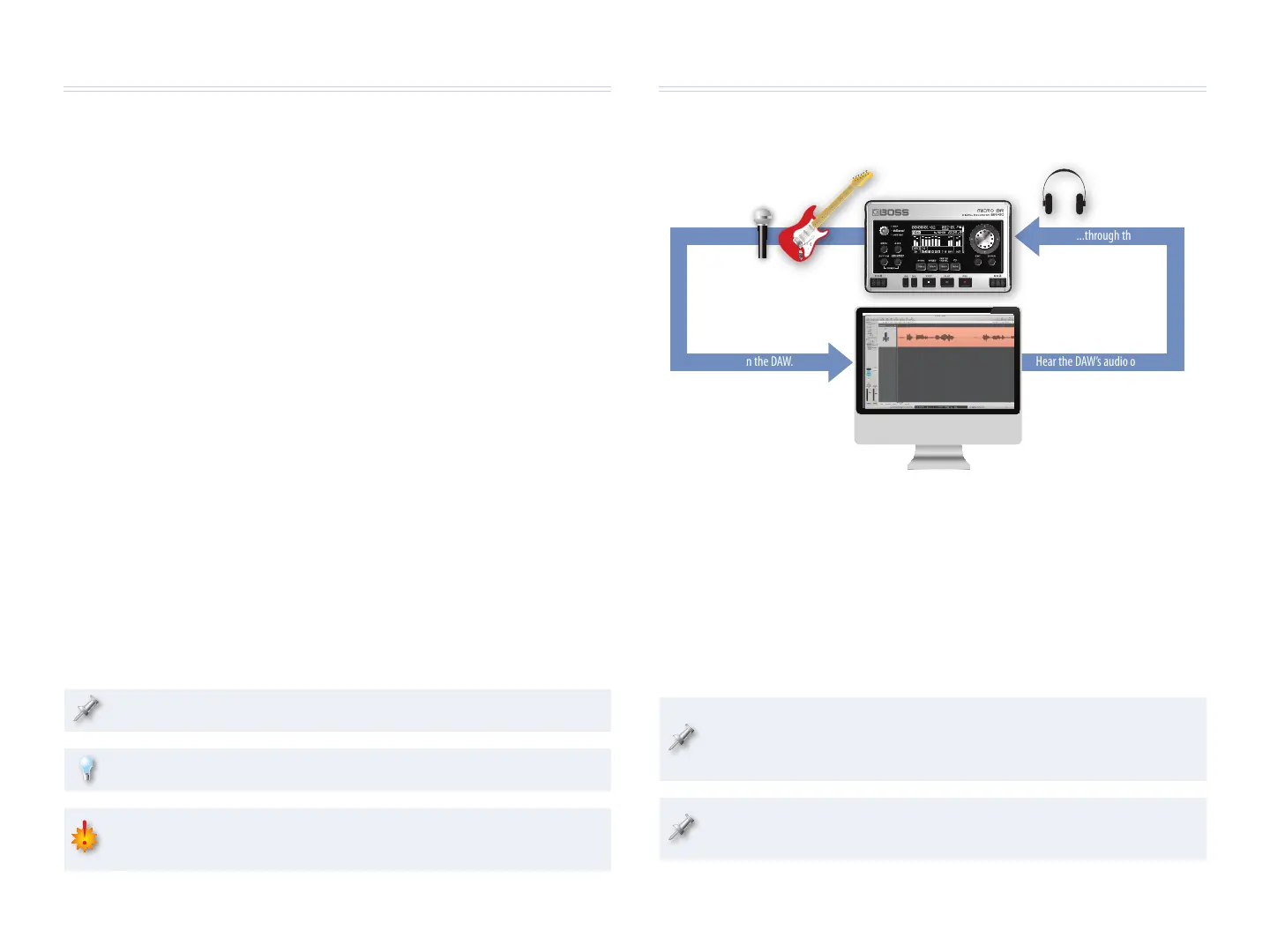
The BR-80 as Your Audio Interface
Live audio...
U
S
B
...is recorded in the DAW.
Hear the DAW’s audio output...
U
S
B
...through the BR-80.
One of the most important pieces of equipment you need to purchase when
setting up a DAW system is a device to which you can connect your mics and
instruments in order to get their sounds into your computer. Likewise, the
device provides a way to properly listen to your DAW’s audio outputs. This
device is your “audio interface.” The BR-80 can be the 44.1 kHz, 16-bit audio
interface for your DAW.
We’ll explain how to use the BR-80 with Cakewalk by Roland’s SONAR X1 LE,
Apple’s GarageBand, and Ableton Live.
The BR-80 comes with a copy of SONAR X1 LE for Windows on the
enclosed DVD. Install SONAR X1 LE according to the instructions
provided on its disc.
We’ll assume you know how to use your computer. If you need help,
please consult its documentation.


 To Next Page
 Loading...