6
Using the BR-80’s Inputs
Controlling the BR-80 Inputs
The BR-80 uses a clever scheme for figuring out the input you want to use.
Here’s how it works. To record using
• the built-in mics—make sure nothing’s plugged into the GUITAR/MIC
LINE jack or the LINE IN jack.
• an electric guitar or bass, or external mic—connect your instrument or
mic to the GUITAR/MIC LINE jack and make sure nothing’s connected
to the LINE IN jack.
• the LINE IN jack—connect your external device to the LINE IN jack. If you
want to record its signal
• alone—turn the turn the BR-80’s REC LEVEL wheel all the way
down, and adjust the connected device’s level from its own
output controls.
• mixed with the internal mics’ or GUITAR/MIC IN jack’s signal—use
the REC LEVEL wheel to set the balance between it and the LINE
IN signal.
To connect the outputs of a stereo instrument to the LINE IN jack, use
a dual-1/4”-to-stereo 1/8” (mini) adapter.
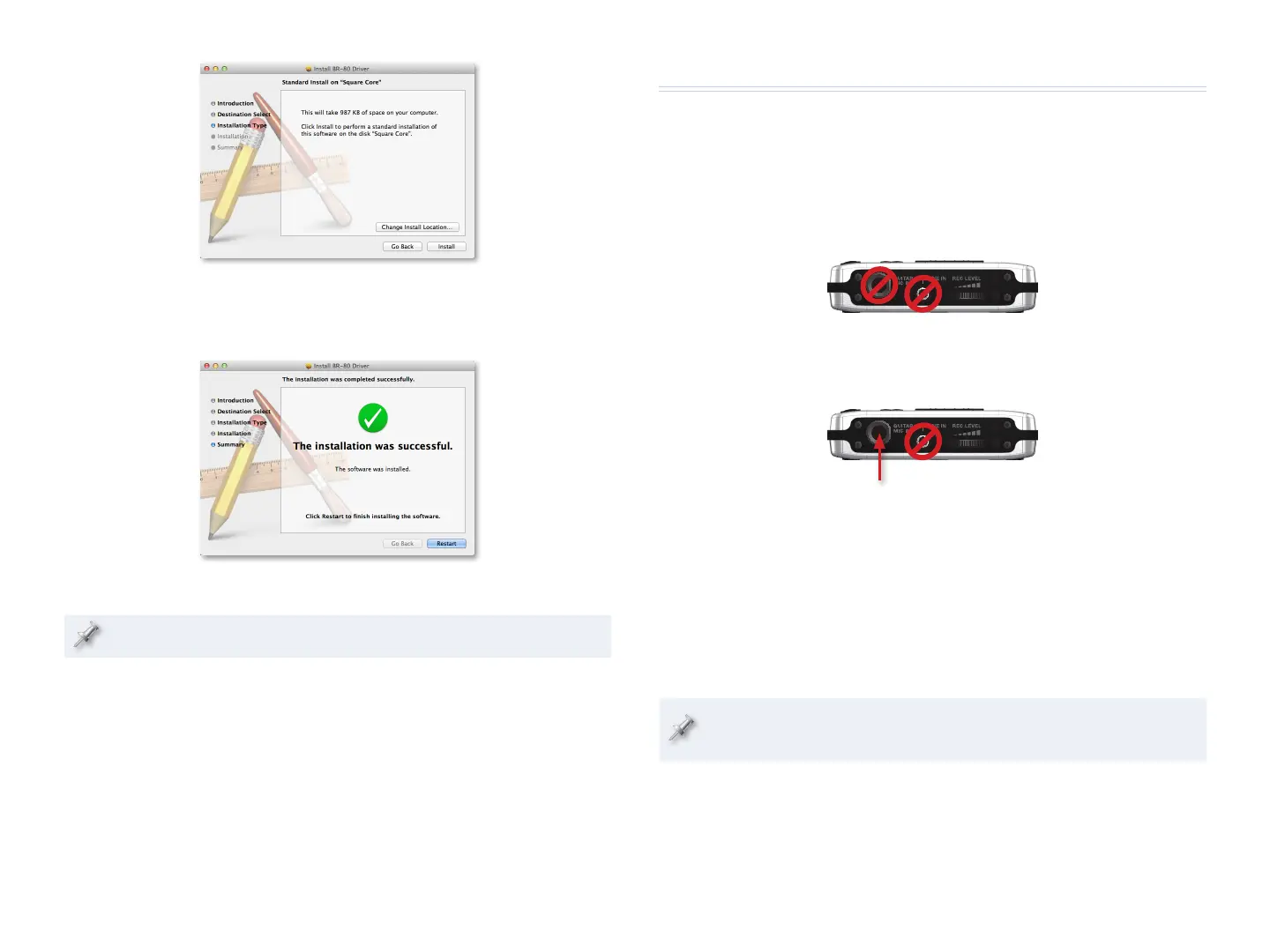
4 Click Install—the installer asks for your admin login and password.
5 Enter your admin login and password, and click OK—the software
is installed, and the installer tells you you need to restart your Mac.
6 Click Restart.
If your Mac displays a message about reboot caches, click OK.
8 Once your Mac has restarted, you can re-connect the BR-80 to your
computer, and then power up the BR-80.



 To Next Page