8
Using SONAR X1 LE with the BR-80
Selecting a BR-80 Input for Recording on a Track
1 In SONAR X1 LE, create an audio track or select one that’s not in use.
Depending on the speed of your computer, you may hear a lag, or
“latency,” between the sound of your instrument or vocal in the BR-80
and then in SONAR X1 LE. To avoid latency as you record, you can turn
off the Input Echo button. (If you want to hear SONAR X1 LE’s effects
on your signal as you record, leave it turned on.)
2 Click the Input popup and select the desired BR-80 left, right, or
stereo input signal.
Input popup menu
If you want to record the BR-80’s stereo output, be sure to enable it
as described in “About Using the BR-80’s Stereo Output” on page 7.
Control your recording level in SONAR X1 LE using the BR-80’s REC
LEVEL wheel, or a connected line-in device’s own controls.
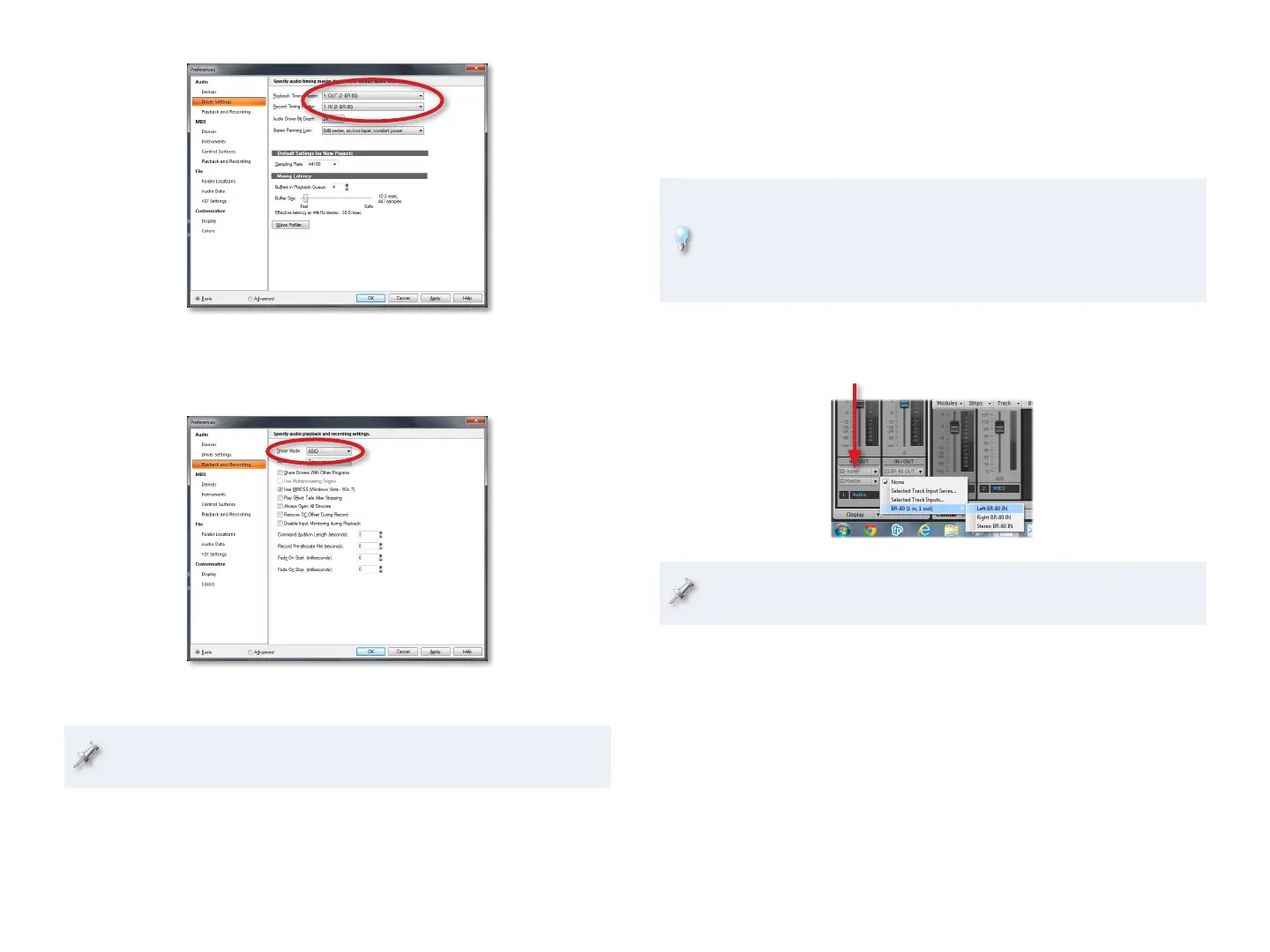
7 Click Apply.
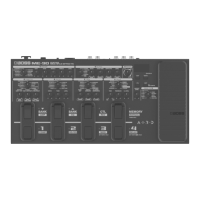
8 Click Playback and Recording at the left of the window and make sure
ASIO from the Driver Mode popup is selected:
9 Click Apply.
If you didn’t see the BR-80 in the Devices pane earlier, click Devices
now, and make sure only IN (2: BR-80) and OUT (2: BR-80) are checked.
10 Click Close.
You can now listen to SONAR X1 LE through the BR-80, and record
from its inputs.



 To Next Page