2
Panel Descriptions
Top Panel
1
2
3
4 5
6 7 8
9
10 11
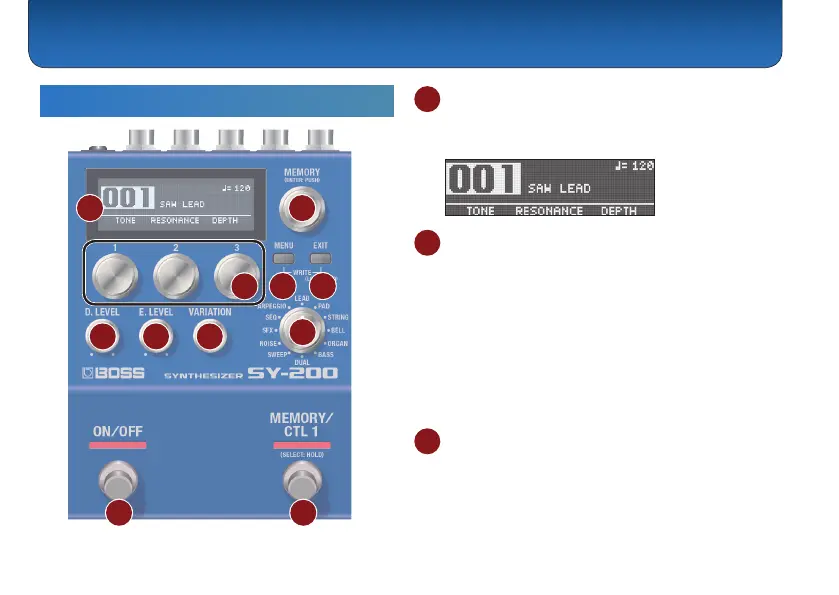
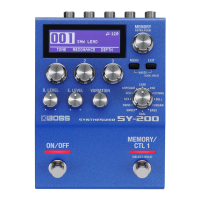
1 Display
Displays various information such as the current
memory number.
2 [MEMORY] knob
MEMORY (turn the knob)
Turn the knob to switch between memories 1–128
(p. 7).
To change a value in larger steps, turn a knob while
pressing it.
ENTER (press the knob)
Press this knob to conrm the setting or perform other
tasks.
3 [1]–[3] knobs
Use these knobs to set the parameter values shown in
the screen.
To change a value in larger steps, turn a knob while
pressing it.


 To Next Page