EasyManua.ls Logo

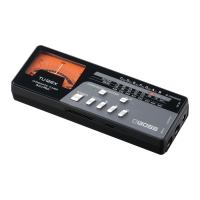
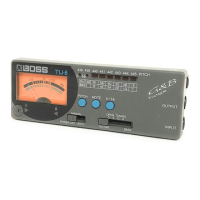
Boss TU-12 - Chromatic Tuning Operation; Checking Tone with Indicators; Selecting Tuning Pitch; Guitar and Bass Tuning Operation

Boss TU-12
2 pages
Print Icon
To Previous Page IconTo Previous Page
Loading...
OPERATION
[1]
Chromatic
Tuning
GUITAR
iG
7
A
=
440
Hz
2)
6
445
Hz
3)
Ce
Se
Bom
if
Microphone
Input
[
Produce
a
(single)
tone.
|
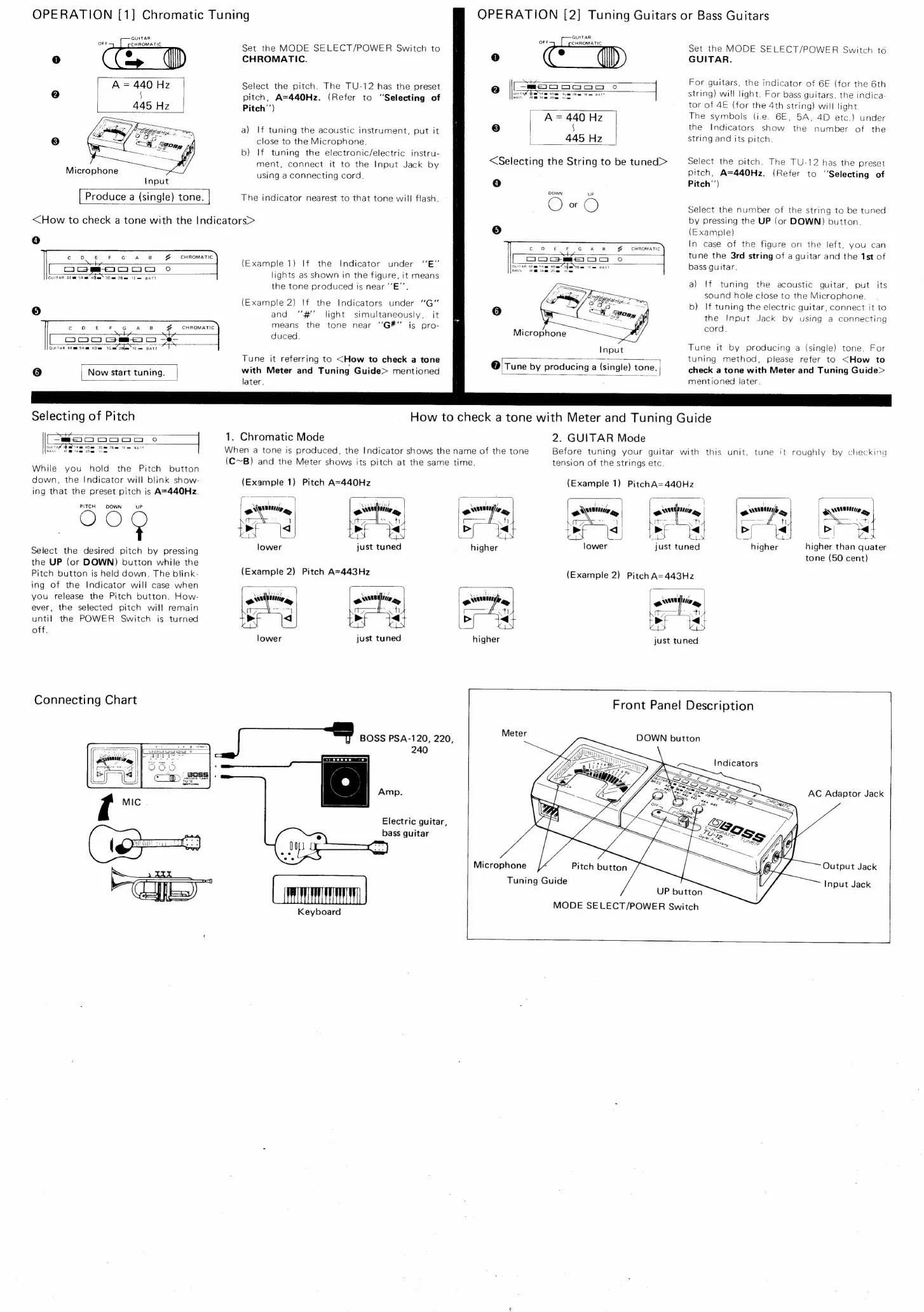
Set
the
MODE
SELECT/POWER
Switch
to
CHROMATIC.
Select
the
pitch.
The
TU-12
has
the
preset
pitch,
A=440Hz.
(Refer
to
‘Selecting
of
Pitch’’)
a)
If
tuning
the
acoustic
instrument,
put
it
close
to
the
Microphone.
b)
If
tuning
the
electronic/electric
instru-
ment,
connect
it
to
the
Input
Jack
by
using
a
connecting
cord.
The
indicator
nearest
to
that
tone
will
flash.
<How
to
check
a
tone
with
the
Indicators>
4)
¢
0
£
°F
@
Kw
‘es
a
CHROMATIC
Ciacam@m@4acocim
°0o
GUITAR
GE
em
5A
me
ada”
3G
ae
?hem
lf
BATT
c
D
E—€
F
G
AB
ge
CHROMATIC
+h
CoOCIOC)
Gm
He
GUITAR
66m
Sian
40a
3G
aw
2G
Ewe
BATT
6]
|
Now
start
tuning.
Selecting
of
Pitch
S44
[So
ooOoMm
oO
A,
Am
oO
3Geu
26mm
if
BATT
om
While
you
hold
the
Pitch
button
down,
the
Indicator
will
blink
show-
ing
that
the
preset
pitch
is
A=440Hz.
PITCH
DOWN
uP
Select
the
desired
pitch
by
pressing
the
UP
(or
DOWN)
button
while
the
Pitch
button
is
held
down.
The
blink-
ing
of
the
Indicator
will
case
when
you
release
the
Pitch
button.
How-
ever,
the
selected
pitch
will
remain
until
the
POWER
Switch
is
turned
off.
Connecting
Chart
(Example
1)
If
the
Indicator
under
‘‘E”
lights
as
shown
in
the
figure,
it
means
the
tone
produced
is
near
“‘E”’
(Example
2)
If
the
Indicators
under
“G"
and
‘“‘#"'
light
simultaneously,
it
means
the
tone
near
“G#"
jis
pro-
duced.
Tune
it
referring
to
<How
to
check
a
tone
with
Meter
and
Tuning
Guide>
mentioned
later.
OPERATION
[2]
Tuning
Guitars
or
Bass
Guitars
GUITAR
OFF
CHROMATIC
0
Sty
Qe
[
ie
ooog
o
{
A=
440
Hz
8
§
445
Hz
<Selecting
the
String
to
be
tuned>
Cc.
ee
A
8B
f
=
CHROMATIC
a
CaM
m@e7mo
oO
1TAR
BF
mm
SAqs
40am
Idem
em
them
BATT
Microphone
Input
@
Tune
by
producing
a
(single)
tone.
Set
the
MODE
SELECT/POWER
Switch
to
GUITAR.
For
guitars,
the
indicator
of
6E
(for
the
6th
string)
will
light.
For
bass
guitars,
the
indica-
tor
of
4E
(for
the
4th
string)
will
light.
The
symbols
(i.e.
6E,
5A,
4D
etc.)
under
the
Indicators
show
the
number
of
the
string
and
its
pitch.
Select
the
pitch.
The
TU-12
has
the
preset
pitch,
A=440Hz.
(Refer
to
‘'Selecting
of
Pitch’’)
Select
the
number
of
the
string
to
be
tuned
by
pressing
the
UP
(or
DOWN)
button.
(Example)
In
case
of
the
figure
on
the
left,
you
can
tune
the 3rd
string
of
a
guitar
and
the
1st
of
bass
guitar.
a)
If
tuning
the
acoustic
guitar,
put
its
sound
hole
close
to
the
Microphone.
b)
If
tuning
the
electric
guitar,
connect
it
to
the
Input
Jack
by
using
a
connecting
cord.
Tune
it
by
producing
a
(single)
tone.
For
tuning
method,
please
refer
to
<How
to
check
a
tone
with
Meter
and
Tuning
Guide>
mentioned
later.
How
to
check
a
tone
with
Meter
and
Tuning
Guide
1.
Chromatic
Mode
When
a
tone
is
produced,
the
Indicator
shows
the
name
of
the
tone
(C~B)
and
the
Meter
shows
its
pitch
at
the
same
time.
(Example
1)
Pitch
A=440Hz
lower
just
tuned
(Example
2)
Pitch
A=443Hz
just
tuned
240
Amp.
Electric
guitar,
bass
guitar
Keyboard
BOSS
PSA-120,
220,
2.
GUITAR
Mode
tension
of
the
strings
etc.
Before
tuning
your
guitar
with
this
unit,
tune
it
roughly
by
checking
(Example
1)
PitchA=440Hz
;
|
ow
HH
any
|
ow
be
brad
just
tuned
o
qua
we
>|
R
\
ew
ay
TAN
higher
than
quater
tone
(50
cent)
higher
(Example
2)
Pitch
A=443Hz
higher
just
tuned
Front
Panel
Description
Meter
Microphone
Pitch
button
Tuning
Guide
UP
button
MODE
SELECT/POWER
Switch
DOWN
button
Indicators
AC
Adaptor
Jack
Output
Jack
Input
Jack

Related product manuals