Contents [ hide
1 Charging Both the Receiver (WL-20 / WL-20L) and Transmitter (WL-
T)
2 Making Wireless Settings (Auto Wireless Connection)
3 Performing
4 Turning the Power Off
5 Troubleshooting
6 Main Specifications
7 File Downloads
8 Related Manuals
Charging Both the Receiver (WL-20 / WL-20L) and Transmitter (WL-T)
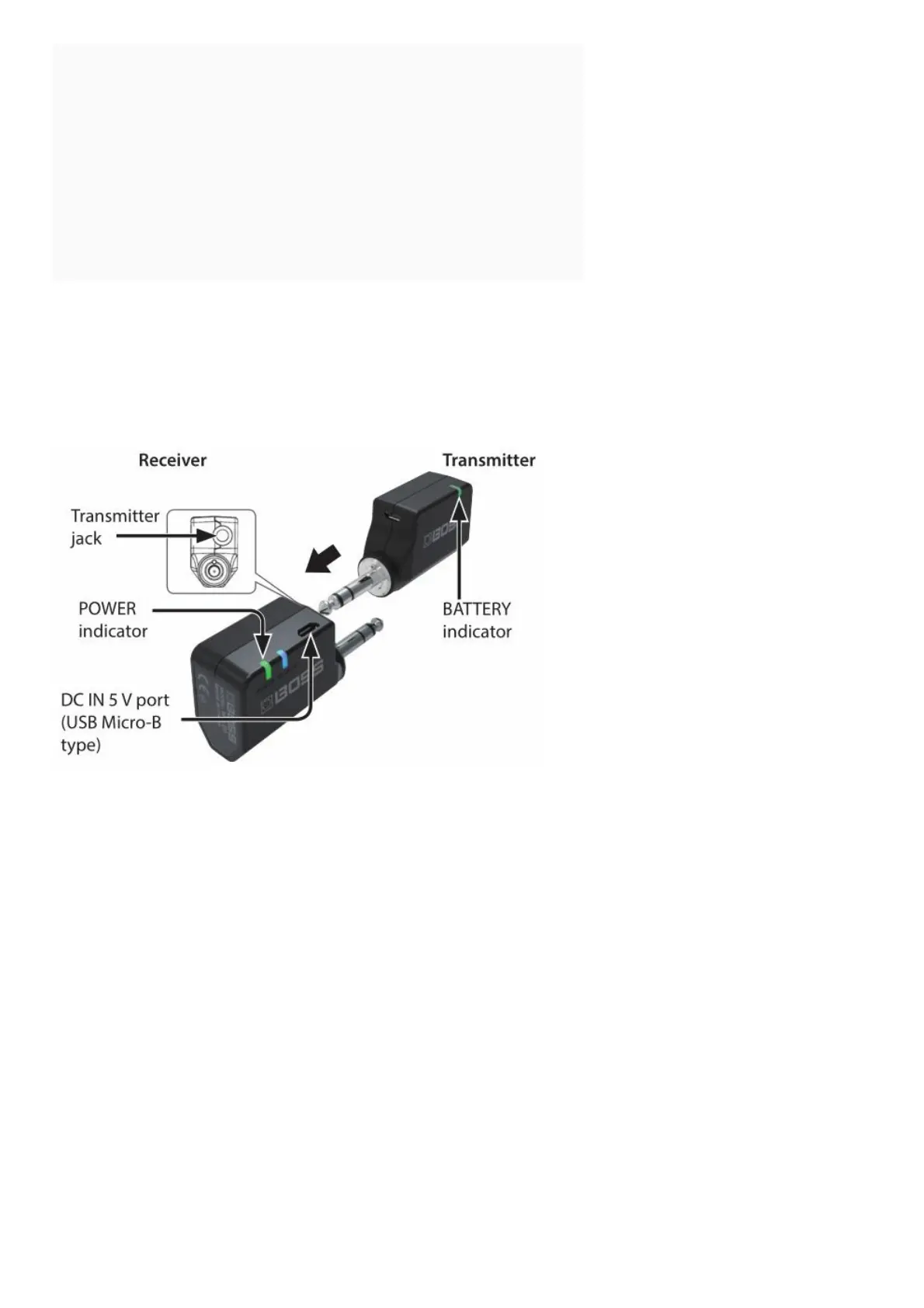
1. Connect the included USB cable and a commercially available USB AC adaptor (5 V/0.5 A or higher) to the
receiver’s DC IN 5 V port.
2. Insert the transmitter into the TRANSMITTER jack so that the transmitter also charges.
NOTE
Insert only the BOSS WL-T transmitter into the TRANSMITTER jack.
If you connect headphones, high-volume sound might be emitted, or the headphones might be damaged.



 To Next Page