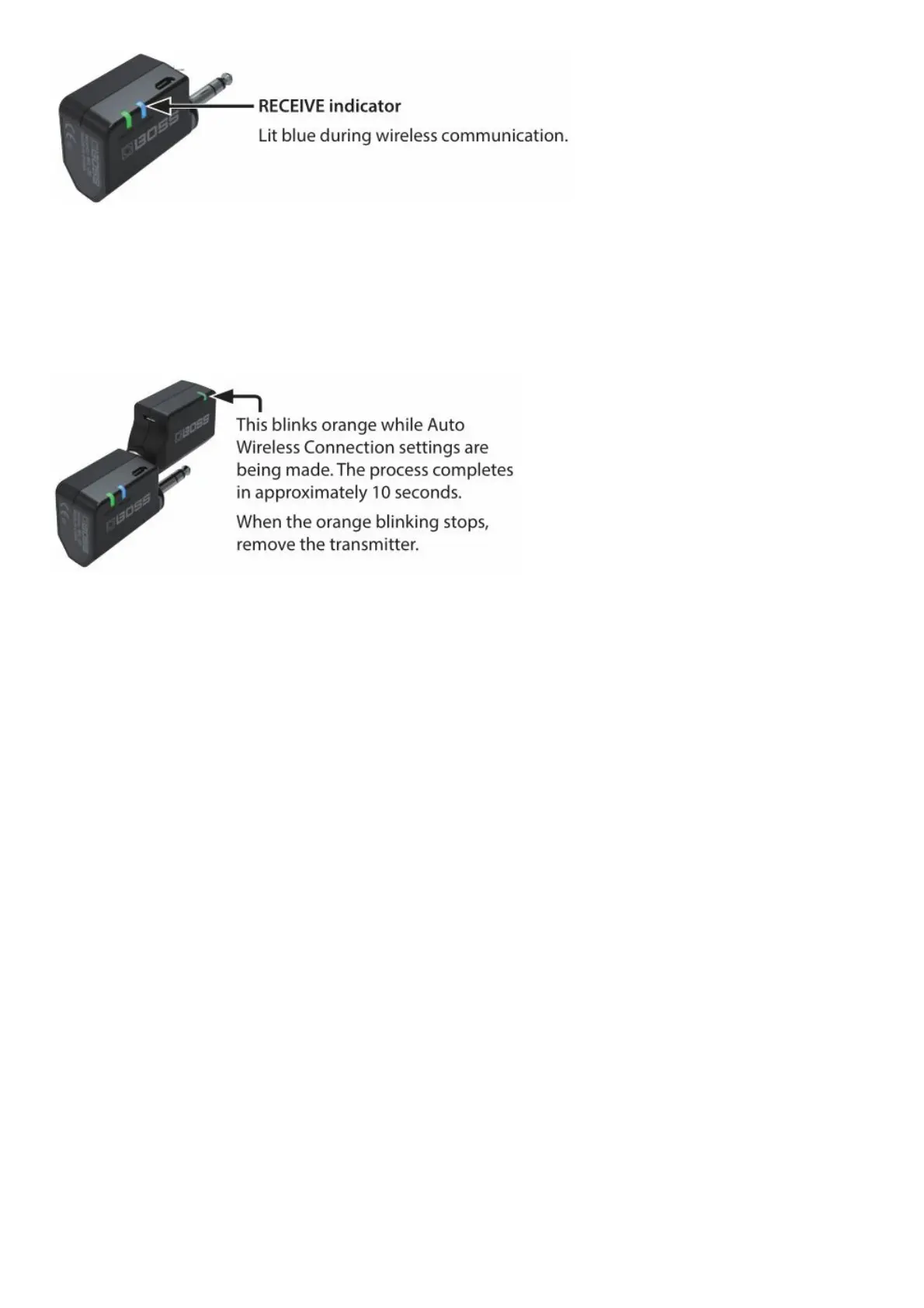
Making Wireless Settings (Auto Wireless Connection)
* Execute the following operation before you play your guitar (musical instrument). In particular when you’re playing
live or in a session, the wireless conditions might change between the rehearsal and the actual event, so you should
execute the following operation once again before the actual event.
1. Insert the transmitter into the TRANSMITTER jack.
For stable wireless communication
If audio dropouts occur, it might be that the local state of the wireless spectrum has changed. Execute the Auto
Wireless Connection operation once again.
Since the WL-20 / WL-20L uses a 2.4 GHz wireless system, we recommend that you place the receiver at least three
meters away from a Wi-Fi router or other wireless device.
Using a microwave oven might also cause audio dropouts due to wireless interference.
Using multiple wireless systems together
To prevent confusion between the wireless systems, perform the following steps.
1. Power-off the BOSS wireless systems.
2. Power-on any wireless systems not made by BOSS, and set them up so that there are no problems with their
sound.
First wireless system unit made by BOSS
3. Insert the transmitter into the receiver’s TRANSMITTER jack and execute the Auto Wireless Connection
procedure.
4. Plug the transmitter into your guitar (musical instrument), making the BATTERY indicator light.
Second and subsequent wireless system units made by BOSS
5. Repeat steps 3 and 4.
Performing
When you plug the transmitter into your guitar (musical instrument) and plug the receiver into your amp or effect unit,
the transmitter and receiver power-on automatically.
* To prevent malfunction and equipment failure, always turn down the volume, and turn off all the units before making
any connections.



 To Next Page