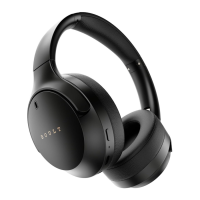
Plug the 3.5mm audio cable into the aux port to listen in
wired mode. Please note that the headphones' buttons
and microphone cannot be used once the cable is
connected.
Charge:
Connect one end of the charging cable to the headphone
interface (Type-C) and the other end to any USB charger
or charging device. While charging the LED stays red and
once the headphones are fully charged the LED turns blue.
Play/Pause
Press the MFB once
+
Volume Up: Press the “+” button
Next Track: Long press the “+” button for 1 sec
-
Volume Down: Press the “-” button
Previous Track: Long press the “-” button for 1 sec
Answer the Call
Press the MFB once
3.5mm AUX Mode:
How to use your Headphones
Note: While charging, the headphones must not be powered on or used. Also, when
the battery is low, it gets indicated by red LED flashes.


 To Next Page