Maintenance Instructions
Reject Call
Long press the MFB for 2 sec
End Call
Press the MFB once
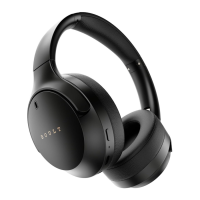
EQ mode/Game mode:
EQ Mode: Press the EQ mode key to choose between
Pop, Bass, Rock and Vocal mode
Game mode: Long Press EQ button to enable/disable
gaming mode
Reset
Press and hold the "+" and "-" buttons for 5 seconds
at the same time, the headphones will separate the
Bluetooth connection and restore factory settings.
1. Warranty is valid/invalid only basis of the below
criteria:
- The product should be purchased through legal
and formal channels to be applicable for warranty.
- Damaging the product intentionally/unintentionally,
or due to natural disasters, etc. is not covered in the
warranty.


 To Next Page