F350/F650 Roll Laminator Manual
- 10 -
through the cover sensor.The main motor will stop when the paper is left
the cover sensor, press” start key” again to quit from auto model.
4.9.2、F350D、F350E、F650E“Start key”functions:
①when the indicator is not light, the motor rotate at low speed, for
feeding film and troubleshooting, loose the start key, it will stop.
② Finish feeding film, press”Start key”, the paper feed
automatically.Press”Start key”again,paper will stop the beginning
position , ready for next time.
③when the laminating with abnormal status, please press” start key” two
times to shop working.
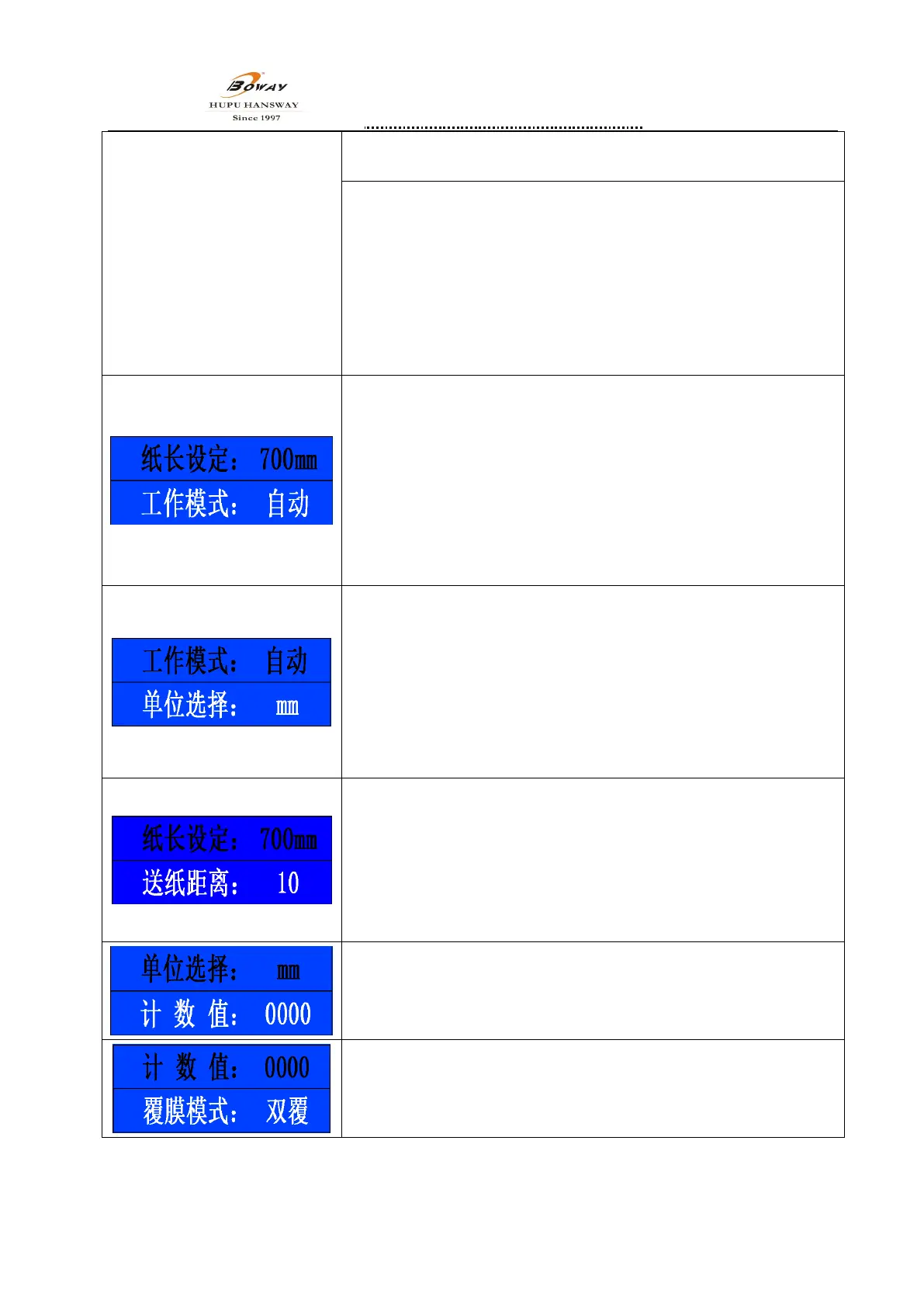
4.10.paper length setting
press“E”enter into menu,press“∧”“ ∨”key to choose “paper length
setting”menu,press again“E”to confirm,paper length key is shinning,
means can set the paper length now。press“∧”“ ∨”set the parameter
which according the paper size,after setting ,press “E”to confirm.min
value 110mm,max length 700mm.
Note:①when setting700mm,means no limited length.
②For F350D,min value 128mm,max length 700mm. Paper
length should set according to the actual paper length.
4.11.Operate mode
press“E”enter into the menu,press“∧”“ ∨”key to choose“operate
mode”menu,press again“E”to confirm,operate mode key is shinning,
there is manual and auto mode in there. According your operate skills to
choose the suitable operate mode by Press“∧”“ ∨”,after choose press
“E”to confirm
Note:①factory setting with auto. Operate mode.
②F350D、F350E、F6350E without this function
4.12. Paper feed space(only forF350D、F350E、F650E)
press“E”enter into menu,press“∧”“ ∨”key to choose “paper feed
space”menu,press again“E”to confirm,paper feed space is shinning,
means can press“∧”“ ∨”set the parameter to set the paper feed space。
More parameter more length of paper feeding,after setting ,press “E”to
confirm.
Note: factory setting at 10, space setting range:0-20.
4.13Unit
press“E”key enter menu,press “∧”“ ∨”key to choose“unit”
menu. And press“E”to confirm,unit key is shinning,the unit can be shift
between “ mm”and” inch”.
4.14.Counter
Press“E”key to enter menu,press“∧”“ ∨”key to choose“counter”
menu,press“E”to confirm,you can view the total count for laminating.


 To Next Page