F350/F650 Roll Laminator Manual
- 11 -
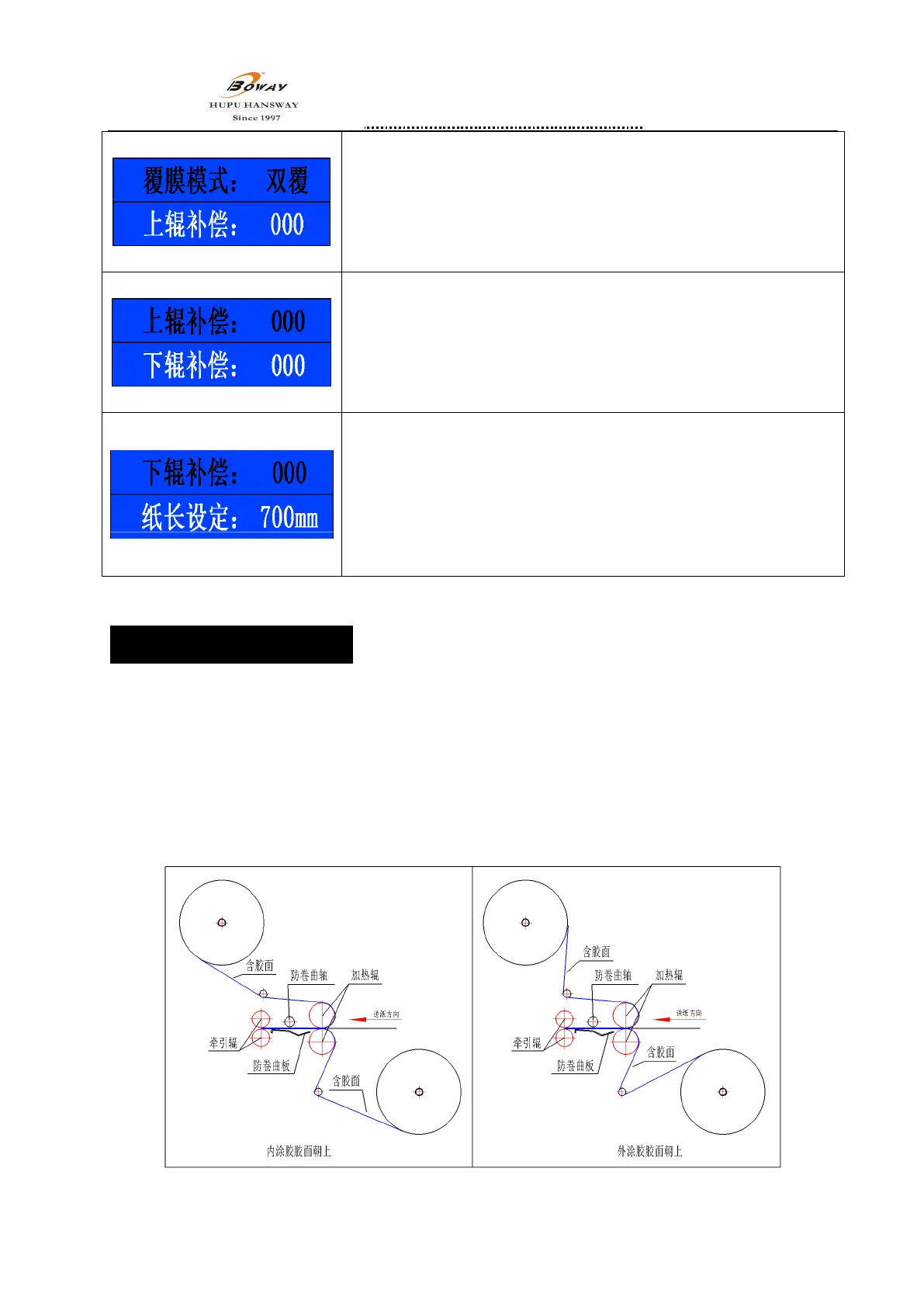
4.15.Laminating mode
press“E”key into menu,press“∧”“ ∨”key to choose “laminating
mode”menu,press“E”to confirm,laminating mode key is shinning,
mode detail: double sides laminating、up laminating、down laminating。
press“∧”“ ∨”according your demand to choose the laminating mode,
press “E”to confirm.
4.16.Up roll compensation
press“E”key enter menu,press“∧”“ ∨”key to choose “up
compensation” menu,press again“E”to confirm,”up compensation” key
is shinning,which means you can set the temp. compensation. According
your needs to set the parameter which by Press“∧”“ ∨”,After
setting,press “E”to confirm,compensation range:-15 ~ +15.
4.17.Down roll compensation
press“E” into menu,and press “∧”“ ∨”key to choose“down roll
compensation ” menu , press again “ E ” to confirm , ”down roll
compensation” key is shinning , Means you can set the temp.
compensation value。According your needs to press“∧”“ ∨”to set the
parameter,after setting ,press “E”to confirm,compensation range:
-15 ~ +15.
5、How to use the machine
5.1、start to work
5.1.1、Check the shipping fixed screw and belting is removed or not;
5.1.2、Switch on the plug,and power on, the machine is heating (same as pic-1),Means the machine is
starting normally;
5.1.3、Catch the film locating sleeve with hands when install the films,take our the film fixing wheel from
right side. And take away the fixing screw of locating sleeve, take down the locating sleeve and put
film in . finally screw up fixed position to finish;
Note:A、Don’t anti-installed the film;B、left and right justification of up and down film ;
图示 1


 To Next Page