English
Owner's manual
Dear customer,
Thank
you for choosing B&W. Please read
this
manual
fully before unpacking and installing the product. It will
help you to optimise its performance. B&W maintains a
network of dedicated distributors in over 60 countries
who will be able to help you should you have
any
problems your dealer cannot resolve.
Environmental Information
All B&W products are designed to comply
-J..et- with international directives on the
'-" Restriction of Hazardous Substances
(RoHS) in electrical and electronic equipment and the
disposal of Waste Electrical and Electronic Equipment
(WEEE). These symbols indicate compliance and that
the
products must be appropriately recycled or
processed
in
accordance
with these directives.
Consult
your local waste disposal authority for guidance.
Carton Contents
Check in the carton for:
1 Plinth
4 M6 alien screws
1
M6
alien key
1 Foam
plug (683
only)
2 Foam
plugs
(684 only)
1
Accessory pack containing:
4 M6 spike feet
4 M6 rubber feet
4 Lock nuts (10mm across flats)
Speaker Installation
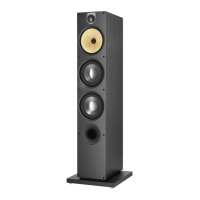
The speakers are intended to be floor mounted only. It
is important to ensure the speakers stand firmly on the
floor using the plinth and, whenever possible, the spike
feet. To attach the plinth, stand the speaker on its top
taking care not to damage the cabinet or the drive units
during handling. Align the plinth with its attachment
holes in the underside of the cabinet ensuring that the
arrow on
the underside of the plinth points forwards.
Secure the
plinth
using the four screws supplied.
Tighten the screws using the alien key supplied.
The spike feet ore designed to pierce carpet and rest
on
the
floor surface. Initially, screw
the
lock nuts onto
the spikes
enough
to leave the
nuts
floating just above
the carpet when the spikes are resting on the floor
beneath.
Screw the
spikes
fully into the
threaded
inserts in the base of the plinth. Return the speaker to
the upright,
again, taking
care to
avoid
damage
during
handling. Figure 1 illustrates attachment of the plinth
and spike feet.
If the cabinet rocks when placed in position on the
floor, unscrew the two
spikes
that do not touch the
floor until the cabinet rests firmly without rocking.
Finally, lock all the nuts against the plinth. It may be
more convenient to fit and adjust the spike feet after
speaker
positioning has
been
optimised.
If there is no
carpet and you wish to avoid
scratching
the floor surface, use either
a
protective metal disc
(a
coin
perhaps) between the spike and
the floor or use
the supplied rubber feet. Fit the rubber feet by
screwing one into each of the holes in the underside
of the plinth.
The grilles fitted
to
the front
of speakers may be
removed if desired. Take care however not to touch
the moving parts of the drive units as damage may
result.
Speaker Positioning
Adjustment of speaker position following initial
installation will probably further improve the sound
quality
and
is usually worthwhile.
In either stereo or home theatre installations
try
to
ensure that the immediate surroundings of each
speaker are
similar in
acoustic character.
For
example,
if one speaker is adjacent to bare walls while the other
is adjacent to soft furnishings and curtains, both the
overall sound quality and the stereo image are likely to
be compromised.
Conventional Stereo Systems
To begin with, the speakers should be positioned
between
1
.5m (5 ft) and 3m (1 0 ft) apart at two
corners of an equilateral triangle completed by the
listening
area at the third corner. The
speakers should
be
approximately 0.5m (20 in) away from the back
wall, and at least 0.5m (20 in) away from any side
walls. Figure 2a illustrates this arrangement.
Home Theatre Systems
If the speakers are to be used for the front channels in
a home
theatre system they should be placed closer
together than for 2-channel audio because the
surround channels tend to widen the image.
Positioning the speakers within approximately 0.5m
(20 in) of the sides of the screen will also help keep
the sound image in scale with the visual image. As
with conventional stereo positioning, the speakers
should ideally be approximately 0.5m (20 in) away
from the back wall, and at least 0.5m (20 in) away
from any side walls.
Stray Magnetic Fields
The speaker drive units create stray magnetic fields
that extend beyond the boundaries of the cabinet. We
recommend you keep magnetically sensitive articles
(CRT television
and computer screens, computer
discs, audio and video tapes, swipe cards and the
like) at
least 0.5m
(20 in) from the speaker.
LCD and
plasma screens are not affected by magnetic fields.
Connections
All connections should be made with the equipment
switched off.
There are 2 linked pairs of terminals on the back of the
speaker. For conventional connection the terminal links
should
remain
in place (as delivered) and just one pair
of terminals connected to the amplifier. For bi-wire
connection the terminal links should be removed and
each
pair
of terminals connected to the
amplifier



 To Next Page
 Loading...