96
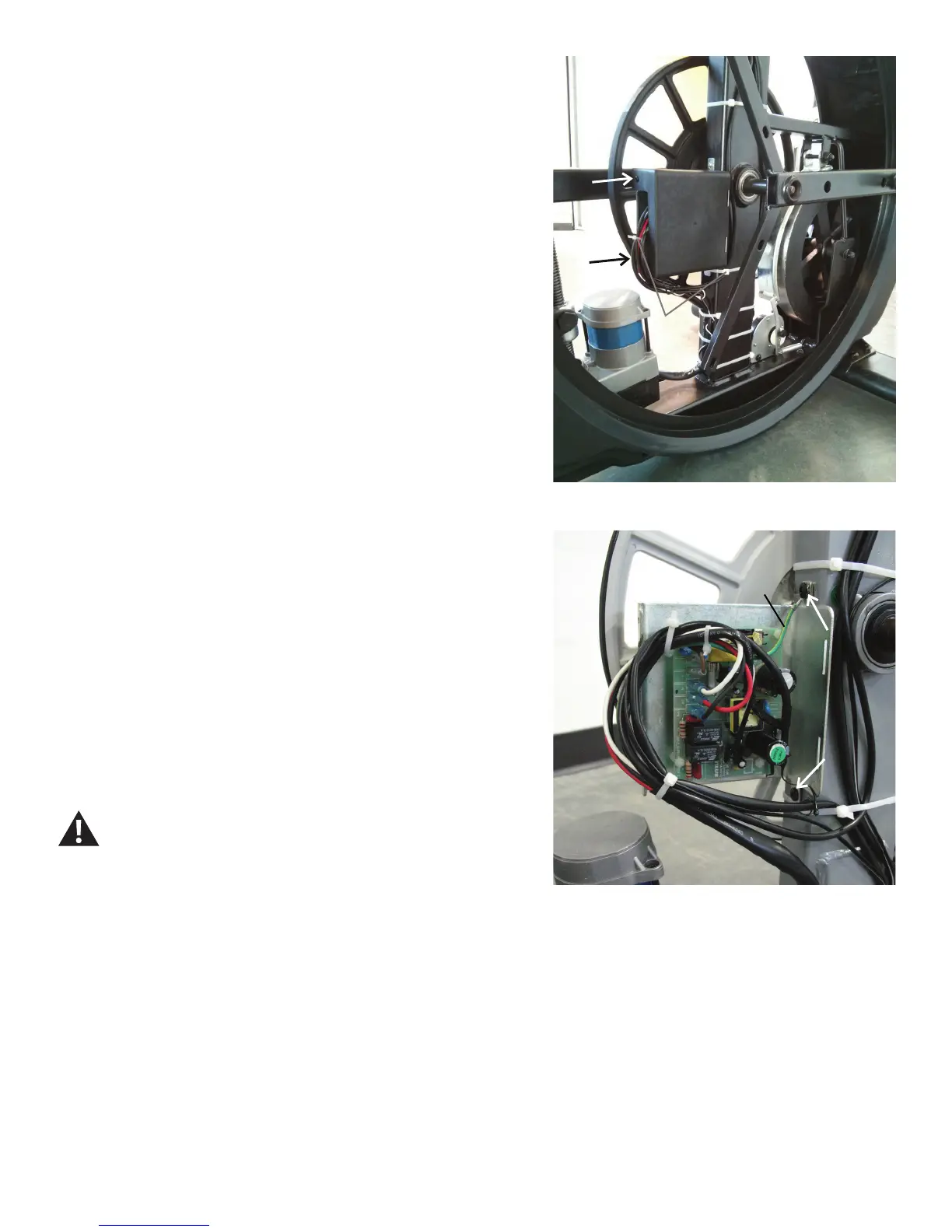
17. Remove the zipties that hold the cables.
18.Usingashort#2Phillipsscrewdriver,removetheindicatedscrews(by
arrows)fromtheMCBCover.CarefullyremovetheMCBcover.
NOTICE: Do not crimp the cables.
Note: Your machine may not match the image. For reference only.
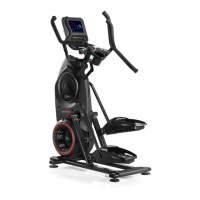
19. Disconnect the cables from the Motor Control Board after noting their
locations(seenextpagefordetailedimage).
Note: Be sure to note where all cables attach for re-assembly.
20.Usinga#2Phillipsscrewdriver,removethe2indicatedscrewsthat
attach the MCB Assembly to the Frame.
21. Remove the old MCB Assembly, and install the new MCB Assembly.
Connect the cables to the MCB in their proper locations.
Use the upper screw to attach the green Lift Motor ground
wire to the Frame. Be sure not to crimp any cables.
MCB Cover
Zip Ties
Lift motor ground wire



 To Next Page