15
Initial Console Set-Up
1. With the machine plugged into a functioning wall outlet, the machine will start up and the red Status LED will activate.
Note: The Console may go to sleep if it does not receive any input. Touch the screen of the Console to wake up the machine.
2. The machine will activate and display the Welcome - Connect Wi screen. Tap on Connect.
Note: A Wi connection is required to use your Bow ex™ machine. If you do not have a Wi connection available, contact your Bow ex™ Representative or your local distributor
immediately for further assistance.
3. The Console will display the list of available Wi connections. Tap on the desired Wi connection, and enter the password. Tap on Connect.
4. The Console will test and connect to the Wi connection.
If the Console displays an Update Available screen, tap on the Agree button. The Console will update the software.
5. With a Wi connection established, tap on Back.
6. Tap on Get Started.
7. The Console will display the options screen. Choose Log In or Create Account. Follow the prompts to register your new tness machine. When registration is completed, your
tness machine is now ready for use.
Note: The Bow ex™ machine must be registered using a Wi connection. Once the initial registration and con guration is completed, the machine can be operated without a Wi
connection. However, only the basic workouts and functions will be available for use. All coaching*, custom workouts*, Explore The World™ virtual outdoor immersive runs
and trainer lead workout videos* are only available through a Wi connection with a JRNY™ membership*.
8. The Console will display the Just for You screen. The screen will prompt you to do your Fitness Assessment workout to get a custom workout*. You can go to the Learn tab for more
information about your options.
Getting Started
1. Place the tness machine in your workout area.
Place the machine on a clean, hard, level surface, free from unwanted material or other objects that may hamper your ability to move freely. A rubber mat can be
used below the machine to prevent the release of static electricity and protect your ooring.
The machine can be moved by one or more persons. Make sure that your own physical strength is capable of safely moving the machine.
2. Examine for any objects below the Pedals and in the Air Resistance Fan. Be sure it is clear.
3. Connect the power cord to the machine and into a grounded AC Wall Outlet.
Note: If the Console does not turn on after connecting the power, the Console may need to be charged to be able to
activate. Charge the Console until it is able to activate.
4. If you use a Heart Rate Monitor, follow the Heart Rate Monitor directions.
5. To mount the machine, move the Pedals until the one nearest you is in the lowest position.
Care should be used when mounting or dismounting the machine.
Be aware that the Pedals and the Handlebars are connected and when either of these parts move the other does
as well. In order to avoid possible serious injury, grasp the Static Handlebars to steady yourself.
6. Grasp the Static Handlebars.
7. Steadying yourself with the Static Handlebars, step up onto the lowest Pedal and place your other foot onto the opposite
Pedal.
Note: “Bottomed out” is when the User is unable to start a workout because the Pedals will not move. If this occurs, safely
grasp the Static Handlebars and apply your weight to the heel of the higher foot. While still grasping the Static
Handlebar, lean back slightly applying more weight onto the heel. Once the Pedals begin to move, resume your
intended workout.
8. You are now in position to begin a workout.
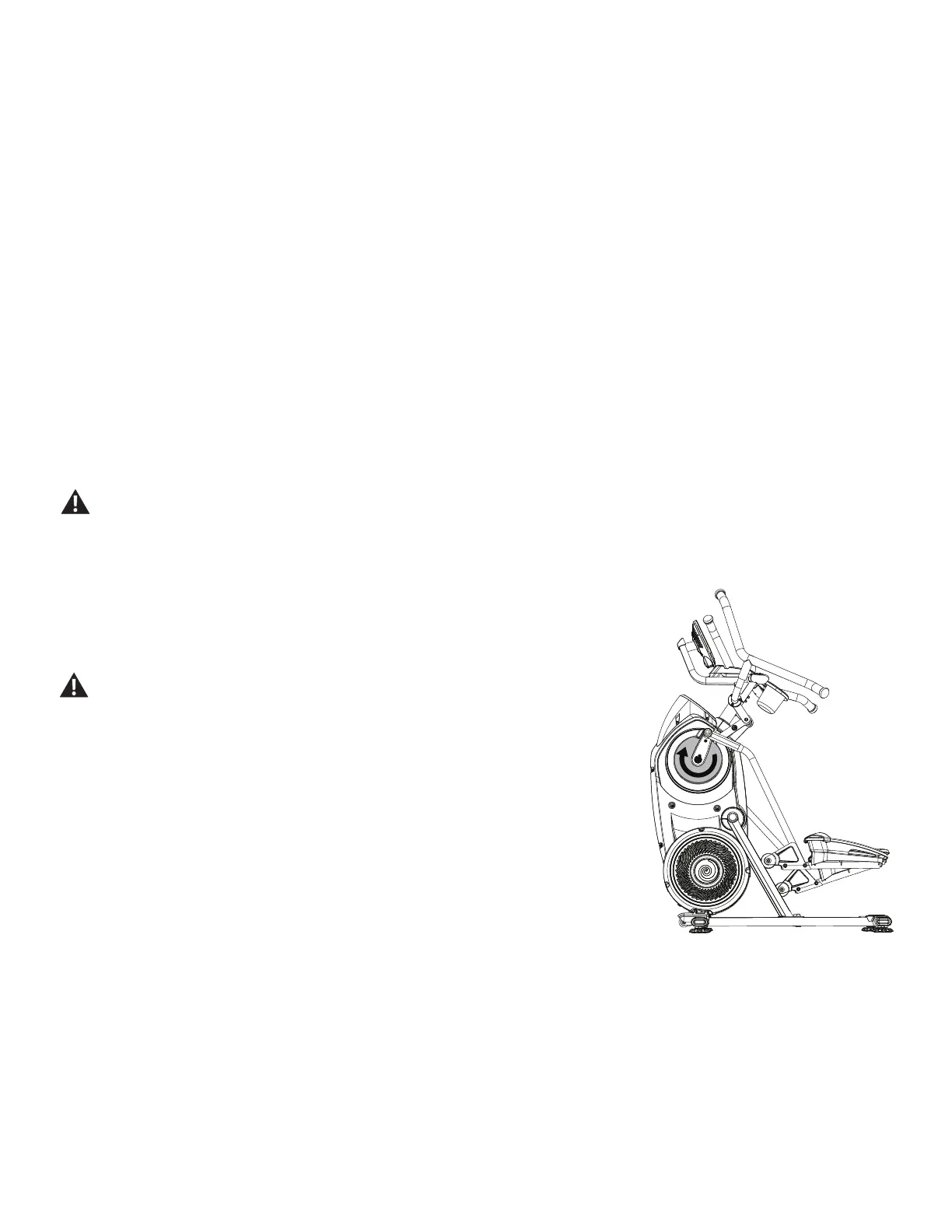
Note: When operating the Bow ex™ Max Trainer™ machine, be sure the Legs are moving in the direction as shown on
the Crank Cover.
Power Up Mode / Just For You Tab
The Console will enter Power-Up mode / Just For You tab if it is plugged into a power source, the Console display is touched, or if it receives a signal from the RPM sensor as a result of
pedaling the machine.
Auto Shut-Off (Sleep Mode)
If the Console does not receive any input in approximately 5 minutes, it will automatically shut off. The display is off while in Sleep Mode.
* A JRNY™ membership is required for the JRNY™ experience – see www.bow ex.com/jrny for details. For United States and Canada customers, you can obtain a JRNY™ membership
by calling 800-269-4126 or visiting www.bow ex.com/jrny. Where available (including the United States), you can also obtain a JRNY™ membership by downloading the JRNY™ app
onto your phone or tablet and signing up within the downloaded app. JRNY™ memberships may not be available in all countries.














 To Next Page