EasyManua.ls Logo

Bowflex TREADCLIMBER 3000 - User Manual

Bowflex TREADCLIMBER 3000
40 pages
Print Icon
To Next Page IconTo Next Page
Loading...
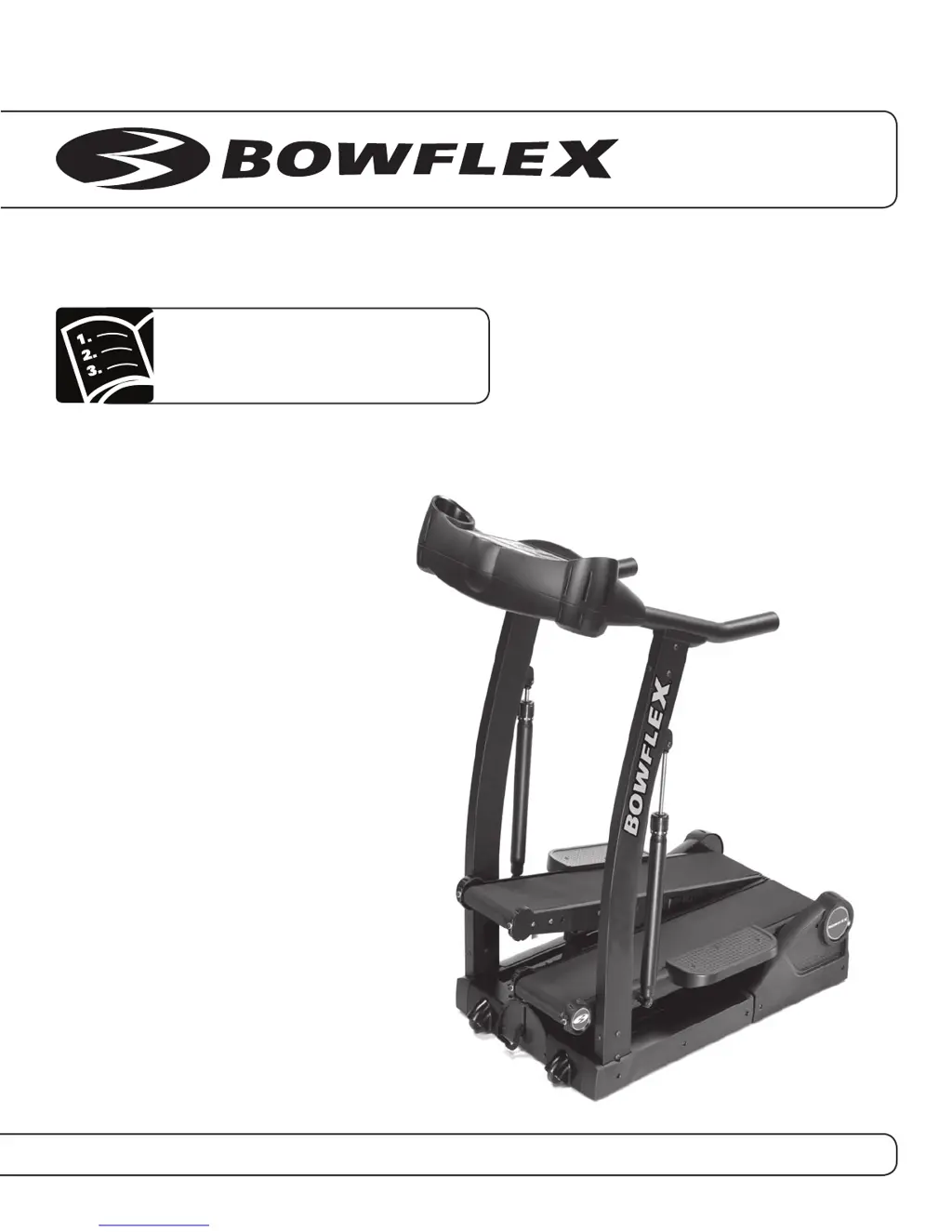
Owner’s Manual
®
®
Nautilus
®
Bowflex
®
Schwinn
®
Fitness StairMaster
®
Universal
®
Nautilus Institute
®
Bowflex
®
TreadClimber
®
1000, 3000 & 5000
P/N 001-7202 Rev C (05/09)

Other manuals for Bowflex TREADCLIMBER 3000

Questions and Answers

  • C
    cody76Aug 14, 2025
    How to troubleshoot Bowflex Fitness Equipment that will not power up?
    • K
      Kimberly HawkinsAug 14, 2025
      If your Bowflex Fitness Equipment won't power up, first, ensure the outlet is working by testing it with another device. Check that the power cord is securely connected to both the unit and a non-GFI wall socket. Make sure the power switch at the rear of the unit is in the “ON” position, and the safety key is properly inserted into the console. If these steps don't work, remove the rear plastic covers and contact customer service for further assistance.
  • D
    destinyruizAug 21, 2025
    What to do if Bowflex TREADCLIMBER 3000 Fitness Equipment displays 'err LS' or 'err OS'?
    • M
      Mrs. Heather Jenkins DDSAug 21, 2025
      If your Bowflex Fitness Equipment belts stop turning and displays “err LS” or “err OS”, recalibrate the machine. If the issue persists, cycle the power, put the machine in calibration mode, and remove the right rear plastic cover to view the LED diagnostics. Check if LED D is blinking when you manually advance the treadle. If not, ensure the speed sensor wire is connected to the motor controller board at “P1”, check the connection of the speed sensor to the jumper wire, and adjust the speed sensor (using a business card to set the gap). If LED D still doesn't flash, replace the sensor. If LED D is flashing, check the I/O cables for damage and continuity. If you don't have a multi-meter, contact customer service for replacement cables and assistance.
  • B
    Brittany KiddAug 25, 2025
    Why is the speed displayed not accurate on my Bowflex TREADCLIMBER 3000?
    • B
      Brendan SmithAug 25, 2025
      If the speed displayed on your Bowflex Fitness Equipment is inaccurate, the display might be set to the wrong unit of measure (English/Metric). You can change the display units. Also, the machine may be out of calibration, so recalibrate it.
  • M
    maryfisherAug 27, 2025
    Why is my Bowflex TREADCLIMBER 3000 Fitness Equipment making knocking noises?
    • H
      holly08Aug 27, 2025
      If your Bowflex Fitness Equipment is making knocking noises in TreadClimber or stepper mode, but not in treadmill mode, first check the treadle alignment. Make sure the treadles are centered and not contacting the uprights. If they aren't centered, slightly loosen the rear baseplate bolts, center the treadles, and then securely tighten the outer and inner bolts. Also, unplug the unit, wait 5 minutes, and remove the left side plastic drive cover. Tighten the bolt attaching the drive pulley to the drive shaft and the setscrew on the flywheel motor pulley. Reinstall the cover. Inspect the igus bushings for cracks and replace if necessary. Finally, check and tighten the upper and lower bolts connecting the hydraulic cylinders to the unit.
  • S
    Scott RichardsonAug 31, 2025
    Why is heart rate not displayed on my Bowflex TREADCLIMBER 3000 with chest strap?
    • M
      Michael MorganAug 31, 2025
      If the heart rate is not displayed while using a chest strap with your Bowflex Fitness Equipment, try moistening the skin contact area on the chest strap. Also, turn off any nearby televisions, AM radios, microwaves, or computers. Test the chest strap with another heart rate monitoring device. If it still doesn't emit a signal, replace the chest strap transmitter. If the chest strap works with other devices, and there are no interference sources, replace the HR receiver.
  • A
    andrewsronaldSep 3, 2025
    Why is my Bowflex TREADCLIMBER 3000 making a grinding noise?
    • D
      danieljohnsonSep 3, 2025
      If your Bowflex Fitness Equipment is making a speed-dependent grinding or scraping noise, check the walking belt alignment. Contact between the belt and metal guides can cause this sound. If misaligned, follow the belt alignment procedure. If the issue persists, contact customer service for assistance regarding the rollers or motor.
  • H
    hardinggregSep 6, 2025
    Why is the floors climbed display not updating on my Bowflex Fitness Equipment?
    • C
      Chelsea MunozSep 7, 2025
      If your Bowflex Fitness Equipment's floors climbed display isn't updating, ensure the pedals pass each other completely so the magnet on the treadle passes the step sensor. Make sure the treadles are not locked in treadmill mode and move enough to register a step. Also, check that the step sensor wire is connected at the rear of the machine.
  • J
    jeffreyprattSep 10, 2025
    Why is my Bowflex TREADCLIMBER 3000 making a ticking sound?
    • B
      Bradley FoxSep 10, 2025
      If your Bowflex Fitness Equipment is making a “tick” sound or scraping noise from under the treadle, the belt seam may be contacting the metal belt guide. Adjust the belt slightly to alleviate the noise.
  • P
    ppierceNov 17, 2025
    What to do if Bowflex Fitness Equipment belt is slipping?
    • P
      Patricia PearsonNov 17, 2025
      If you experience hesitation or belt slipping when walking on your Bowflex Fitness Equipment, it could be due to belt tension. To check, set the speed to 2 MPH, step on one treadle, and try to stop it. If one belt stops but the roller and other belt continue, adjust the walking belt tension. If both belts stop but the motor is still turning, adjust the drive belt tension. To adjust the walking belt tension, tighten the adjustment bolts at the front of the unit in full turn increments, ensuring both bolts on each roller are adjusted equally. Restart the unit after each adjustment to check for improvement. If slipping persists, refer to the drive belt checklist. To adjust the drive belt, unplug the unit and wait 5 minutes. Turn the unit on its side and check that the shipping bolt has been...

Summary

Preface

Product Features Overview

Product Specifications

Important Safety Warnings

General Safety Precautions

Essential safety guidelines to prevent injury and equipment damage.

Emergency Stop Procedures

Instructions on how to safely stop the machine in an emergency.

Care of the Machine

Helpful Hints and Initial Service

Advice for setup and initial use of the machine.

Accessories and Cleaning

Recommendations for mats and general cleaning procedures.

Walking Belt and Deck Lubrication

How to properly lubricate the treadle surfaces for smooth operation.

Inspecting and Determining Hours Used

Guidelines for checking the machine's condition and tracking usage time.

Positioning and Storing the TreadClimber Machine

Safe methods for moving and storing the exercise equipment.

Getting Started

Before You Start

Initial checks and preparations before operating the machine.

Select Your Workout Level

Guidance on choosing the appropriate resistance and intensity settings.

Adjusting Workout Level Settings

How to change resistance levels during or between workouts.

Pausing or Stopping the Machine

Instructions on how to pause, stop, or power down the TreadClimber.

TC 5000 Displays and Quick Start

Explains console displays and the Quick Start feature for immediate use.

Remote Heart Module and Heart Rate Monitoring

How to use the heart rate monitor for tracking fitness.

Information About Heart Rate Calculations

Understanding target heart rates for fat-burning and general fitness.

TC3000 and TC1000 Displays

Overview of console displays and specific features for different models.

Setting English or Metric Units (TC3000 and TC5000)

How to configure measurement units on the console.

Walking Belt Adjustment

How to adjust belt tracking and tension for optimal performance.

Workout Instructions

Determining Your Fitness Level

Tests to assess your current fitness and guide workout intensity.

Locking the Treadles for Treadmill Workout

How to secure treadles for treadmill-specific operation.

Starting a Treadmill Workout

Step-by-step guide to begin treadmill mode workouts.

Starting a Stair-Stepper Workout

Step-by-step guide to begin stair-stepper mode workouts.

Bowflex TreadClimber Workout

How to perform workouts in the specialized TreadClimber mode.

Preliminary TreadClimber Workout

Guidelines for easing into workouts over the first four weeks.

Workout Programs by Level

Structured weekly workout plans tailored to fitness levels.

Repairs and Maintenance

Ordering Replacement Parts

How to obtain replacement parts for the machine.

Routine Maintenance Procedures

General maintenance tasks and safety precautions for servicing.

Verify Speed Sensor (TC1000 only)

Test procedure to confirm the speed sensor is functioning correctly.

Calibration (TC3000 and TC5000 only)

Steps to calibrate the machine for accurate operation.

If Calibration Fails

Troubleshooting steps if the calibration process reports an error.

Parts Identification

Bowflex TreadClimber 100% Satisfaction Guarantee

Important Contact Numbers

Bowflex TREADCLIMBER 3000 Specifications

General IconGeneral
BrandBowflex
ModelTREADCLIMBER 3000
CategoryFitness Equipment
LanguageEnglish

Related product manuals